Hi,
Here is the framework to add form attachments directly to a list item. In this process, I am creating the entire item as in the process and is a better solution than publishing the form link.
The parse json is parsing the question for the file uploads. In my example, my question is called "File Upload" -- note the dynamic content.
This is the schema for form file uploads. It seems to work on all my form upload questions pretty good. If it doesn't work for you, you can look at the question in your get response details action and copy the payload for the question and use the "Use sample payload to generate schema"
{
    "type": "array",
    "items": {
        "type": "object",
        "properties": {
            "name": {
                "type": "string"
            },
            "link": {
                "type": "string"
            },
            "id": {
                "type": "string"
            },
            "type": {},
            "size": {
                "type": "integer"
            },
            "referenceId": {
                "type": "string"
            },
            "driveId": {
                "type": "string"
            },
            "status": {
                "type": "integer"
            },
            "uploadSessionUrl": {}
        },
        "required": [
            "name",
            "link",
            "id",
            "type",
            "size",
            "referenceId",
            "driveId",
            "status",
            "uploadSessionUrl"
        ]
    }
}
After creating the item (not shown here but you can see it in the flow), you want to loop through the attachment details and post the attachments to the item. I'm showing you the loop details below but this will automatically create itself in the next action.
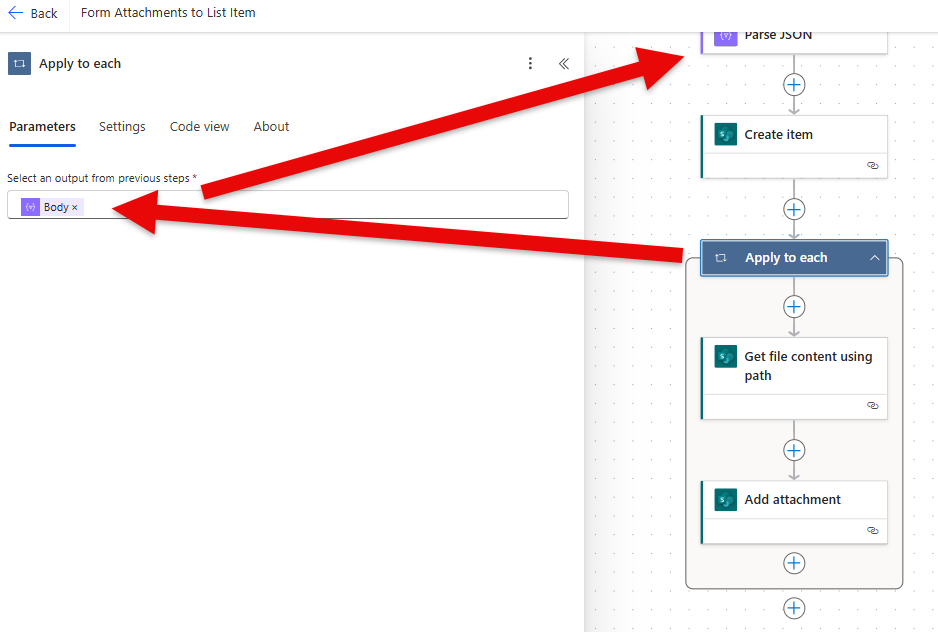
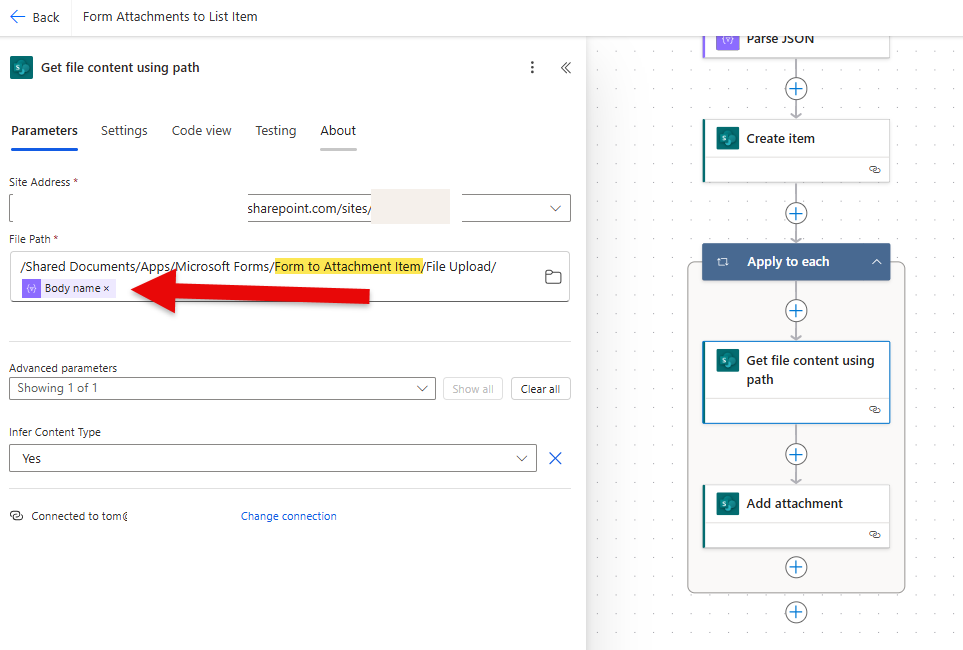
As noted above, when you select dynamic content "name" in this next action, it will automatically wrap itself in a loop. That's because the parse json action may contain more than one attachment and is designed to work with one attachment or up to 10 in Microsoft Forms. In this step we need to get the actual content of each attachment.
The highlighted part of the URL is the Form Name. In my example, my form lives in a SharePoint site but your URL will be different if the form is created outside of a SharePoint site (the attachments are in your OneDrive for business account.
Also note "/File Upload/" is the question name in the Form; without the slashes of course.
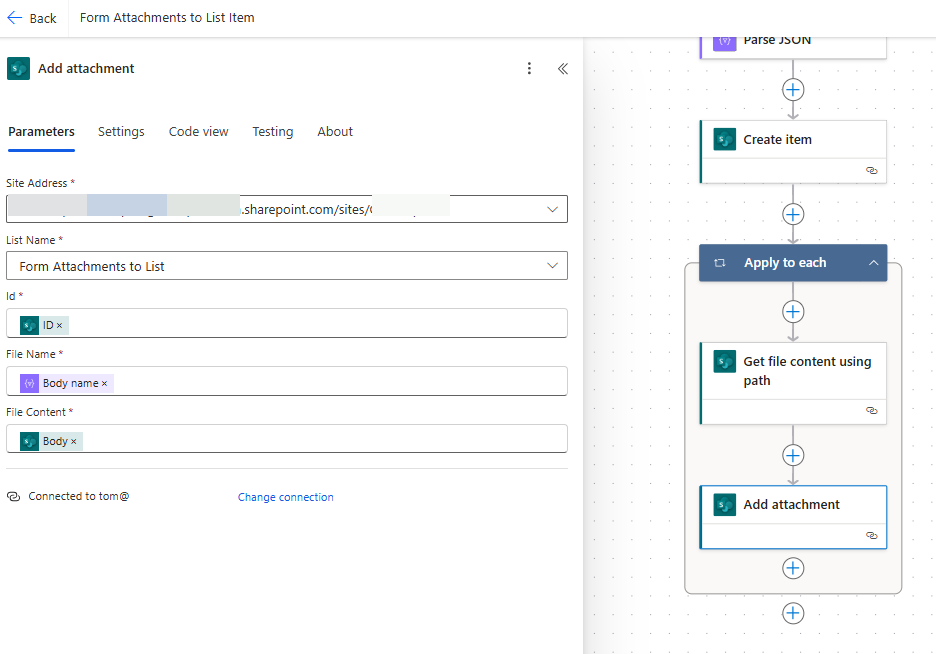
The last step is to add the attachment to the Item. The dynamic content for ID is from Create Item, File Name is from Parse JSON, and the File content (Body) is from Get file content using path.
------------------------------------------------
⭐ If this was helpful, please like and mark as a verified answer to help others find this too!
Always glad to help! 💯💯💯💯💯
Tom
Follow me on LinkedIn - Thomas Rice, PMP | LinkedIn


