I've been at this for a few days now and can't seem to get it working correctly. I am building a custom 'News Recap' for SharePoint (since the ootb option has a bunch of SharePoint branding our organization doesn't want).
That being said, I am using a Power App in conjunction with a workflow to bring in the site pages (Get Items) of the published news posts for the past 7 days and PromotedStatus = 2 for published news articles.
Part of the workflow is to convert the BannerImageUrl to a Base64 image. While the BannerImageUrl works great in the PowerApp, it doesn't translate through to emails. I've tried doing a Office365Outlook.SendEmailV2(), while targeting an HTMLText field that displays the news recap. While that part works as intended, the images never go through correctly.
Let me show some of my workflow and hopefully that helps:
Below is nested in an Apply to each of the value of the Get items.
Compose 5:
replace(substring(items('Apply_to_each')?['BannerImageUrl'], add(indexOf(items('Apply_to_each')?['BannerImageUrl'], 'Pulse'), length('Pulse'))),'%2F','/')
This way I can get the file path
Compose 6:
replace(replace(outputs('Compose_5'),'%28','('), '%29', ')')
So I can remove the UTF-8 coding in the hyperlinks
Compose 7:
Converts the content of the file to base64
Once in the Power App I am doing a ForAll and ParseJSON to get teh returned string array back into a table.
Filter(ClearCollect(colSitePages,
ForAll(Table(ParseJSON('Marketing-GETSitePagesLast7days'.Run().response)),
{ID:Value(Value.ID),
Title:Text(Value.Title),
BannerImage:Text(Value.BannerImage),
Description:Text(Value.Description),
URL:If(StartsWith(Text(Value.URL),"SitePages"),Concatenate("----","",Text(Value.URL)),Text(Value.URL)),
Checked:false,
Published:Text(Value.Published),
Base64Image:Text(Value.Base64Image)
})),!IsBlank(Published));
The app then displays the collection in a gallery for the user to decide which news posts they want to display (in this example I am only pulling a single page for testing).
The selected articles are then placed into a different collection.
This is what the template of the email looks like using the HTMLText in the Power App, and it looks exactly how it should. For the in app view, I am just using the BannerImageUrl as the Base64Image causes the app to slow down or crash completely.
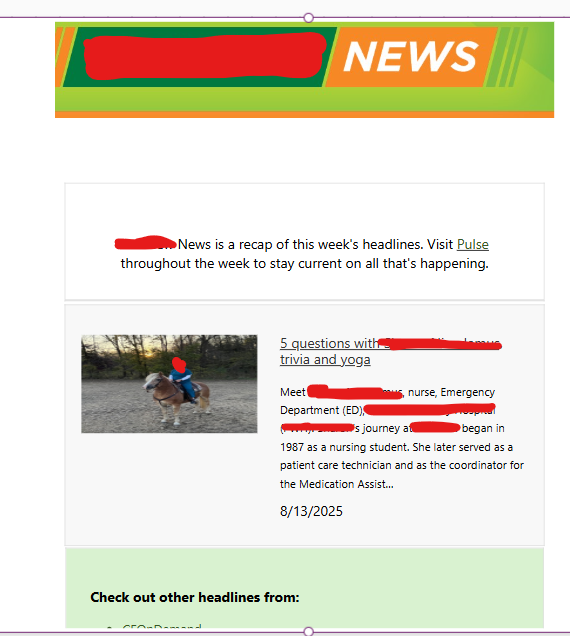
To get this to format correctly, I am using a Concat() within the HTMLText so multiple articles can be displayed.
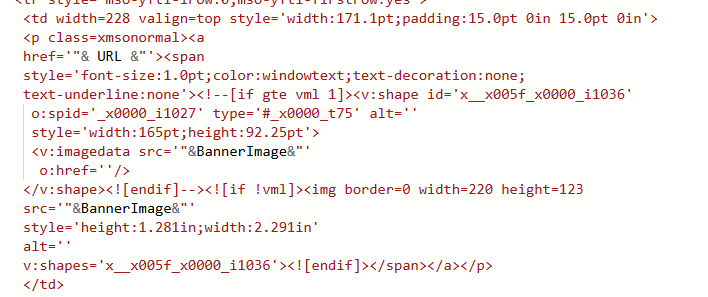
The button within the app, again uses the OutlookOffice365.SendEmailV2() and I've tried using the HTMLText field or the HTML code placed directly in it. If doing the second option, I replace BannerImage with Base64Image.
However this is how my emails always come in.
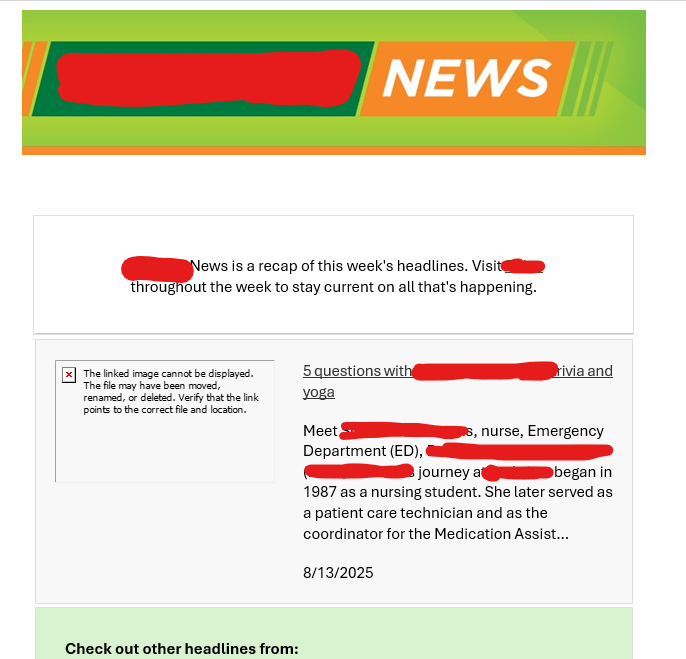
I've even tried passing the html text field through Power Automate in a workflow and it nets the same result. Does anyone have experience getting collection items to pass base64 images through?


