web
You’re offline. This is a read only version of the page.
close
Skip to main content

Announcements

News and Announcements icon
Community site session details

Community site session details

Session Id :
Power Platform Community / Forums / Power Automate / How to Set the "Modifi...
Power Automate
Unanswered

How to Set the "Modified By" Field Dynamically in Timeline Notes Using Power Automate?

(1) ShareShare
ReportReport
Posted on by 109
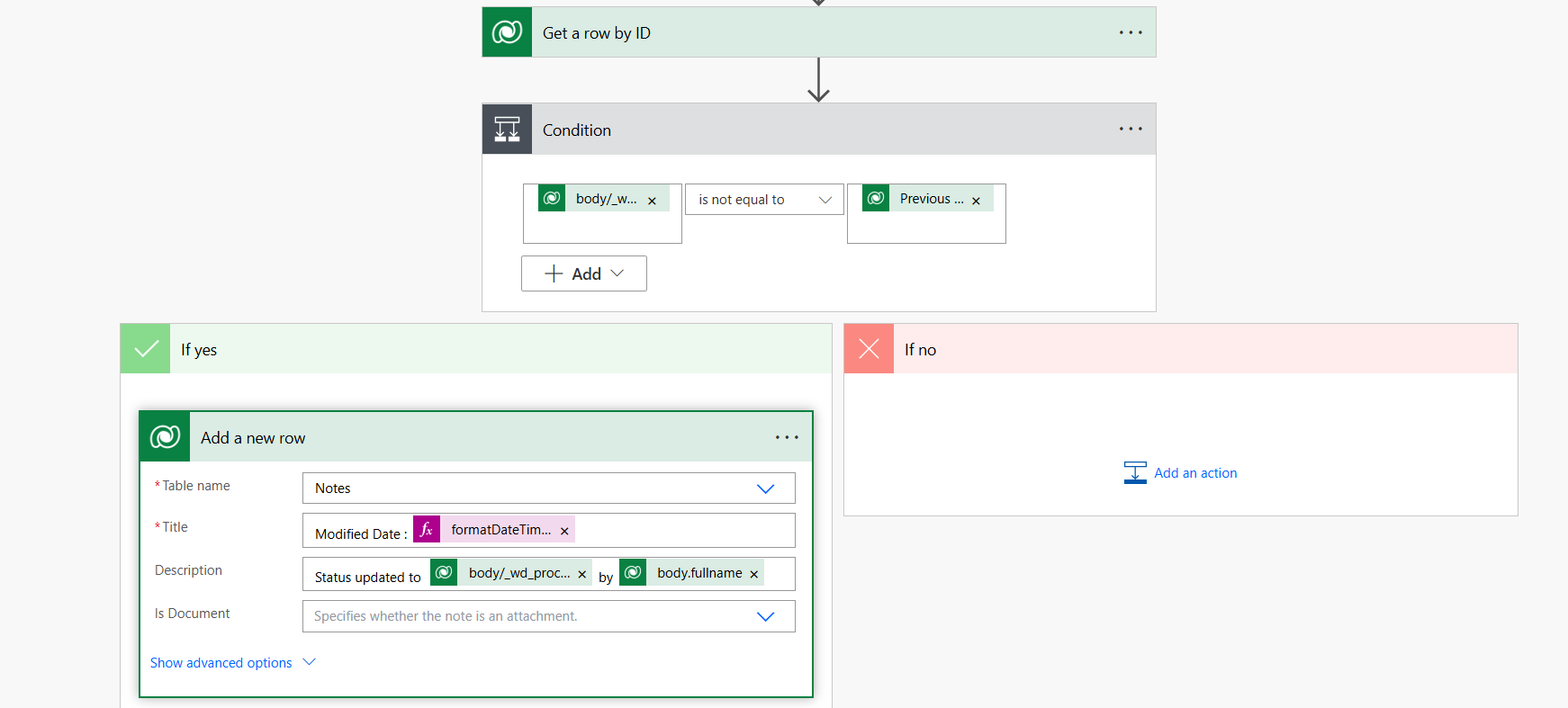
I am using Power Automate to automatically create Timeline notes in Dataverse when the Processing Status of an Injury record changes in my Model-Driven App . The Processing Status is a choice column with stages like Triage, Core Processing, Claim Processing, and Finalization.
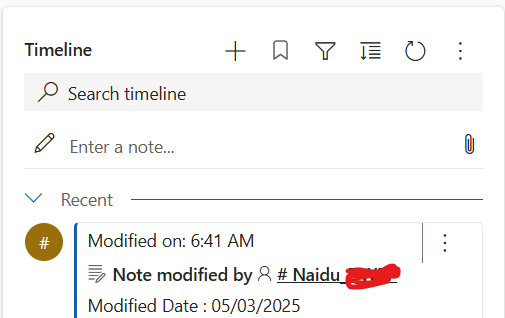
The Power Automate flow is triggered when the Processing Status is updated, and it creates a Note in the Timeline with details of the status change. However, the problem is that the Modified By field of the note always shows my name (since I am the owner of the flow), even when another user makes the change.
For example:
Scenario: When John changes the status from Triage to Core Processing, the flow creates a Timeline note.
Expected Outcome: The note in the Timeline should show John as the Modified By.
Actual Outcome: The note shows my name as the Modified By, not John.
Categories:
I have the same question (0)
  • Michael E. Gernaey Profile Picture
    53,963 Moderator on at
    HI
     
    You cannot manual set the modified by. It is read only.
     
    You have to change how the flow (if in this case you even can) runs as. Right now the connection was created by you when you built it, so by default it is you.
     
    Can you change it to a run as user for connections, thats the only way to do it.

Under review

Thank you for your reply! To ensure a great experience for everyone, your content is awaiting approval by our Community Managers. Please check back later.

Helpful resources

Quick Links

Introducing the 2026 Season 1 community Super Users

Congratulations to our 2026 Super Users!

Kudos to our 2025 Community Spotlight Honorees

Congratulations to our 2025 community superstars!

Congratulations to the April Top 10 Community Leaders!

These are the community rock stars!

Leaderboard > Power Automate

#1
Vish WR Profile Picture

Vish WR 816

#2
Valantis Profile Picture

Valantis 603

#3
Haque Profile Picture

Haque 566

Last 30 days Overall leaderboard








