If your tables have a relationship, you can use Expand Query and Filter rows (or Fetch Xml) to return only items that belong to certain related tables.
If there isn't a relationship, one thing you can do is use a Select action to create a simple array that only contains the values you want to filter your other array by. Then you use a Filter actions that checks if that simple array contains a specific field value in the array you're filtering.
E.g. Here I'll demonstrate the concept by listing all my Dataverse Contacts, then listing all my Accounts, and filter the Contacts that have a Company ID in the Accounts ID array.
Get both Arrays you want to work with
here I list Contacts and Accounts
Create Simple Array of only accountids
Use select, and toggle to text mode from key/value mode. Then put in the reference to id column you want to select.

This creates a simple array of only values with no key:value structure.
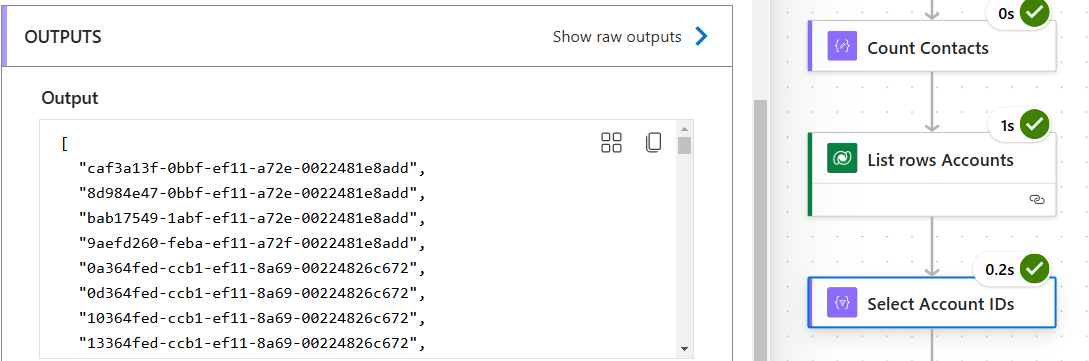
Filter the List Rows - Contacts output array by checking for rows where the "Company (Value)" id is contained by the simple array created above.
From is the output of the List Rows on the Contacts table. The first Filter Query parameter is the output of the simple array of Account IDs. We compare this to the current Contact's Company lookup "
item()?['_parentcustomerid_value']" field with a "contains" operator.
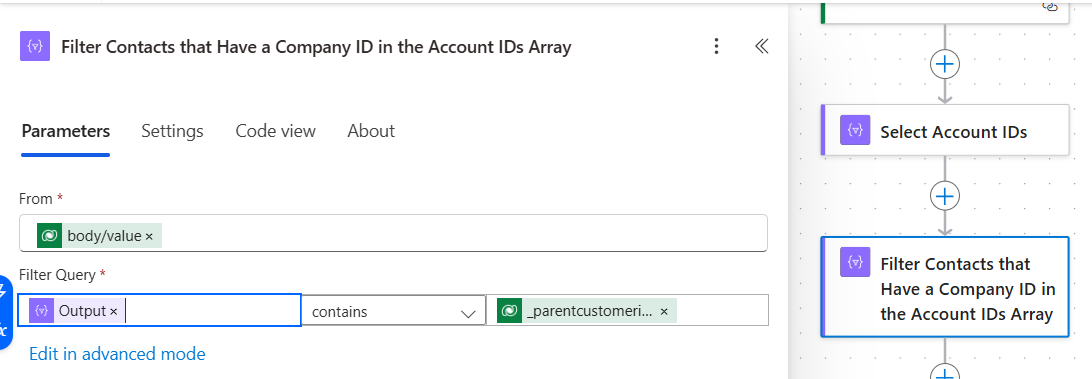
This filters the Contacts that have a Company ID in the Accounts array.
Here the filter outputs 147 contacts
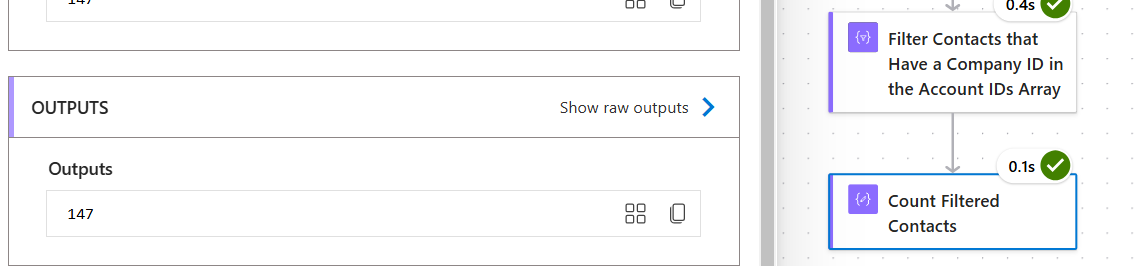
While the original list of contacts had 172
 If this helped you, please click "Does this answer your question" and give it a like to help others in the community (+ close the ticket)!
Power Platform Developer | LinkedIn: Mark Nanneman | Blog: Power Stuff | YouTube: Mark's Power Stuff
If this helped you, please click "Does this answer your question" and give it a like to help others in the community (+ close the ticket)!
Power Platform Developer | LinkedIn: Mark Nanneman | Blog: Power Stuff | YouTube: Mark's Power Stuff







