web
You’re offline. This is a read only version of the page.
close
Skip to main content

Announcements

News and Announcements icon
Community site session details

Community site session details

Session Id :
Power Platform Community / Forums / Power Automate / Flow: Send an email wh...
Power Automate
Suggested Answer

Flow: Send an email when someone is added to the "assignee" column

(0) ShareShare
ReportReport
Posted on by 8
Hi,
 
Problem statement: 
I want an email to be sent to a shared mailbox, whenever someone is added to the "assignee" (column type: people) column in a sharepoint list. 
 
Current Flow: 


CheckAssignee: Checks whether there is a name in the "Assignee" column in the sharepoint list (in already-existing entries, because we don't assign entries at the time of creation but later)
GetItems: I read I had to add this here to get content of all columns in the sharepoint list. 
 
Send an Email to a shared mailbox: Sends the email. I put "AssigneeEmail" in "To" because that column is a "People" one, therefore containing a name rather than an email. 
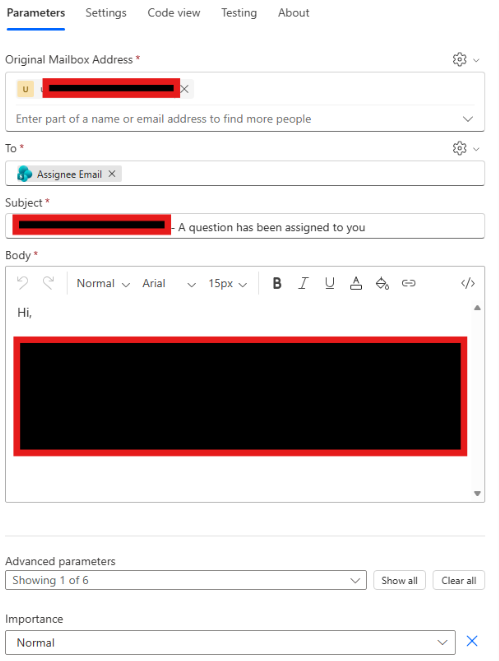

ISSUE: 

Doesn't work. It sends emails to people already assigned. I have mistakenly sent 100+ emails. I thought the above would only send notifications to FUTURE Assignee additions, not the already-existing ones. 
And I also don't want any email notification sent if a column is changed other than the "Assignee" one. 

Could someone please help me to change the flow to ensure only future changes in the "Assignee" column are taken into account and the existing ones are not bothered? 

Thanks a lot
Categories:
I have the same question (0)
  • Suggested answer
    Ellis Karim Profile Picture
    12,236 Super User 2026 Season 2 on at
     
    To detect when a SharePoint Column Value Changes, use the Get changes for an item or file action.
     
     
    Ellis Karim
    Ellis Karim
    elliskarim.com  |  LinkedIn  |  Bluesky
    If this solved your issue, please mark it as ✅ Accepted Answer. If it helped, feel free to give it a 🩷 Like!


  • TB-12071612-0 Profile Picture
    8 on at
    I have followed the video to the letter, 1 error message and I don't know why it keeps creating that "For Each 1" condition, it doesn't create it in the video:


    Error message I'm getting below. I think it relates to that ID here which I have taken from the trigger -- THANK YOU --
     
    Flow run failed. Action 'Get_changes_for_an_item_or_a_file_(properties_only)' failed: The 'inputs.parameters' of workflow operation 'Get_changes_for_an_item_or_a_file_(properties_only)' of type 'OpenApiConnection' is not valid. Error details: The resolved string values for the following parameters are invalid, they may not be null or empty: 'id'

Under review

Thank you for your reply! To ensure a great experience for everyone, your content is awaiting approval by our Community Managers. Please check back later.

Helpful resources

Quick Links

Season of Sharing Community Challenge Winners!

Congratulations to our community stars!

Kudos to our 2025 Community Spotlight Honorees

Expanding mentorship, skilling, and AI innovation

Congratulations to the July Top 10 Community Leaders!

These are the community rock stars!

Leaderboard > Power Automate

#1
David_MA Profile Picture

David_MA 306 Super User 2026 Season 2

#2
11manish Profile Picture

11manish 169 Super User 2026 Season 2

#3
Haque Profile Picture

Haque 131 Super User 2026 Season 2

Last 30 days Overall leaderboard
