Hi PA Community
Reaching out to the automate Gurus for some possible help. Recently Microsoft launched the Multi Admin approval in Intune for functions like device wipe / retire / delete, however they did not create any kind of notification flow.
I am trying to create a PA that sends a message to a Teams channel. This command in Graph (
https://graph.microsoft.com/beta/deviceManagement/operationApprovalRequests) returns the pending requests, so I was hoping to use this in a scheduled flow to 'get' these and send to Teams. I've started building my flow and I am using an App reg with all the correct application permissions, but it keeps getting a 403 error. Here is the start of my flow:
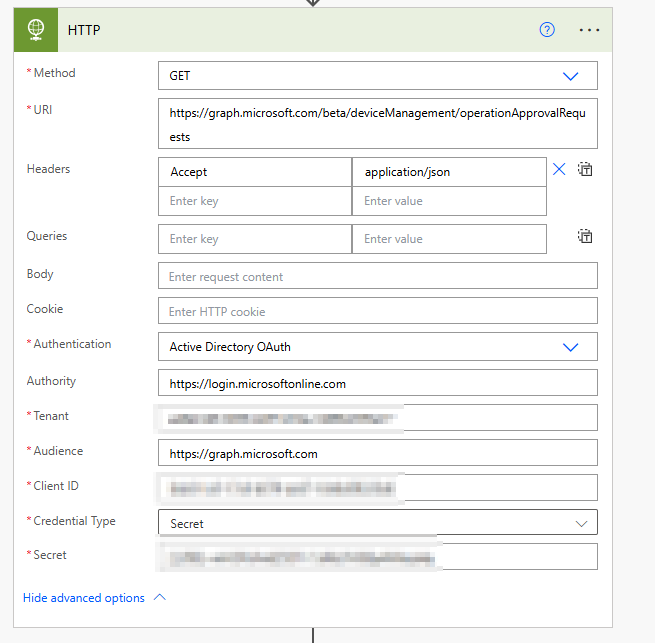
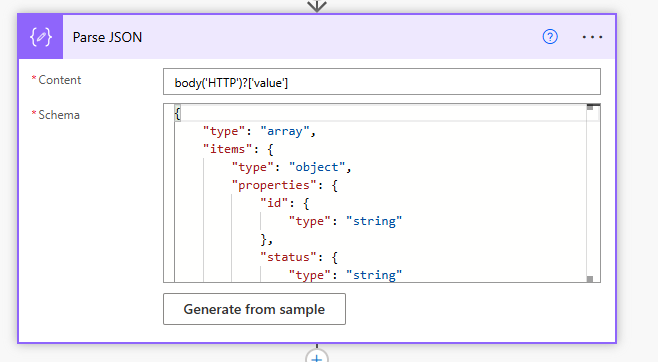
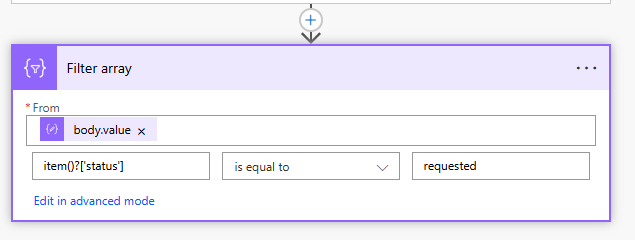
However, it keeps failing at the HTTP part
{
"_version": 3,
"Message": "An error has occurred - Operation ID (for customer support): 00000000-0000-0000-0000-000000000000 - Activity ID: 775e9bc7******************** - Url: https://proxy.msub06.manage.microsoft.com/StatelessRoleAdministrationFEService/deviceManagement/operationApprovalRequests?api-version=5025-09-12",
"CustomApiErrorPhrase": "",
"RetryAfter": null,
"ErrorSourceService": "",
"HttpHeaders": "{}"
}
If anyone has any ideas, or has already come up with a solution for this, be really happy to hear. Thanks in advance





