web
You’re offline. This is a read only version of the page.
close
Skip to main content

Notifications

Announcements

Community site session details

Community site session details

Session Id :
Power Platform Community / Forums / Power Apps / Adjusting 'X' and 'Y' ...
Power Apps
Suggested Answer

Adjusting 'X' and 'Y' of Fields and Controls in a Container

(1) ShareShare
ReportReport
Posted on by 5,325 Super User 2025 Season 2

Practicing with 'Responsive' app construction.

I am trying to understand the limitations for fields and controls
with Containers and Galleries inside Containers.

Outside of Containers the developer can focus on the field
or control and set its 'X' and 'Y' to whatever they want.

I've noticed this capability to not provided when the field or
control is within a container.

Is there a way to custom adjust the 'X' and 'Y' for fields and
controls inside a container?

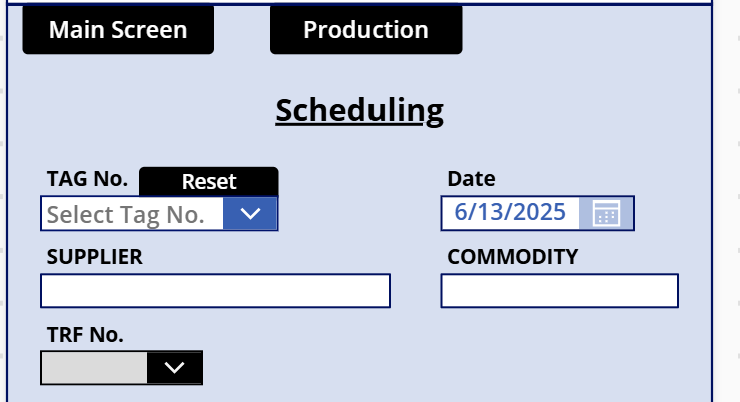
App with fields and controls in contaner. Two verticial containers
inside a master container.


Same app without containers, and the formatting desired in the
app with containers.
Categories:
I have the same question (0)
  • Suggested answer
    Pstork1 Profile Picture
    68,717 Most Valuable Professional on at
    Vertical and Horizontal containers are designed to automatically flow the controls in them based on the size of the Controls and whether Wrap is turned on.  X and Y tend to be ignored.  

    But inside a regular Container the X and Y of Controls is relative to the upper left corner of the container.  So the way I find it easiest to work is to use Vertical and Horizontal Containers to automatically adjust the placement of nested regular containers. Then put all the controls inside the inner regular containers and adjust the relative X and Y coordinates.  Doing that I can use say a Horizontal container to show two sections of the screen side by side on a Landscape screen but place them over and under on a Vertical screen. Inside the two inner containers then the controls placement is adjusted based on the size of the parent container.

    ----------------------------------------------------------------------------------
    If this Post helped you, please click "Does this answer your question" and give it a like to help others in the community find the answer too!

    Paul Papanek Stork, MVP
    Blog: https://www.dontpapanic.com/blog
     

Under review

Thank you for your reply! To ensure a great experience for everyone, your content is awaiting approval by our Community Managers. Please check back later.

Helpful resources

Quick Links

Forum hierarchy changes are complete!

In our never-ending quest to improve we are simplifying the forum hierarchy…

Ajay Kumar Gannamaneni – Community Spotlight

We are honored to recognize Ajay Kumar Gannamaneni as our Community Spotlight for December…

Leaderboard > Power Apps

#1
WarrenBelz Profile Picture

WarrenBelz 739 Most Valuable Professional

#2
Michael E. Gernaey Profile Picture

Michael E. Gernaey 343 Super User 2025 Season 2

#3
Power Platform 1919 Profile Picture

Power Platform 1919 268

Last 30 days Overall leaderboard









