Hi @PaulVR13,
Step1: You could create your PowerApps' boxes, do not configure the Send Email button.
Step2: Create a Flow with multiple compose actions to accept these values from PowerApps.
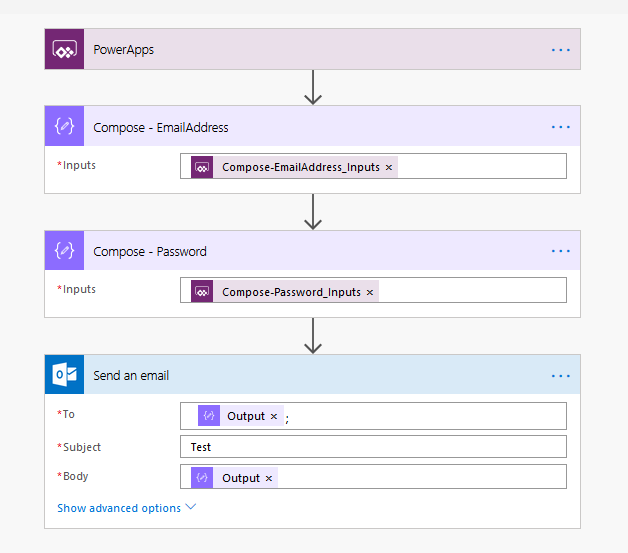 Step 3: Configure the Send email button. Add the Flow into the button.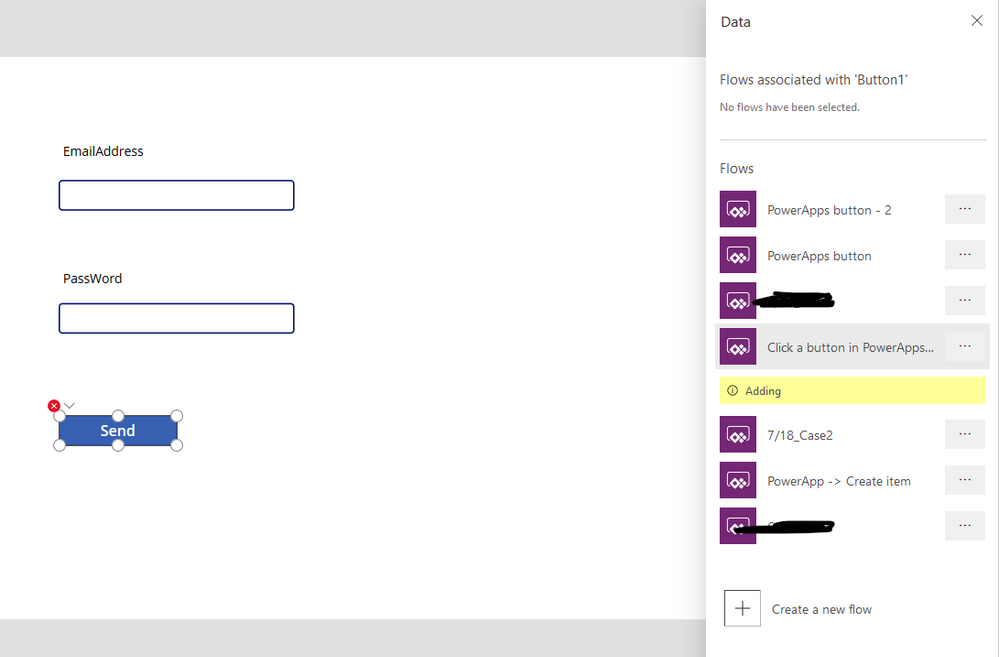
Step 4: Add parameters into the Run() function, the number of parameters must be the same as the previous number of Compose action. For example, I used to be two compose writers to receive. In the Run, I can only write two parameters, no more or less.
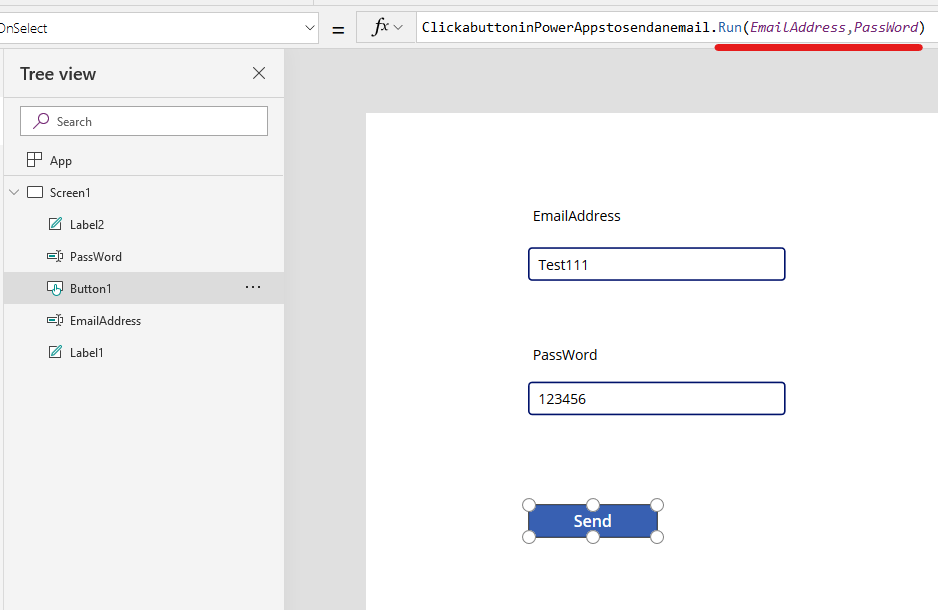
Please have a try.
Best Regards,
Community Support Team _ Lin Tu
If this post helps, then please consider Accept it as the solution to help the other members find it more quickly.


