

web
You’re offline. This is a read only version of the page.
close
Skip to main content

Announcements

News and Announcements icon
Community site session details

Community site session details

Session Id :
Power Platform Community / Forums / Power Pages / Power Pages Code gone?
Power Pages
Suggested Answer

Power Pages Code gone?

(0) ShareShare
ReportReport
Posted on by
Hello,
 
For some reason, eventhough I was able to modify the code for various pages yesterday, today for some reason all the code for my page is gone:
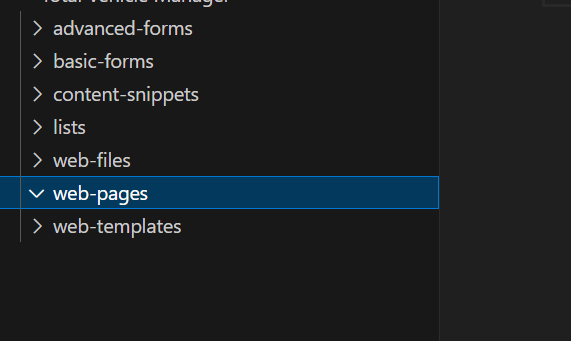
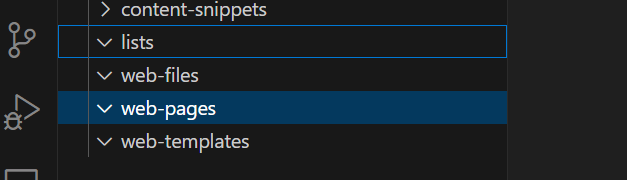
 
There is nothing in any of the folders anymore, the site itself seems to be the same as before but there is no code at all. Does anyone know what this issue is relating to?
 
Thanks in advance.
Categories:
I have the same question (0)
  • Suggested answer
    Fubar Profile Picture
    Super User 2026 Season 1 on at
    Use the Power Pages Management App and double check if the Web Pages (and inside their localized content records) exist and what you are missing exists.  If it exists then exit the Code editor without saving, then in the Designer re-sync and then see if it is back in the code editor.
     
    Note: If you can't find what you are missing in the Power Pages Management app you may have lost it and would need to try to do a restore.

Under review

Thank you for your reply! To ensure a great experience for everyone, your content is awaiting approval by our Community Managers. Please check back later.

Helpful resources

Quick Links

Season of Sharing Community Challenge Winners!

Congratulations to our community stars!

Kudos to our 2025 Community Spotlight Honorees

Expanding mentorship, skilling, and AI innovation

Congratulations to the June Top 10 Community Leaders!

These are the community rock stars!

Leaderboard > Power Pages

#1
sannavajjala87 Profile Picture

sannavajjala87 42 Super User 2026 Season 1

#2
Valantis Profile Picture

Valantis 31

#3
11manish Profile Picture

11manish 18

Last 30 days Overall leaderboard




