web
You’re offline. This is a read only version of the page.
close
Skip to main content

Announcements

News and Announcements icon
Community site session details

Community site session details

Session Id :
Power Platform Community / Forums / Power Apps / Trouble having edit fo...
Power Apps
Suggested Answer

Trouble having edit form in Canvas app to show fields from a servicenow table

(0) ShareShare
ReportReport
Posted on by 65
Hello Everyone,
 
I was wondering if somebody could guide me what am I doing wrong here?
 
I am trying to get an "edit form" in a Canvas App, to show fields from a specific table in ServiceNow. But its not working
 
So here is what I am doing : 

-I am creating a Blank Canvas App, and I believe I am connected to the "ServiceNow" instance (The SNOW connection is already there in Power Automate). Below image shows I am connected to the datasource
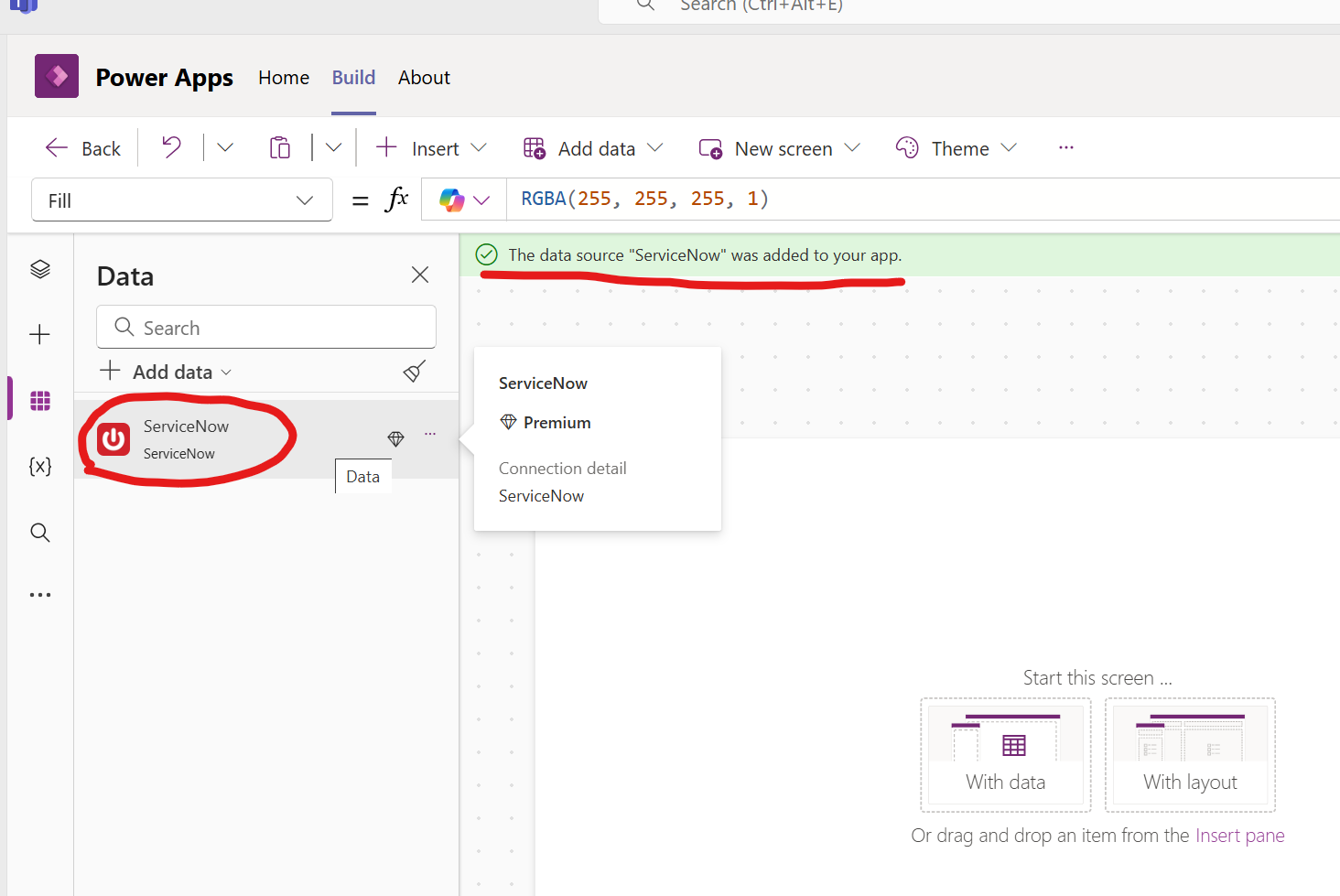
 
-Then I try to add an edit form to the screen, and trying to set the "DAtasource" property to point to a "Projects" table in Servicenow
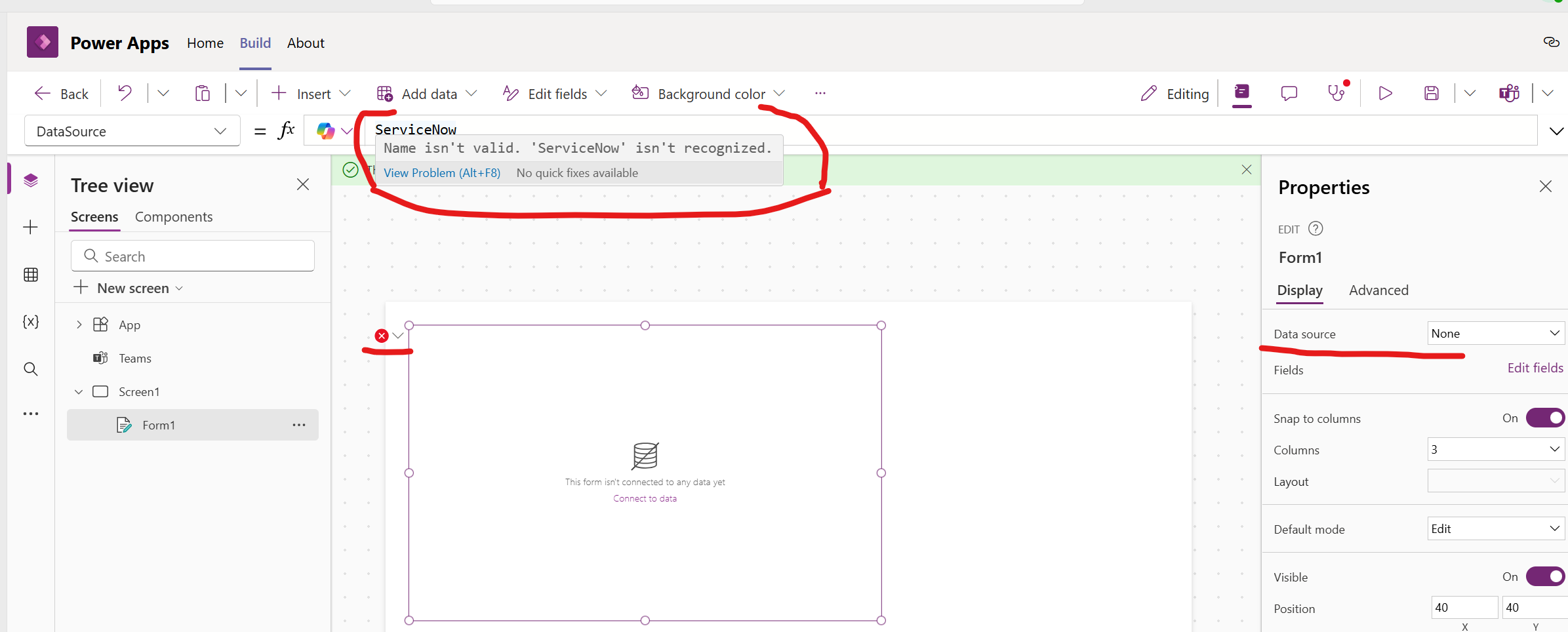
 
-However as you can see above, I am unable to select the datasource, and it gives a error above. 

-In the "datasource" property, if I start typing in a dot after servicenow. it does give some options. But it doesn't give anything that helps me connect to the Projects table in Servicenow.
 
-What I am really looking for, is get this edit form, to display certain fields from the"Projects" Table from the connected SNOW instance. Then I can submit data back to Servicenow (eg, creating a project record from here, and submitting it back to Servicenow).
 
Any pointers would be appreciated.
Categories:
I have the same question (0)
  • Suggested answer
    mmbr1606 Profile Picture
    14,629 Super User 2026 Season 1 on at
    hey
     
    normally u add a connector and then the list/table
     
    did u already choose the table you want to connect?


    if my answer helped please mark as verified
     
     
    cheers
  • SPUser1980 Profile Picture
    65 on at
     
    Yes I added the servicenow connection using the "+add data" on first screenshot. Then after that, it doesn't ask me or prompt for any user credentials for the servicenow instance.
     
    Also in the edit form properties on the right (Second screenshot), it doesn't connect. It still says "none" for datasource, inspite of selecting its datasource as servicenow. It does NOT give or list any tables for this datasource.
     
    Am I trying to access the datasource in the right way? 
     
     
  • Suggested answer
    mmbr1606 Profile Picture
    14,629 Super User 2026 Season 1 on at
    only from adding service now to your datasource the app does not know which table you want to access.
     
    what happens when you click on the dropdown that says none next to datasource, does it offer choices?
     
    if not have u already tried to remove the connector and reconnect again? did you also make sure that you have teh right permissions on the table?
     
     
    if my answer helped please mark as verified,
     
     
    cheers
  • Suggested answer
    CA1105 Profile Picture
    545 Moderator on at
     
    Are you able to see your table from ServiceNow when you check on Datasource? If not, then there might be issue with your data source. Worth to check by removing your connection and add them back.
  • mmbr1606 Profile Picture
    14,629 Super User 2026 Season 1 on at
    hey
     
     
    have you been able to solve the issue with one of the answers?
     
    if yes please do not forget to mark as verified answer so we can also help other with similar issues
     
     
    thank you

Under review

Thank you for your reply! To ensure a great experience for everyone, your content is awaiting approval by our Community Managers. Please check back later.

Helpful resources

Quick Links

Introducing the 2026 Season 1 community Super Users

Congratulations to our 2026 Super Users!

Kudos to our 2025 Community Spotlight Honorees

Congratulations to our 2025 community superstars!

Congratulations to the March Top 10 Community Leaders!

These are the community rock stars!

Leaderboard > Power Apps

#1
11manish Profile Picture

11manish 510

#2
WarrenBelz Profile Picture

WarrenBelz 426 Most Valuable Professional

#3
Vish WR Profile Picture

Vish WR 281

Last 30 days Overall leaderboard
