 📌 Context:
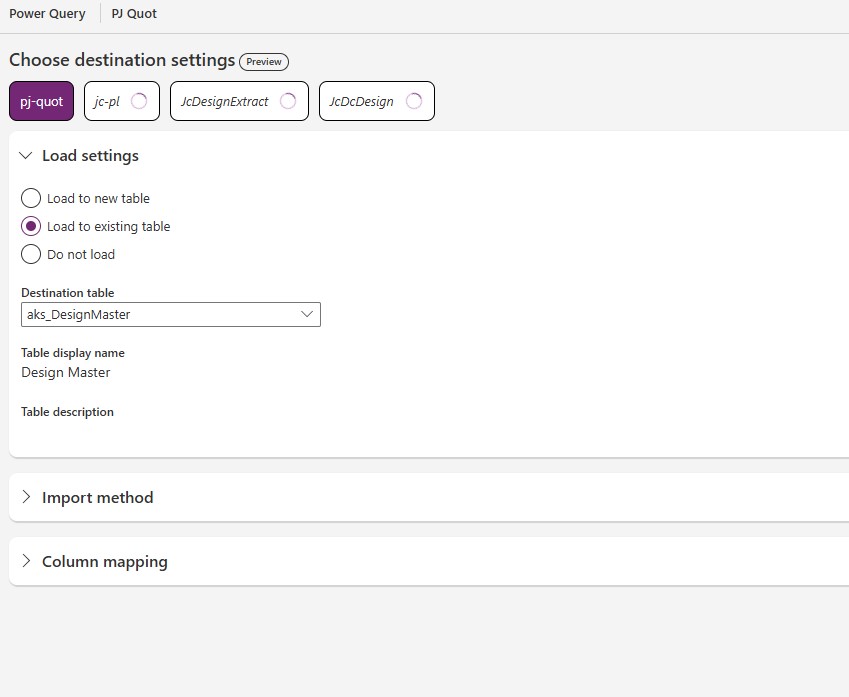
I'm building a canvas app in Power Apps using Dataverse as the data source. One of my key tables is called Design Master, with the following configuration:
-
Display Name: Design Master
-
Schema Name: aks_DesignMaster
-
Logical Name: aks_designmaster
-
Type: Standard
-
Ownership: User or team
This table is part of a solution and has been working fine. The last successful dataflow refresh occurred on 20/07/2025 IST.
⚠️ Problem:
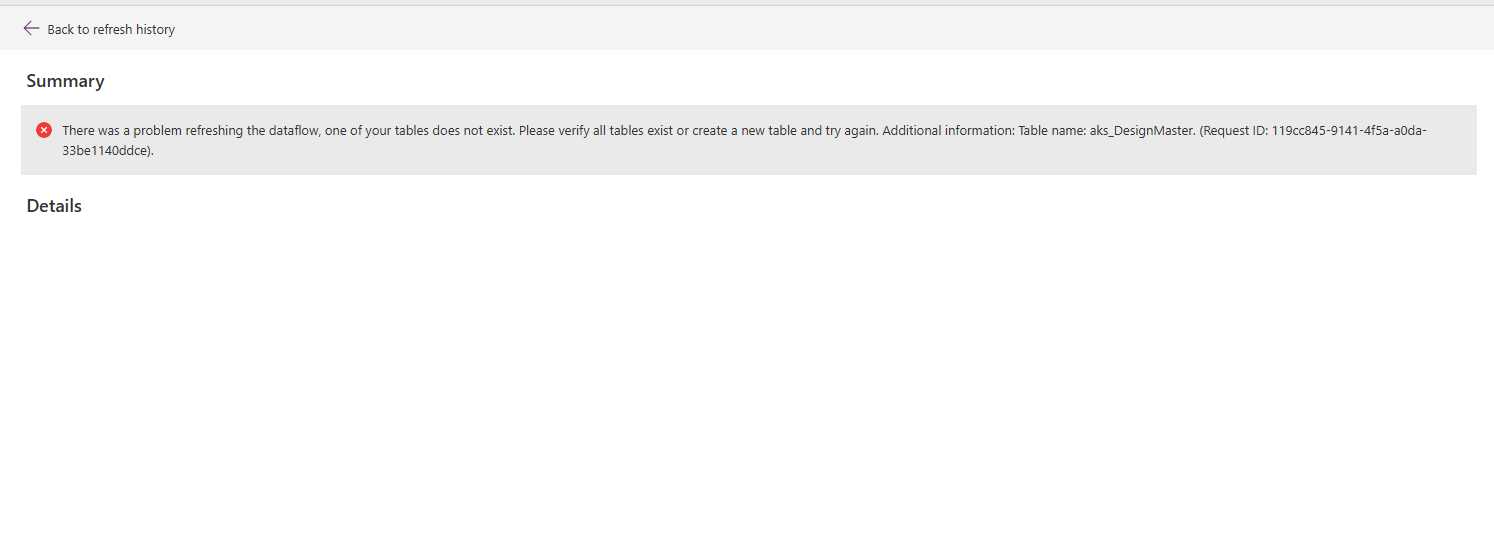
After manually adding a few rows to the Design Master table post-20/07/2025, my dataflow now fails to refresh. The error message is:
"There was a problem refreshing the dataflow, one of your tables does not exist. Please verify all tables exist or create a new table and try again. Additional information: Table name: aks_DesignMaster."
(Request ID: 119cc845-9141-4f5a-a0da-33be1140ddce)
However, the table does exist, and I can access it in Power Apps and Power BI. In fact, Power BI correctly shows all relationships and data. And Canvas App is also working fine with existing Data in Design Master.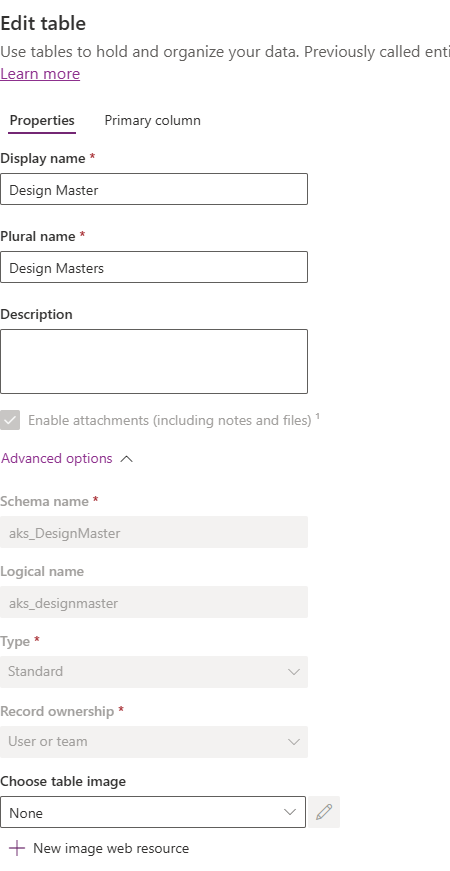
🔍 What I’ve Checked:
-
✅ Table exists in the correct environment
-
✅ Schema and logical names are correctly defined
-
✅ Relationships are set up via lookup columns and visible in Power BI
-
✅ Dataflow is using the Dataverse connector
-
✅ No renaming or deletion of the table occurred
-
✅ Manual rows added do not appear to break schema (but not 100% sure)
🧠 Suspected Causes:
-
Case sensitivity mismatch in Power Query (schema name vs. logical name)
-
Manual row additions may have introduced invalid data or broken relationships
-
Dataflow connection may be referencing the wrong environment or lacking permissions
-
Table visibility settings may not allow external access or dataflow usage
🛠️ What I Need Help With:
-
How can I validate my table schema to ensure it’s compatible with dataflows?
-
Is there a way to force Power Query to recognize the correct logical name?
-
Could manual data entry cause schema validation failures during refresh?
-
What are the best practices to ensure dataflows remain stable after manual edits?
-
Any guidance or troubleshooting tips would be greatly appreciated. I'm also preparing this solution for future scalability using Plan Designer, Copilot agents, and Gen Pages, so I want to ensure my schema is robust and compatible.
Thanks in advance!
📷 Screenshot:
(Include the image showing the table configuration and error message)


