




 Share
Share Report
Hi,
we are trying to add an Azure Data Factory connection to Power App via Flow.
However, when adding the connection in the Power App Portal according to documentation at https://docs.microsoft.com/en-us/powerapps/maker/canvas-apps/add-data-connection there is no option to configure the Service Principal. It just pops up an authentication dialog which seems to accept nothing but real users.
How can we pass the parameters of the connector that are described at https://docs.microsoft.com/en-us/connectors/azuredatafactory/ ?
We have tested the same with Logic Apps which allows one to easily configure the necessary parameters:
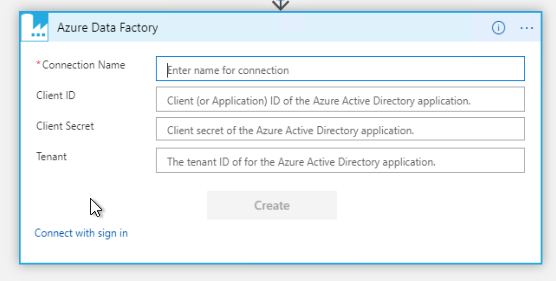
How to enter parameters for Flow connections?
Categories:
I have the same question (0)
 All responses (
 Answers (





 509
509


