







 Share
Share Report
After you determine how much storage you're using, you can add or remove storage space for your subscription. Use the following steps to review pricing and purchase more storage capacity.
-
Sign in to the Microsoft 365 admin center.
Tip
Be sure to select the correct tenant to add the storage capacity add-on.
-
In the left pane, select Marketplace.
-
Choose a billing account to buy products or manage products you own.
-
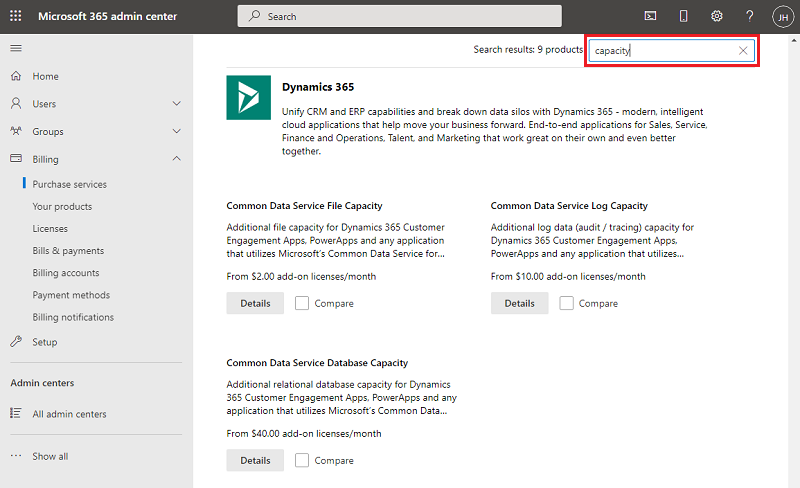
Search for Dataverse.
-
Select your products as required: Dataverse Database Capacity add-on, Dataverse File Capacity add-on, or Dataverse Log Capacity add-on. Then, select Details.
-
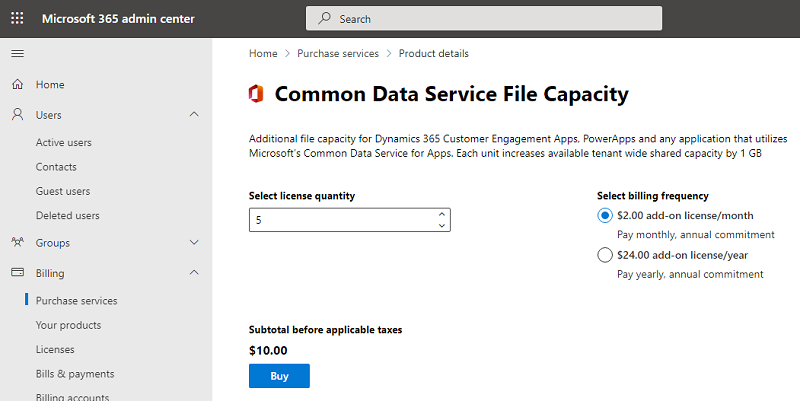
From the Select license quantity box, enter the number of licenses to purchase.
-
From the Subscription length, choose a period from 1 month to 3 years.
-
Select your billing frequency, and then select Buy to complete the purchase process.
 :::
:::
After completing the purchase process, the extra storage capacity will appear in the Power Platform admin center Capacity page (Resources > Capacity > Summary).
 All responses (
 Answers (
 53,963








