

web
You’re offline. This is a read only version of the page.
close
Skip to main content

Notifications

Announcements

Community site session details

Community site session details

Session Id :
Power Platform Community / Forums / Power Apps / Issue with repeating t...
Power Apps
Unanswered

Issue with repeating table using a collection for items

(0) ShareShare
ReportReport
Posted on by 73
I have a vertical gallery with these properties:
I have a 2 x text fields (modern controls) and a checkbox in each row. I want to be able to add a row by either:
  • clicking the + Add buttonand it adds to the collection (and gallery)
  • or clicking the save Button on each row and it adds to the collection (and gallery).
This is adding a row but the problem is that it's keeping the values in the text field and not clearing them. 
I will share the properties of all buttons:
+ Button:
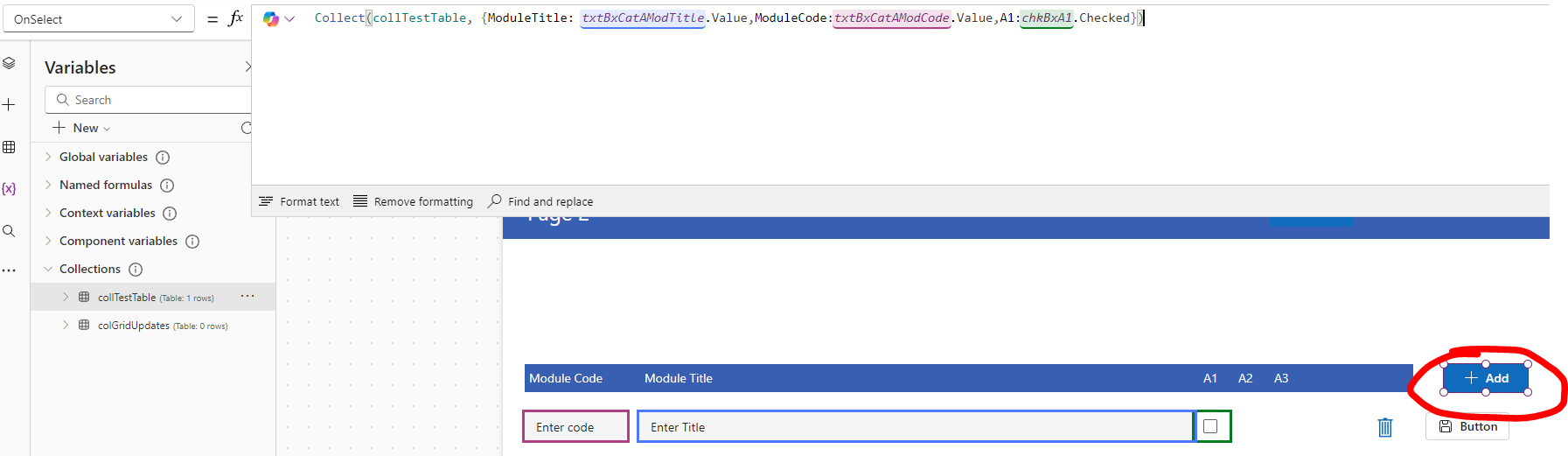
 
The save button on each row:
 
Ultimately I want to be able to submit this collection as JSON to a multiline column in SP so that's why there is no connection to SP involved (and I don't need there to be until I submit).
 
Can you see what I'm doing wrong here.
 
I've done this x100 odd times in the past but a bad nights sleep is contributing.
Categories:
I have the same question (0)
  • Suggested answer
    jpespena Profile Picture
    335 on at
    Hi,
     
    You can reset the input fields by:
     
    Reset(TextInput1);
    Reset(TextInput2);
    Reset(Checkbox);
     
    Or use a local variable like:
    UpdateContext({locReset: false});
    UpdateContext({locReset: true});
    Then add locReset on the Reset property of the text input and checkbox controls.
     
     
    You can add either on the end of the function of the Save and Add button.
     

Under review

Thank you for your reply! To ensure a great experience for everyone, your content is awaiting approval by our Community Managers. Please check back later.

Helpful resources

Quick Links

Forum hierarchy changes are complete!

In our never-ending quest to improve we are simplifying the forum hierarchy…

Ajay Kumar Gannamaneni – Community Spotlight

We are honored to recognize Ajay Kumar Gannamaneni as our Community Spotlight for December…

Leaderboard > Power Apps

#1
WarrenBelz Profile Picture

WarrenBelz 759 Most Valuable Professional

#2
Michael E. Gernaey Profile Picture

Michael E. Gernaey 310 Super User 2025 Season 2

#3
Power Platform 1919 Profile Picture

Power Platform 1919 228

Last 30 days Overall leaderboard



