web
You’re offline. This is a read only version of the page.
close
Skip to main content

Notifications

Announcements

Community site session details

Community site session details

Session Id :
Power Platform Community / Forums / Power Apps / TypeError "Cannot set ...
Power Apps
Answered

TypeError "Cannot set properties of null (setting 'firstPageNumber')" Power Apps

(0) ShareShare
ReportReport
Posted on by 63

Hi everyone,

I’m encountering a TypeError: Cannot set properties of null (setting 'firstPageNumber') error every time I submit a form.
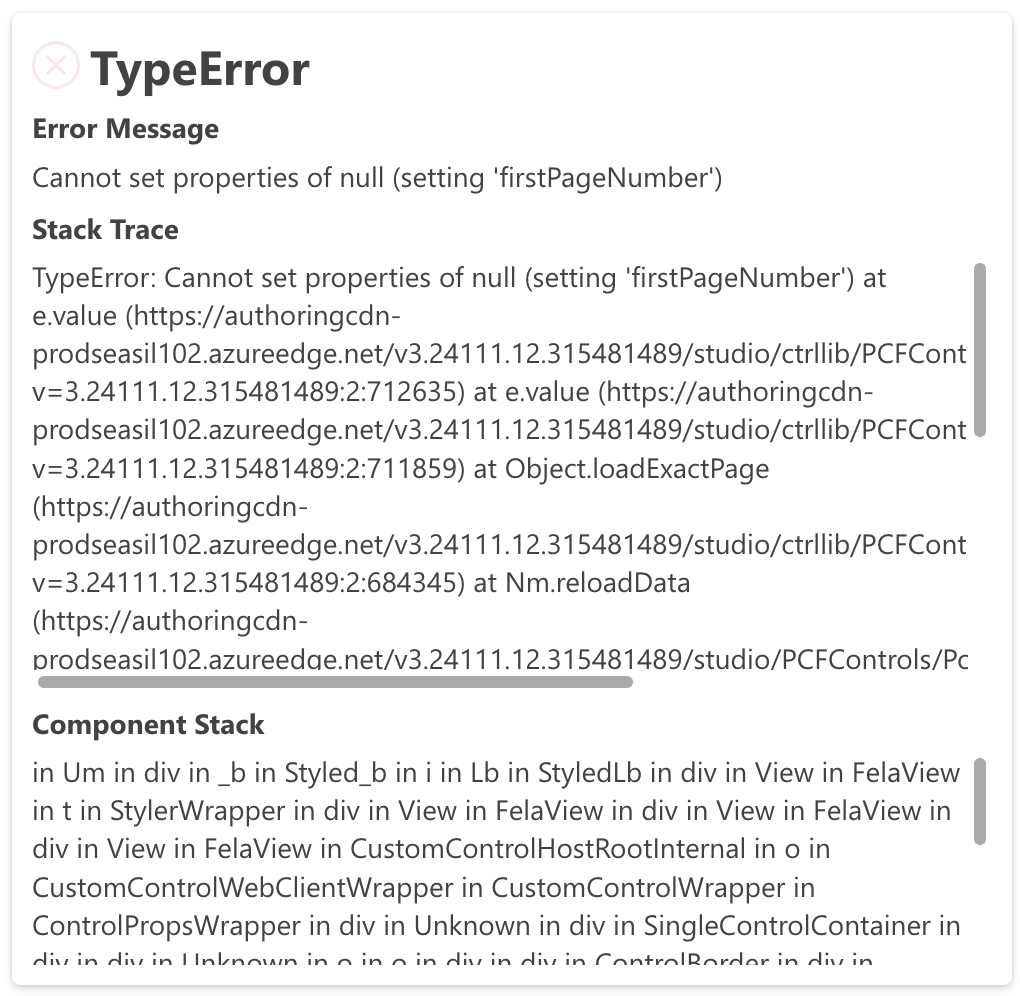

Initially, I used the SubmitForm function, but I switched to Patch to update the data. However, the error persists.

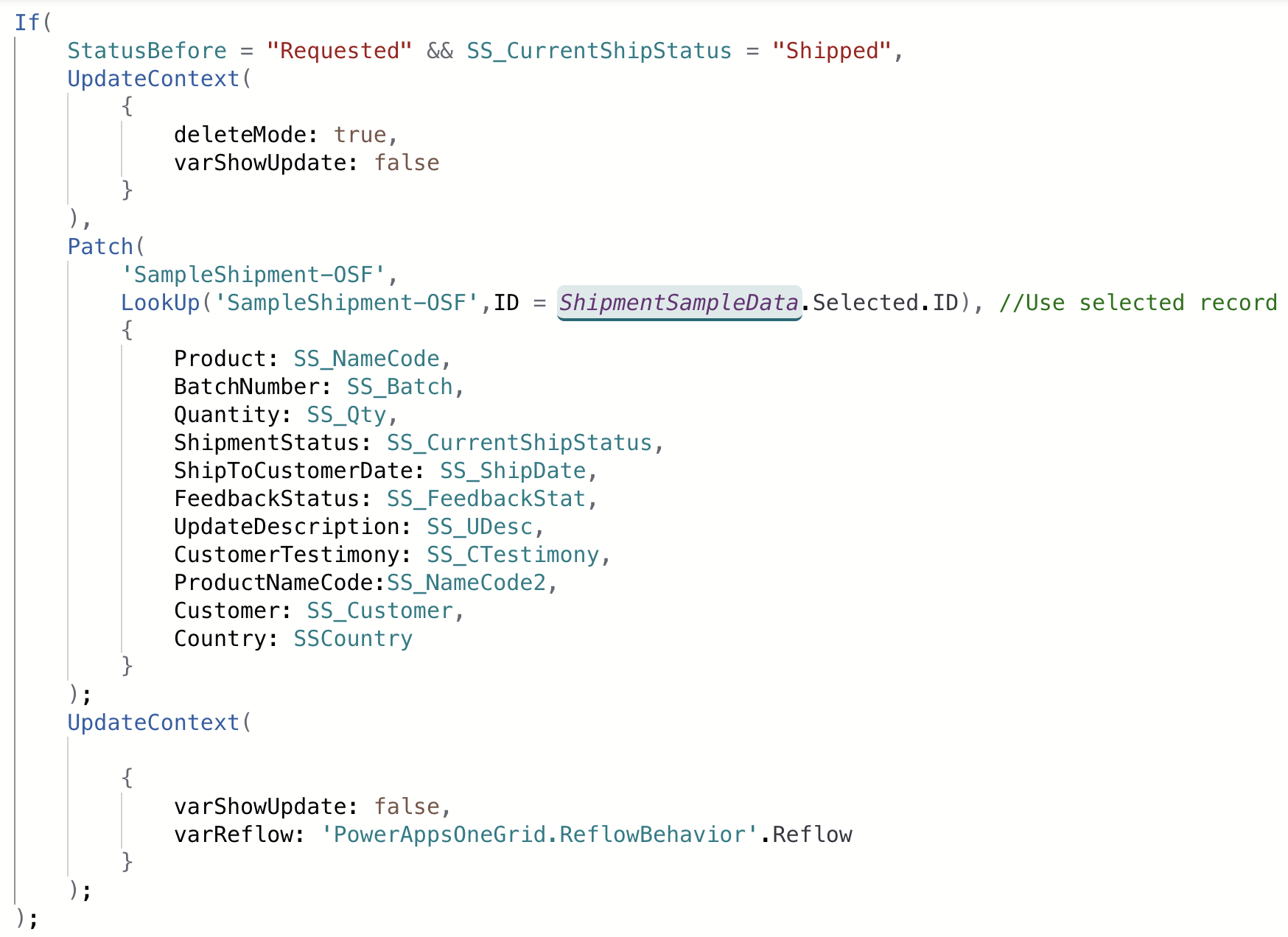
The button’s OnSelect formula looks something like this:


the data is updated everytime the button is clicked but , the error still shows up.

I’d appreciate any insights on why this might be happening or how to debug it.

Thank you in advance for your help!

Categories:
I have the same question (0)
  • WarrenBelz Profile Picture
    153,084 Most Valuable Professional on at
    Can you please remember to post your code in Text - saves re-typing here. The code below is OCR'd so watch spelling.
    Firstly, do you have a field called firstPageNumber in the list and is it required ?
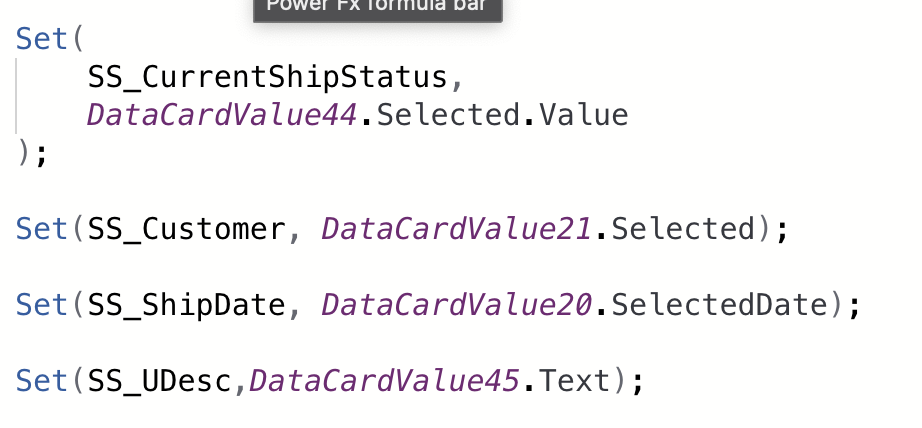
    Also, why are you setting all those "one use" Global Variables instead of referring directly to the control output (examples highlighted below).
    Lastly what type of field is Customer ?
    If(
       StatusBefore = "Requested" && SS_CurrentShipStatus = "Shipped",
       UpdateContext(
          {
             deleteMode: true, 
             varShowUpdate: false
          }
       ),
       Patch(
          'SampleShipment-OSF',      
          {
             ID: ShipmentSampleData.Selected.ID,
             Product: SS_NameCode,
             BatchNumber: SS_Batch,
             Quantity: SS_Qty,
             ShipmentStatus: DataCardValue44.Selected.Value,
             ShipToCustomerDate: DataCardValue20.SelectedDate,
             FeedbackStatus: SS_FeedbackStat,
             UpdateDescription: DataCardValue44.Text,
             CustomerTestimony: SS_CTestimony,
             ProductNameCode:SS_NameCode2,
             Customer: DataCardValue21.Selected,
             Country: SSCountry
          }
       );
       UpdateContext(
          {
             varShowUpdate: false,
             varReflow: 'PowerAppsOneGrid.ReflowBehavior'.Reflow
          }
       )
    );
     
    Please click Does this answer your question if my post helped you solve your issue. This will help others find it more readily. It also closes the item. If the content was useful in other ways, please consider giving it a Like.
    MVP (Business Applications)    Visit my blog Practical Power Apps    Buy me a coffee
  • WarrenBelz Profile Picture
    153,084 Most Valuable Professional on at
    ---------------------
  • tasyaaa Profile Picture
    63 on at
    Hi @WarrenBelz, I don’t have any fields called firstPageNumber. I set the variable because it will be used on another page. If StatusBefore = "Requested" and SS_CurrentShipStatus = "Shipped", it will open another confirmation page. On that page, there’s a button that performs a patch with the data I set.

    Additionally, Customer is a lookup value to another table.

  • WarrenBelz Profile Picture
    153,084 Most Valuable Professional on at
    OK - it is making very little sense if you do not have a field with that name as the error seems to be saying it is required. You can also refer to controls on another screen. So back to the debugging exercise, that is the Item and DataSource of the Form and what happens if you submit it directly (using SubmitForm) from the same screen ? Are you also saying the code works in the Patch, but produces an error on the screen ?
  • tasyaaa Profile Picture
    63 on at
    Hi @WarrenBelz

    I think the issue is not related to the Patch or SubmitForm functions, as both run correctly.

    After I click the button that includes the Patch function, it navigates to a page with a table component.

    I just discovered that firstPageNumber is a pagination property in Power Apps. https://learn.microsoft.com/en-us/power-apps/developer/component-framework/reference/paging

    I didn’t manage the pagination manually; I’m using the built-in table properties from Power Apps, which handle pagination automatically.

    I’m wondering how I can access the underlying code to modify it.

  • WarrenBelz Profile Picture
    153,084 Most Valuable Professional on at
    OK - that seems to be something new I must admit I have not used. So the issue is nothing to do with the code posted, but probably the Items of a gallery on a page you are navigating to ?
  • tasyaaa Profile Picture
    63 on at
    @WarrenBelz Yes, actually i use table component it has a pagination feature that is auto-configured by Power Apps.
  • WarrenBelz Profile Picture
    153,084 Most Valuable Professional on at
    I think you need to re-look at your component - not much I can do to assist here. If this is a Modern control, you might consider reverting to a Classic version.
  • Verified answer
    tasyaaa Profile Picture
    63 on at
    Update : The Bug Disappear by itself

Under review

Thank you for your reply! To ensure a great experience for everyone, your content is awaiting approval by our Community Managers. Please check back later.

Helpful resources

Quick Links

Forum hierarchy changes are complete!

In our never-ending quest to improve we are simplifying the forum hierarchy…

Ajay Kumar Gannamaneni – Community Spotlight

We are honored to recognize Ajay Kumar Gannamaneni as our Community Spotlight for December…

Leaderboard > Power Apps

#1
WarrenBelz Profile Picture

WarrenBelz 739 Most Valuable Professional

#2
Michael E. Gernaey Profile Picture

Michael E. Gernaey 343 Super User 2025 Season 2

#3
Power Platform 1919 Profile Picture

Power Platform 1919 268

Last 30 days Overall leaderboard