A requirement of filtering JASON arrays can easily be solved using JavaScript. But to do it in Power Automate, we have to create a web resource and register the script in CRM. However, with the new updates, we can achieve this requirement within the CRM process itself. Power Automate introduced the Filter Array action, using which we can easily filter the JSON array of objects and get the exact output from the JSON array.
Requirement:
Consider that we have JSON data containing individual Employee’s Project Details which specify the number of projects that a single employee is working on, the number of projects completed, the estimation of the projects in days, and their start date. Please find below the JSON array that we want to filter:
{

{

"Project Name": "Employee Payroll System",

"Start Date": "22-05-2021",

"Duration": 65,

"Industry": "IT Corporate",

"Status": "Complete"

},

{

"Project Name": "Healthcare Solution",

"Start Date": "22-03-2023",

"Duration": 95,

"Industry": "Heath and Hospitality",

"Status": "In Progress"

},

{

"Project Name": "Pharmacare Solution",

"Start Date": "26-03-2022",

"Duration": 32,

"Industry": "Heath and Hospitality",

"Status": "Complete"

},

{

"Project Name": "Agro Management System",

"Start Date": "22-08-2021",

"Duration": 120,

"Industry": "Agriculture",

"Status": "Complete"

},

{

"Project Name": "Finance Management System",

"Start Date": "22-08-2023",

"Duration": 38,

"Industry": "Finance",

"Status": "Not Started"

}

}
In the above JSON array, they mention project details for five projects. So, now we want to identify how many projects an individual employee has completed for a duration greater than 40.
Solution
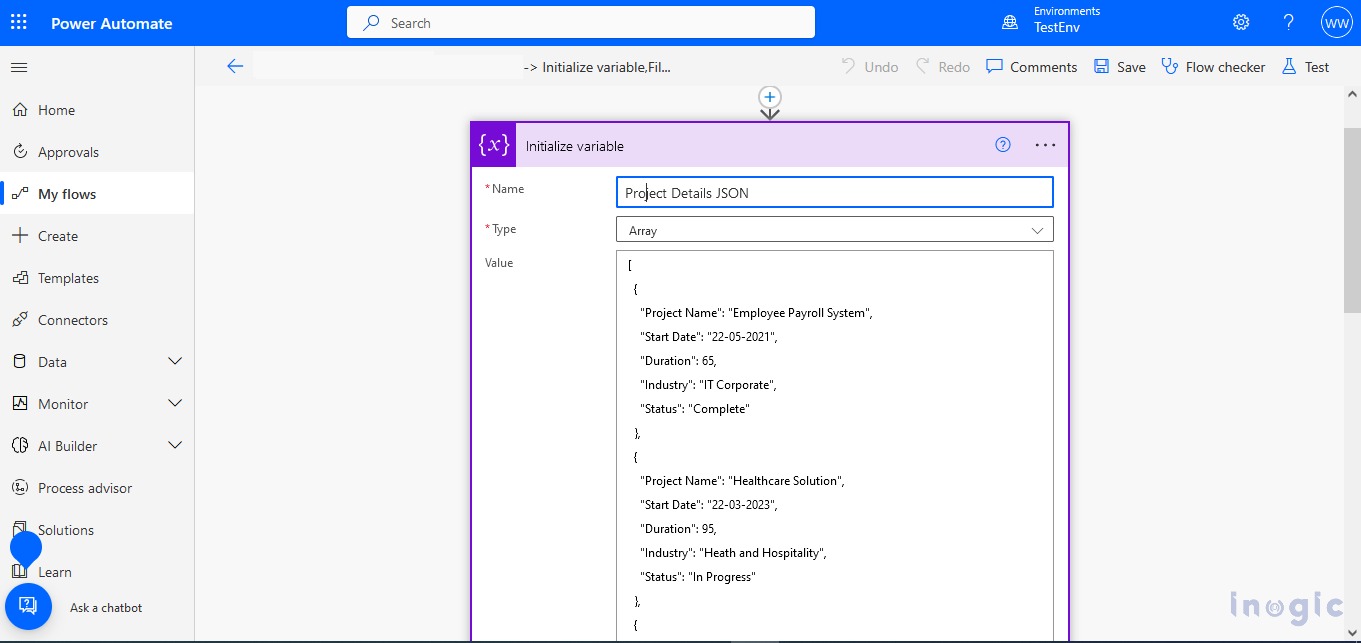
For this requirement, we go with the Power Automate solution. We have created an on-demand Power Automate flow. In that we have passed the above JSON array as an input as shown in the following screenshot:
Next, we apply the Filter Array action on the above input of the JSON array..Read More


