Introduction:
In this blog we will see how to show New Confirm Pop up in canvas PowerApps
Implementation Steps:
- Navigate to https://make.powerapps.com
- Create a new App
- Change your App to New version
- Write Below Code
- Confirm("Confirm Button Popup");
- You will see browser PopUp
- But this is not an Actual Canvas App Popup, Lets see how we can get new Canvas PowerApps Confirm()
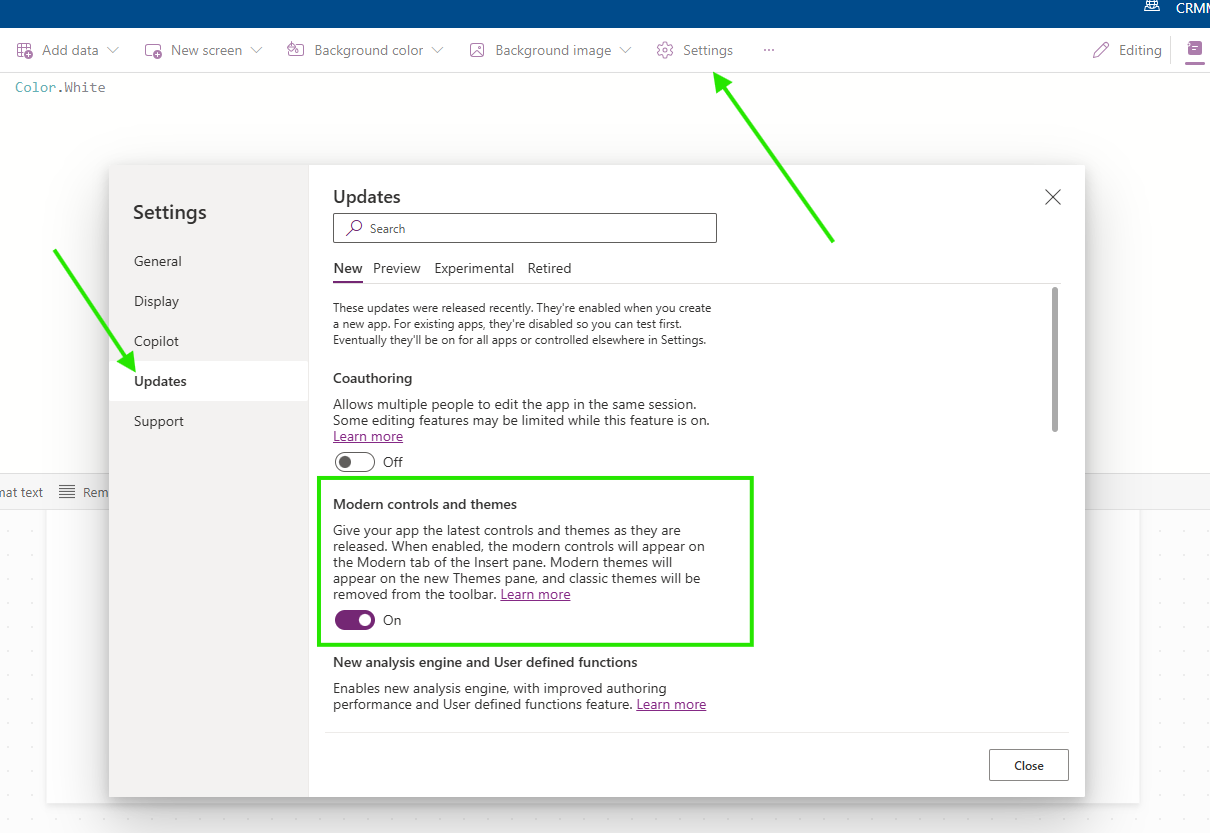
- Click Settings
- Select Updates
- Look for Modern controls and themes
- Click Close
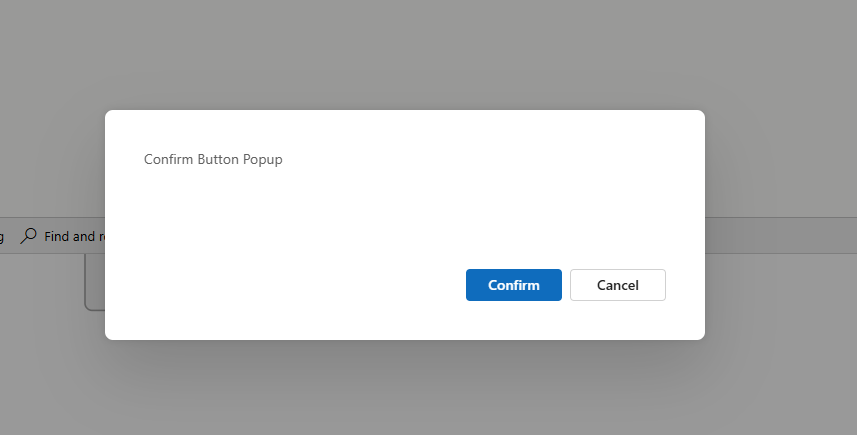
- Now Click the same button
- Now you will get the Confirm() canvas Pop Up
Conclusion:
By following above steps we can get rid of Browser Popup and get the new Canvas App popup.


