Model-driven apps in Power Platform provide a structured way to build data-centric applications using Dataverse where the user interface is automatically generated based on tables, relationships, and business logic. As these apps evolve it incorporates complex forms, business process flows, security roles, plugins, and integrations.
Over the time the need for automated, reliable testing becomes essential. Automation minimizes the dependency on repetitive manual testing, helping teams conserve time and optimize resources. Additionally, identifying defects and regressions early in the development lifecycle enhances overall solution quality and enables faster, more reliable releases.
Power Apps Test Engine is a low code automation tool offering from Microsoft. It allows automate end-to-end testing for both Canvas and Model-Driven Apps.
This blog provides a step-by-step guide to setting up and using the Power Apps Test Engine for Model Driven Apps, demonstrating how to utilize basic “Power Fx” queries to execute automated tests. We will be using a common “Sales Hub” app for Lead record creation scenario to stimulate the user interactions such as filling fields, clicking buttons, and verifying expected outcomes using Assert functions.
Note: Currently Power Apps Test Engine offers Power Fx functions for Model Driven App automation that are still in PREVIEW hence to use those you must explicitly pass “allowPowerFxNamespaces:- Preview” parameter in Yaml file (explained later). The available supported Power Fx functions can be referred from this Microsoft doc.
In the previous blog, we already explored how to implement automation for Canvas Apps using the Power Apps Test Engine. Before starting with the Model Driven App automation, you can refer the previous blog and ensure that you have fulfilled the prerequisites and have installed and configured Power Apps Test Engine along with the Playwright.
I am just mentioning the overview of the steps you need to perform in your visual studio code editor by referring to previous blog mentioned above.
- Create Test Engine Workspace
- Clone the PowerApps Test Engine Repository
- Navigate to the Source Folder & build the Power Apps Test Engine Project
- Install Microsoft Playwright from within the Power Apps Test Engine
- Create Folder Structure for your tests under root directory to maintain :
- Yaml file
- json file
- ps1 PowerShell script file.
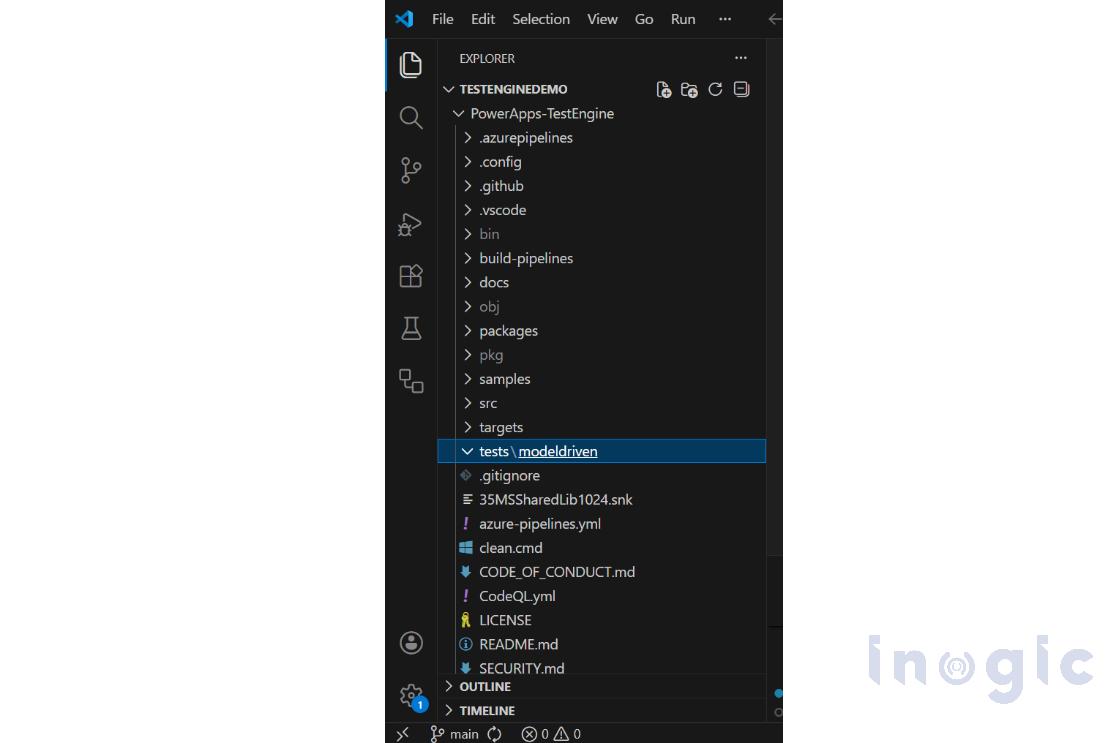
For this demonstration I have created folder under root directory “tests” under which created another one named “modeldriven” as shown below:
Read More>>


