Model-driven app forms often have numerous fields spread across tabs and sections, making it hard for users to quickly find key information. This slows productivity and increases the risk of missing important details.
Row Summary helps solve this by showing a concise, customizable overview of essential fields—displayed as bullet points or a short paragraph. It gives users immediate context without digging through the full form. Makers can also include clickable links to related records, improving navigation and collaboration.
Use Case: A growing sales team handles hundreds of leads weekly from sources like landing pages, webinars, and referrals. Lead records contain various details—like job title, source, interest, and qualification status—scattered across tabs.
Sales reps struggle to quickly understand lead context, which delays outreach and weakens personalization.
To solve this, the team enables Row Summary (Preview) using Power Apps AI Builder, allowing reps to view key lead info at a glance and act faster.
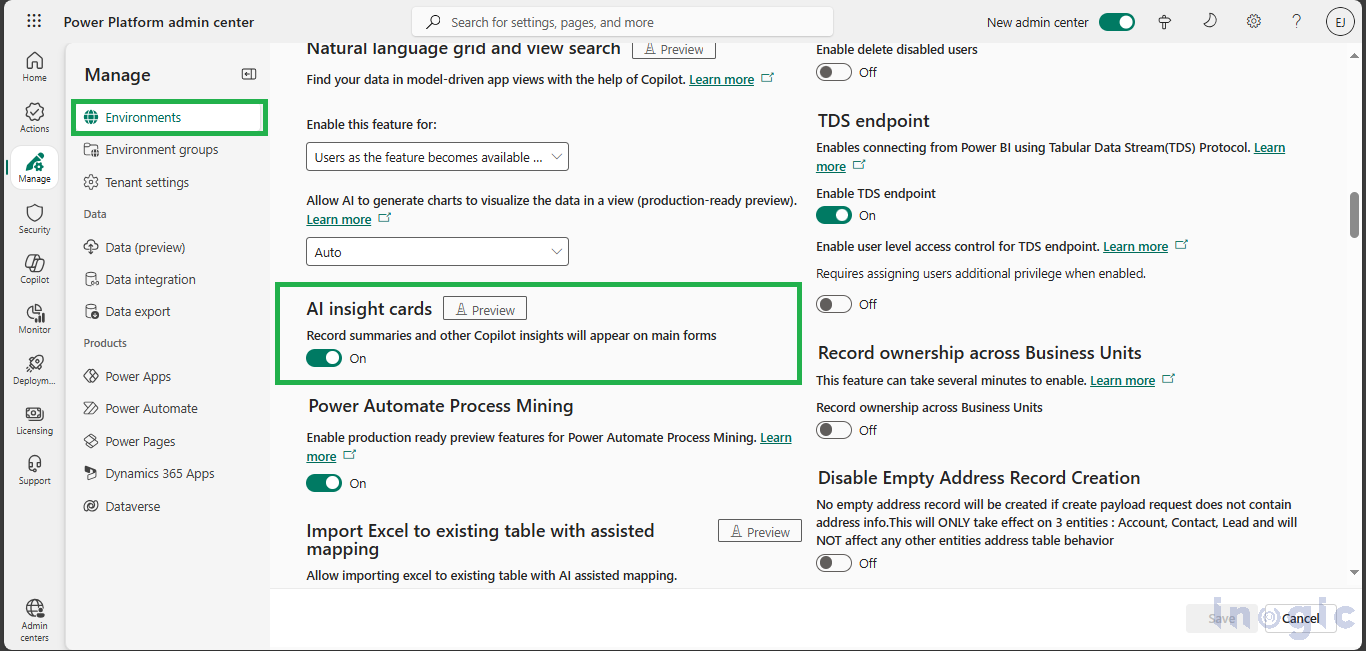
Pre-requisite: Enable Row Summary
Go to Power Platform Admin Center > Select your Environment > Settings > Product > Features > Enable AI Insight Cards.
Read More>>


