In Dynamics 365, generating SSRS-based documents such as invoices, statements, and account summaries is a common practice. However, modern business expectations have evolved beyond static reporting. Today’s reports are expected to be more interactive, enabling users to take immediate actions directly from the document, particularly for time-sensitive activities like payments.
In such a scenario, it’s always best to implement a solution to dynamically embed a QR code within an SSRS report. This QR code redirects users to a secure payment page specific to the corresponding account. Each QR code is uniquely generated per record and automatically refreshed whenever the underlying identifier changes, ensuring accuracy without manual intervention.
This blog outlines both the functional concept and the technical approach for implementing dynamic QR codes in Dynamics 365 SSRS reports.
From an end-user perspective, the requirement was simple and focused on usability:
Whenever an invoice report is generated for a specific billing account, the report should include a QR code. Scanning this QR code should seamlessly redirect the user to a secure payment page associated with that record, embedding the relevant billing account (BC) identifier to ensure accurate payment processing.
Additionally, the QR code must always represent the most up-to-date identifier, updating automatically whenever the underlying data changes, without requiring any manual intervention. The primary objective was to streamline and simplify payment access directly from generated reports, enhancing both user convenience and operational efficiency.
To achieve this, we divided the implementation into two main components:
1. Backend QR Code Generation (Plugin Logic)
For generating QR codes differently for each of the Account use a server-side plugin approach because:
- It ensures QR codes are pre-generated and stored.
- Reports load faster since images are already available.
- Updates happen automatically whenever relevant data changes.
The plugin:
- Triggers on record create and update events.
- Concatenates a base payment URL with the unique identifier of the BC id of the Account.
- Generates a QR code using a .NET QR generation library.
- Converts the QR image to Base64 format.
- Store it in a field that can be consumed by the SSRS report.
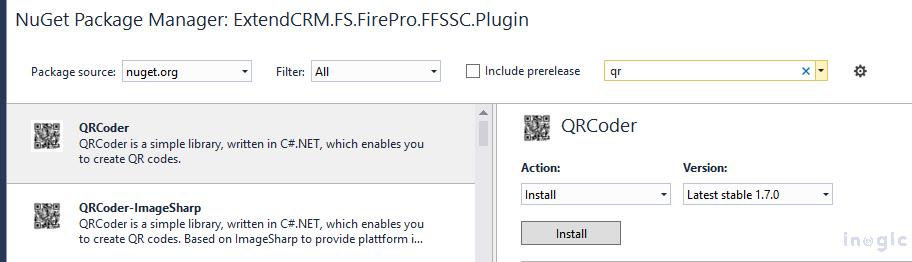
Also created a Multiline text field in which we store the Base64 data, which ensures that the QR code always reflects the latest data. The below Library and the code below are needed to generate the QR code Base64 data in the plugin:
Read More>>


