Recover Deleted Records in Dataverse Using XRM Toolbox: Recycle Bin Tool
Introduction
In today’s fast-paced digital environments, the importance of maintaining data integrity cannot be overstated. Whether you're managing customer relationships, tracking support cases, or handling business operations within Dataverse, accidental data deletions can happen—even to the most experienced professionals.
Thankfully, the Microsoft ecosystem equips us with powerful tools to recover from such incidents. One such tool is the Recycle Bin available through XRM Toolbox, which allows administrators and consultants to restore deleted Dataverse records quickly and securely without compromising data relationships.
This blog post will guide you through a step-by-step restoration process using the Recycle Bin tool. Whether you're a beginner or a seasoned consultant, this guide will help you confidently manage data recovery scenarios in your Dataverse environments.
✅ Step 1: Install the Recycle Bin Tool
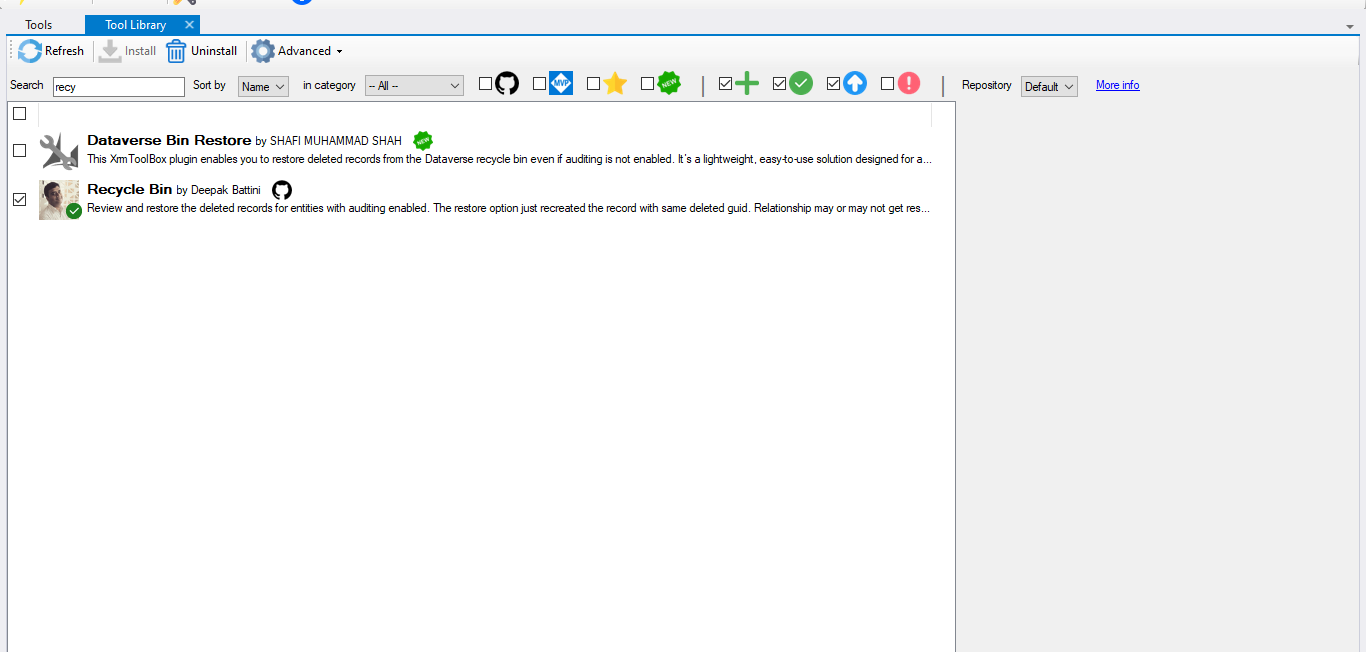
To begin, open XRM Toolbox and navigate to the Tool Library.
Search for Recycle Bin, and once you find it, click on Install to add it to your toolset. This tool is essential for accessing deleted records stored in the Dataverse Recycle Bin.
Tool Library – Searching and installing the Recycle Bin tool
✅ Step 2: Launch the Recycle Bin Tool and Connect
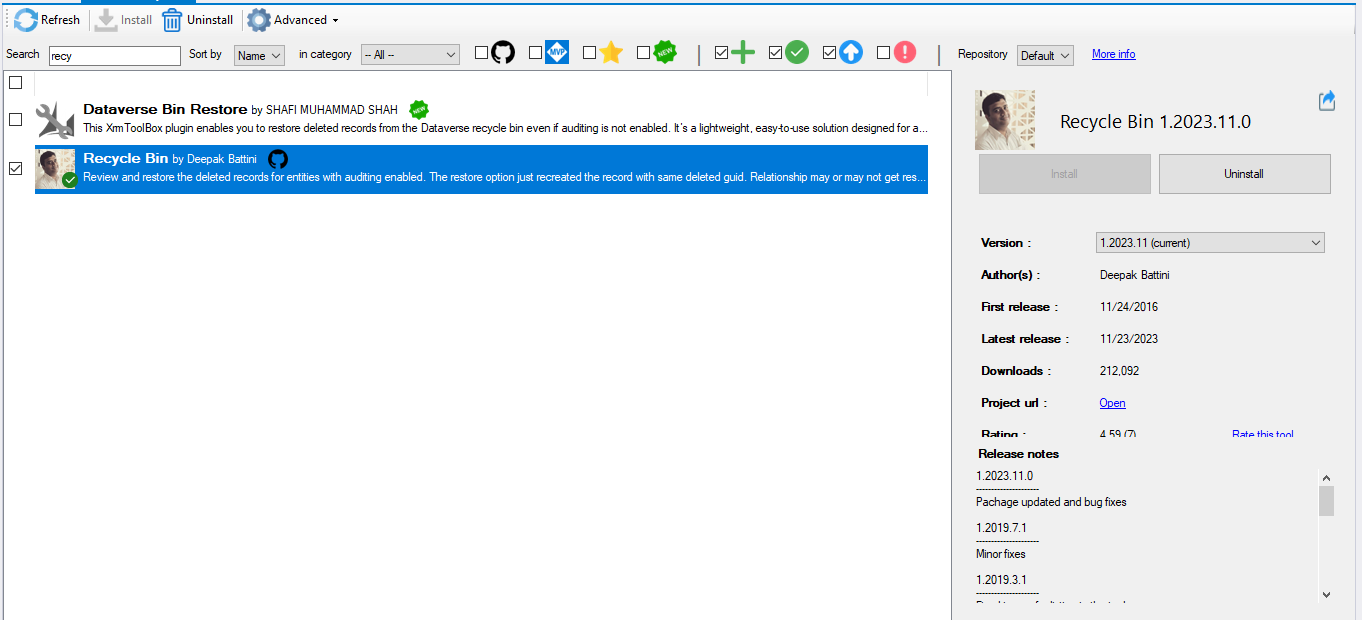
After installation, return to the home screen and launch the Recycle Bin tool.
Click on the Connect button to authenticate and link your session to the appropriate Dataverse environment. You can select from existing environments or authenticate a new one using OAuth.
Launching the Recycle Bin tool and connecting to Dataverse
✅ Step 3: Load Deleted Records by Entity and User
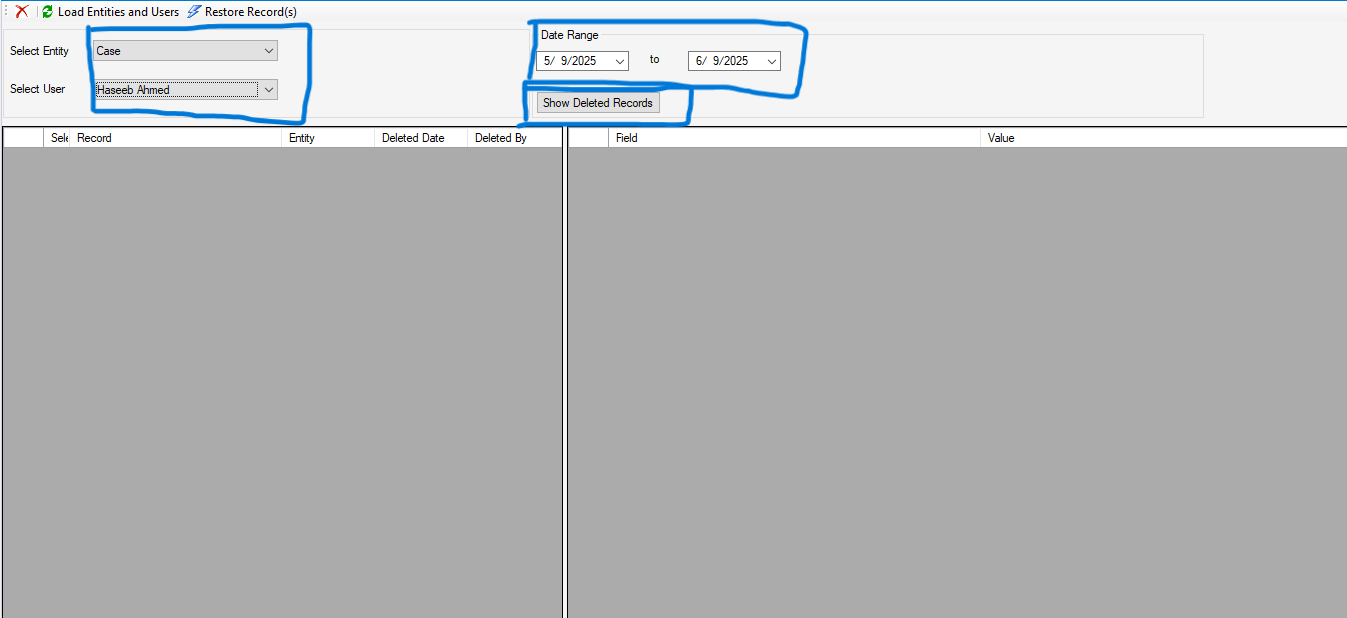
Once connected, you’ll see filtering options. Select the entity from which records were deleted. You can also choose a specific user (optional) and define a date range to narrow down the deleted records.
Click on Show Deleted Records to display all relevant data that matches your filters. This allows you to precisely target and manage the restoration process.
Loading deleted records based on selected filters
✅ Step 4: Review the List and Restore Records
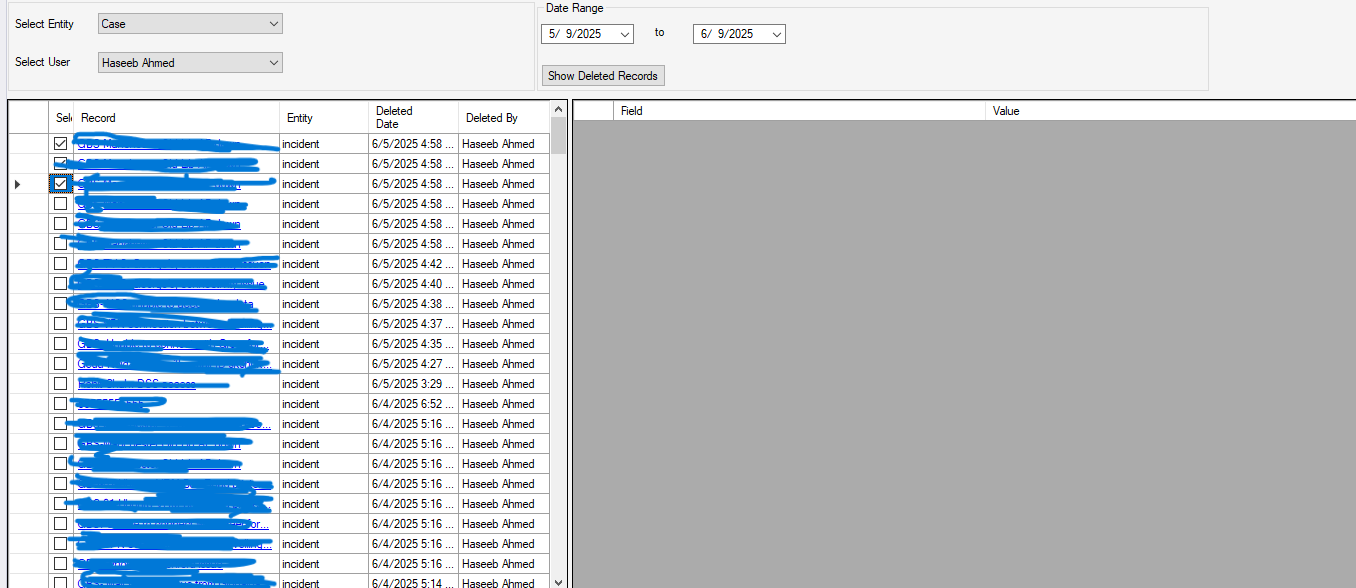
Review the list of deleted records carefully. The tool displays details such as the record name, ID, and deletion timestamp.
Once you’ve selected the records to recover, click on the Restore button. The tool will initiate the recovery process and restore each record with its original GUID, preserving all relational integrity within Dataverse.
Selecting records to restore from the deleted list
✅ Step 5: Post-Restoration Validation
After the restoration is complete, it's important to validate that the records have been successfully recovered. Navigate back to your Dataverse table or model-driven app to verify the presence and correctness of restored data.
Restored records will behave as if they were never deleted—complete with relationships, GUIDs, and audit history (if enabled).
💡 Best Practices and Lessons Learned
🔍 Enable Auditing: Make sure auditing is enabled for key entities so deleted records are traceable.
🔐 Verify Permissions: You must have the appropriate privileges (e.g., system administrator or custom roles with restore rights).
💾 Backup Strategy: Always maintain a solid backup and disaster recovery plan.
🧪 Test in Dev First: If restoring in a production environment, consider testing the restoration process in a sandbox environment first.
📋 Use with Caution: Avoid restoring outdated or intentionally deleted records unless necessary
🏁 Conclusion
The Recycle Bin tool in XRM Toolbox is a must-have utility for anyone working with Dataverse. Whether you’re an administrator, developer, or consultant, having this tool in your arsenal ensures you’re always prepared for unexpected deletions.
Its ease of use, coupled with the ability to restore original GUIDs and maintain data integrity, makes it an essential asset for day-to-day operations in the Power Platform ecosystem.
If you work in environments where data accuracy and recovery are business-critical, I highly recommend exploring and familiarizing yourself with this tool.
👨💼 Author
Haseeb Ahmad
Beta MLSA | Junior Technical Consultant
💼 Passionate about Power Platform, Dataverse, and delivering secure, scalable digital solutions.


