Embedding process mining reports in Power BI workspaces allows organizations to visualize, analyze, and refine their actual business processes. The combination is powerful, transforming sophisticated event data into actionable insights—making it simpler to spot inefficiencies, track performance, and drive ongoing improvement, all in a familiar, collaborative analytics setting.
In order to customize process mining reports in Power BI, follow these steps:
- Register Process Mining principle in azure active directory.
- Set up required principal settings in Microsoft fabrics.
- Add the configured service principal to the necessary Power BI workspace to enable access and integration.
- Upload the process analytics report into the needed Power BI workspace.
Step 1: Register Process Mining principle in Azure Active Directory.
- Sign in to the Azure portal i.e., https://portal.azure.com/
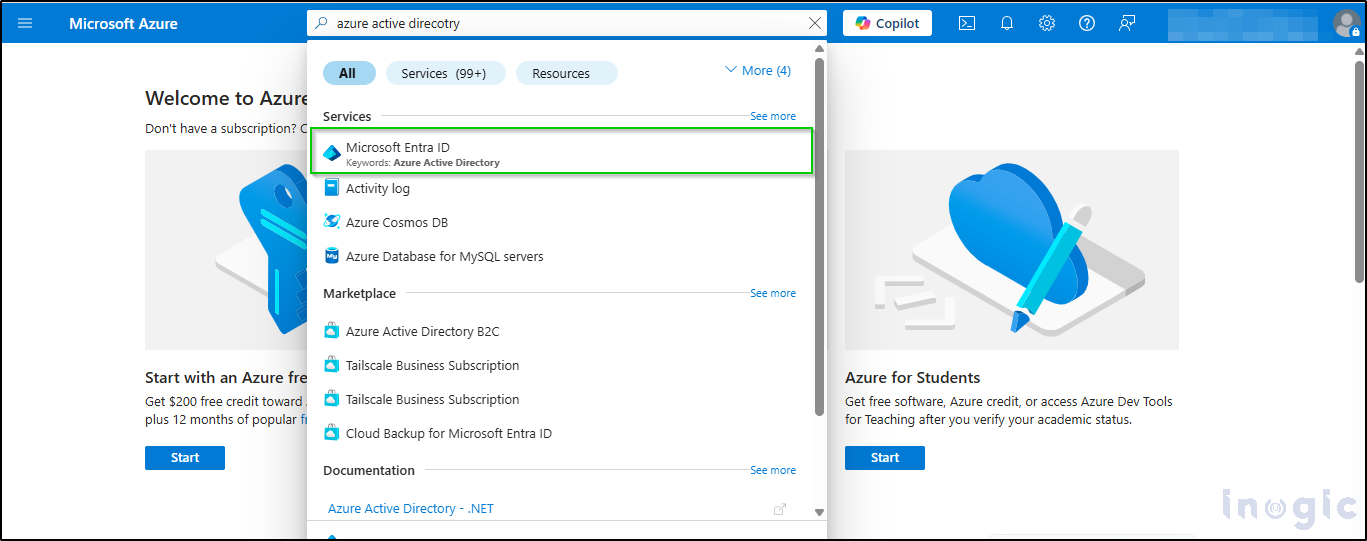
- Once Azure portal is opened, search for ‘Microsoft Entra ID’ and select it from the results as shown below:
Read More>>


