web
You’re offline. This is a read only version of the page.
close
Skip to main content

Notifications

Announcements

Community site session details

Community site session details

Session Id :
Power Automate
Suggested Answer

Business Rule

(1) ShareShare
ReportReport
Posted on by 8
I want to create a Business Rule that for the duration between Creation Activity and Payment Activity of a process
If the time duration is lesser than 1 day it should be Error
And Greater than 1 day is considered OK
 
How can we define this Business Rule in Power Automate Process Mining?
Categories:
I have the same question (0)
  • Suggested answer
    Russ_PowerLS Profile Picture
    8 on at
    So If [time duration] between two activities (Creation Activity and Payment Activity) < 1 then error ('Time duration between Creation and Payment is less than 1 day.')
     
    So Create a new rule
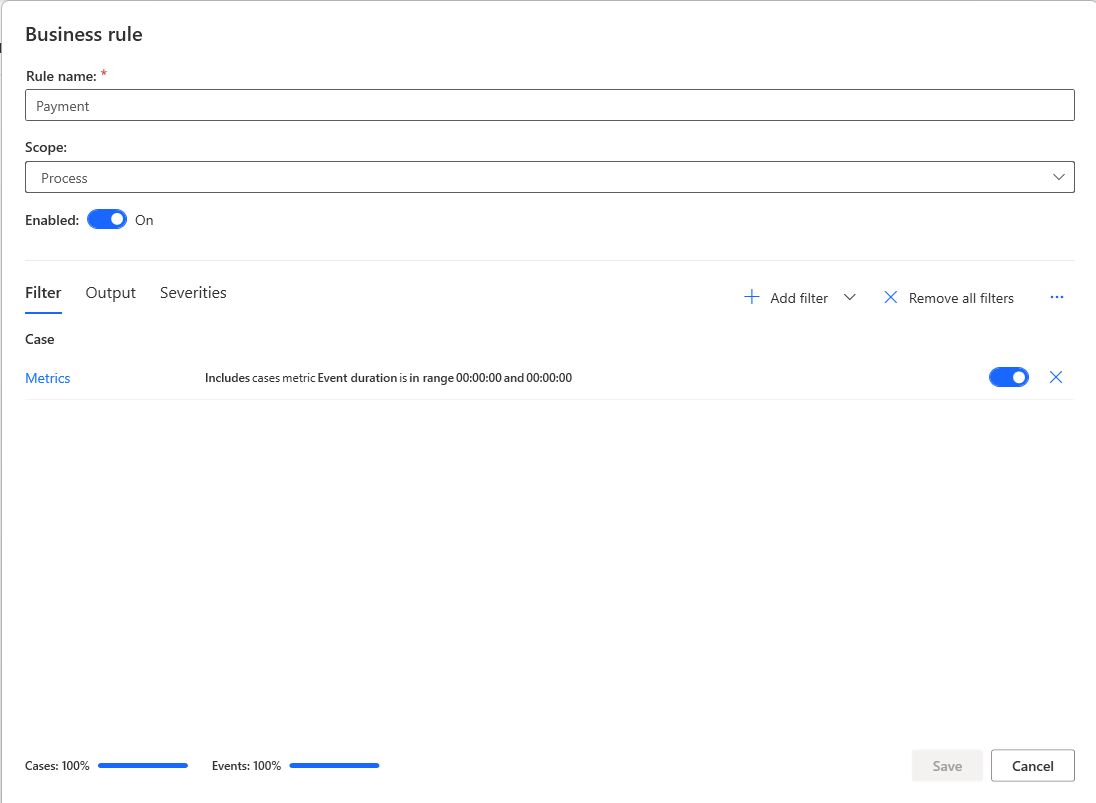
    1) Go to Process Context - Business Rules  - then click create business rule
     
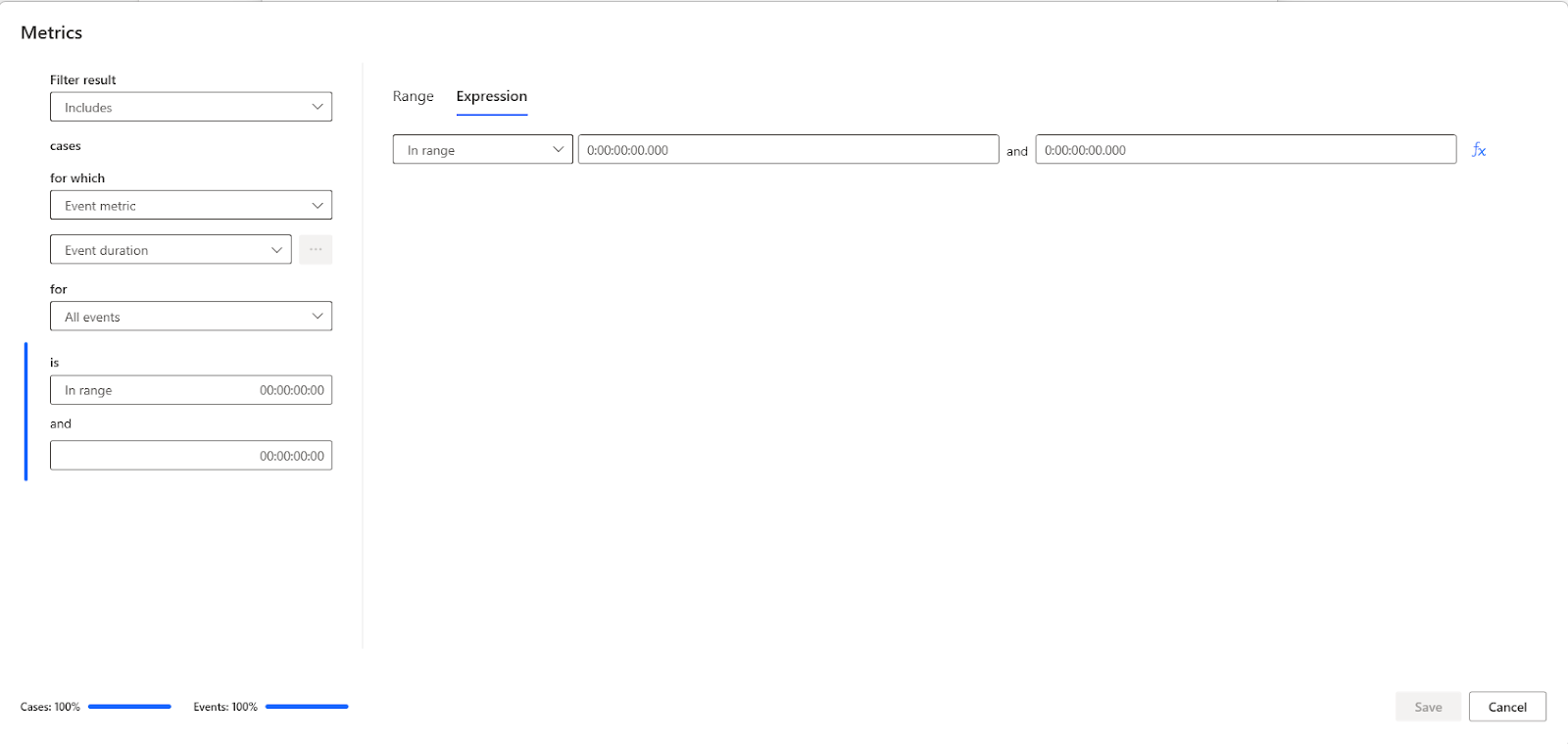
    Select Add Filter - You will select Metric - you are going to make one.
     
     
    2) Set up the logic by defining the condition
       - that would be duration = DateDiff[Creation Activity, Payment Activity], 'day'
     
     
    Here your just going to specify to 23 hours and 59 min and 59 sec 
     
     
    I
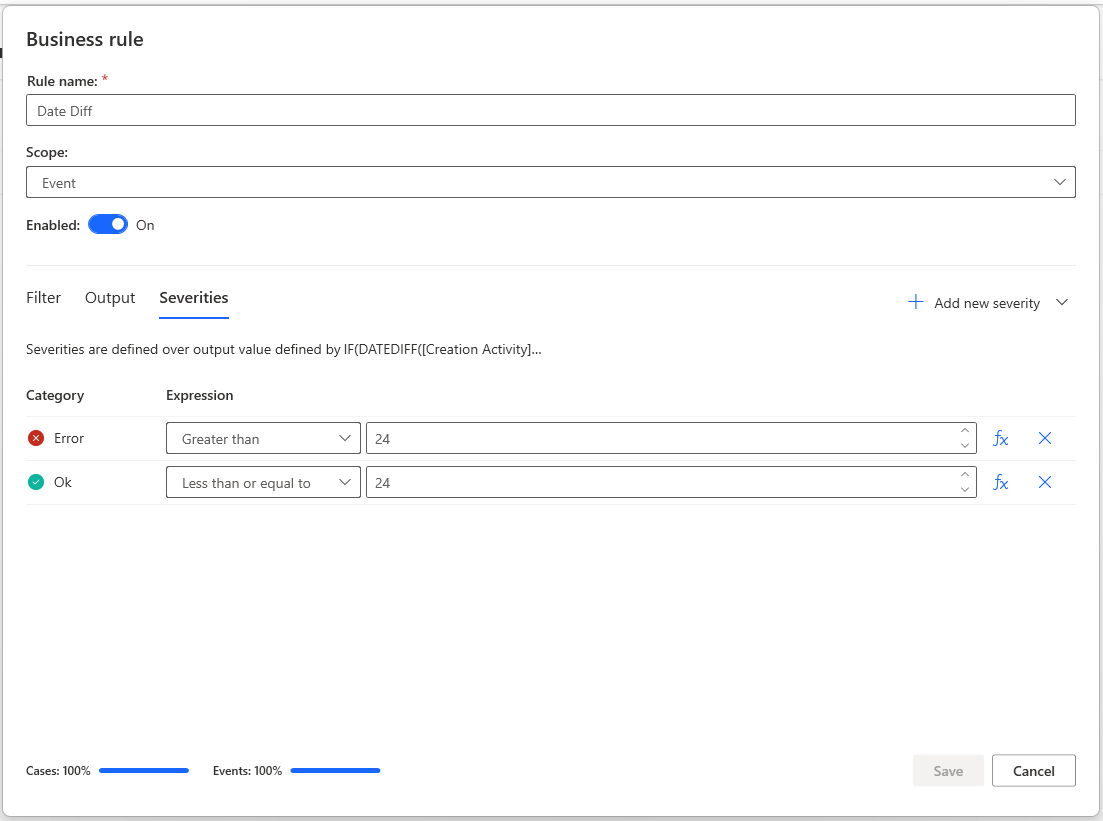
    It will ask you the error condition 
      IF duration < 24 THEN ERROR('Time duration between Creation and Payment is less than 1 day.')
     
    The acceptable condition would be 
    ELSE IF duration >= 24 THEN OK('Duration is acceptable.')
     
    This is my first time responding and I apologize for the formatting but I hope this works for you - based on where you have this you can adjust your scope
     
    when done hit save and apply 
     
    Let me know how it goes
     
    PowerLeanSigma.com (Russ)

Under review

Thank you for your reply! To ensure a great experience for everyone, your content is awaiting approval by our Community Managers. Please check back later.

Helpful resources

Quick Links

Forum hierarchy changes are complete!

In our never-ending quest to improve we are simplifying the forum hierarchy…

Ajay Kumar Gannamaneni – Community Spotlight

We are honored to recognize Ajay Kumar Gannamaneni as our Community Spotlight for December…

Leaderboard > Power Automate

#1
Michael E. Gernaey Profile Picture

Michael E. Gernaey 525 Super User 2025 Season 2

#2
Tomac Profile Picture

Tomac 324 Moderator

#3
abm abm Profile Picture

abm abm 232 Most Valuable Professional

Last 30 days Overall leaderboard