web
You’re offline. This is a read only version of the page.
close
Skip to main content

Notifications

Announcements

Community site session details

Community site session details

Session Id :
Power Platform Community / Forums / Power Pages / Basic Form Options Fie...
Power Pages
Suggested Answer

Basic Form Options Field Metadata

(1) ShareShare
ReportReport
Posted on by 16
Hello guys!

I am quite new in Power Apps and I am facing an issue that I had look all over the internet and forums but did not found a solution to it.

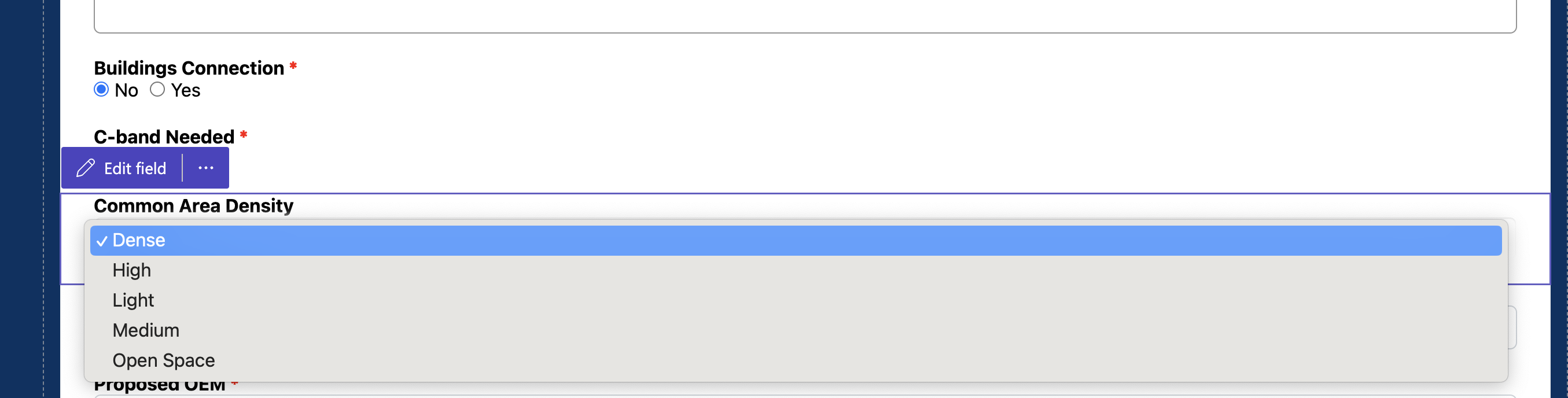
In my form I have an options field - Common Area Density, as shown below:
 
I will use this data in an IF conditional in my dataverse table to run some calculations, so, I need to retrieve the metadata of the selected option in this field to be able to make this comparison (given dataverse does not allow me to simple compare a Options Field with a text or value).

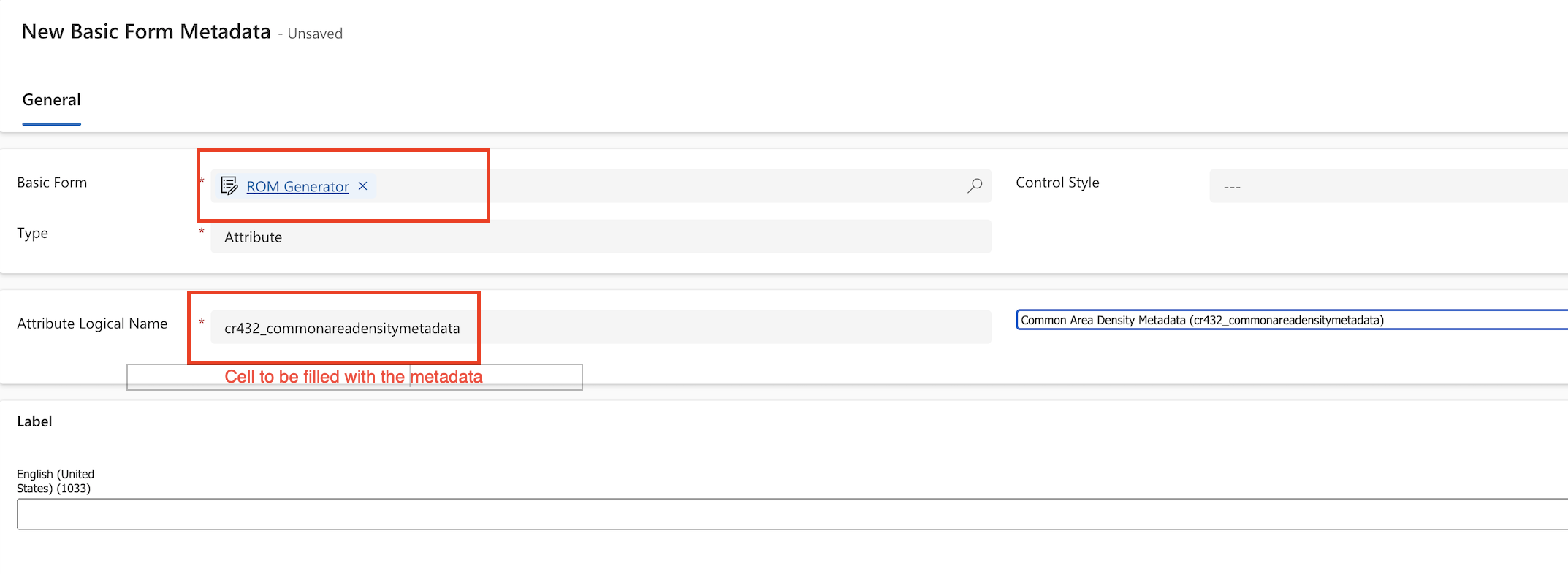
I've been trying to retrieve this basic form metadata, but I cannot see the table to when selecting the option in my Basic Form Metadata setup:
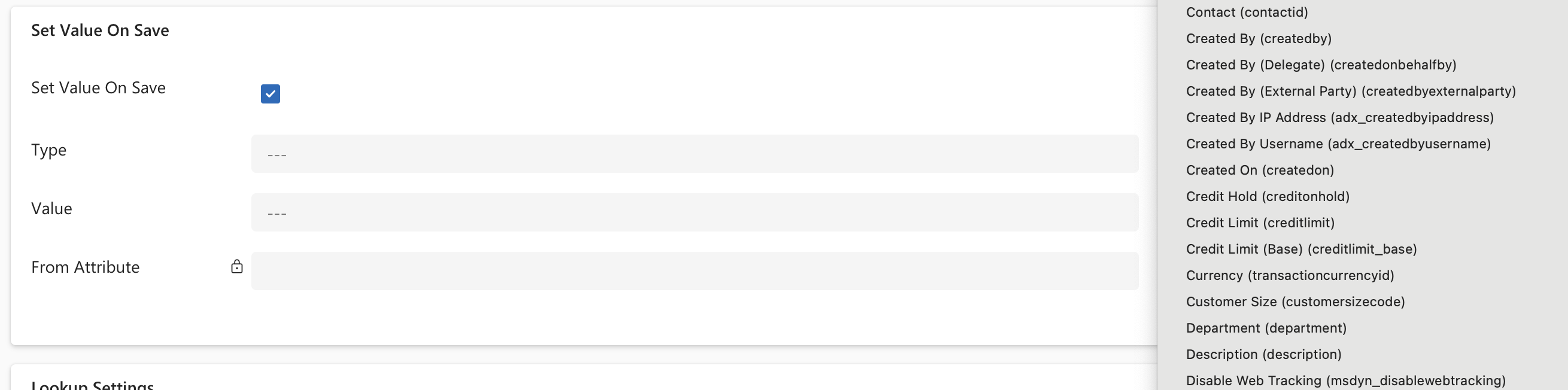
The only table that shows is the one below which is not the dataverse table I need.
 
 
Does someone has and clue on how to solve this?
 
 
Categories:
I have the same question (0)
  • Suggested answer
    Michael E. Gernaey Profile Picture
    53,414 Super User 2025 Season 2 on at
    Hi
     
    Can you tell me who told you this:
    given dataverse does not allow me to simple compare a Options Field with a text or value)
     
    They are wrong in ... every way possible.
  • Suggested answer
    ragavanrajan Profile Picture
    7,044 Most Valuable Professional on at
    Hi There, 
     
     Can you check you are in the right environment? If yes, the next step is as follows. 

    In the Enhanced Data model: 

    1. If you are using the Enhanced data model, then go to the portal management  
    2. Under contents> Basic Forms> Related > Basic Form Metadata> Then you can see all your tables. 


    Additional: 
     
    You can also compare option values via jquery or Javascript 
     
    Reference below from @Oliver blog 
     
     
    Hope it helps.
    ------------
    If you like this post, give it a Thumbs up. Where it solved your request, Mark it as a Solution to enable other users to find it.


  • Suggested answer
    GWham Profile Picture
    58 Moderator on at
    You would have to use jQuery or Javascript to perform the conditional logic based on the option selected.
  • Suggested answer
    Fubar Profile Picture
    8,352 Super User 2025 Season 2 on at
    You need to be more clear on what and where you are using the "IF"  - generally we avoid comparing the label/name of items for lookups and choices as both have other keys that are less likely to change over time.  Where you have to perform a label to text comparison, understanding where and which technology (e.g. business rule, workflow, plugin, Flow, JavaScript, Power Fx) you are comparing with will help getting a better suggested solution.
    The simplest may be to create a text field and then set that field based on the label of the selected item using JavaScript/JQuery on the power pages page.

Under review

Thank you for your reply! To ensure a great experience for everyone, your content is awaiting approval by our Community Managers. Please check back later.

Helpful resources

Quick Links

Forum hierarchy changes are complete!

In our never-ending quest to improve we are simplifying the forum hierarchy…

Ajay Kumar Gannamaneni – Community Spotlight

We are honored to recognize Ajay Kumar Gannamaneni as our Community Spotlight for December…

Leaderboard > Power Pages

#1
Fubar Profile Picture

Fubar 74 Super User 2025 Season 2

#2
Jerry-IN Profile Picture

Jerry-IN 55

#3
sannavajjala87 Profile Picture

sannavajjala87 31

Last 30 days Overall leaderboard
