web
You’re offline. This is a read only version of the page.
close
Skip to main content

Announcements

News and Announcements icon
Community site session details

Community site session details

Session Id :
Power Automate - Building Flows
Under review by Community Managers

Under review

Thank you for your post! To ensure a great experience for everyone, your content is awaiting approval by our Community Managers. Please check back later.

How can I leave a key value for a key column empty when updating a row?

Posted on by
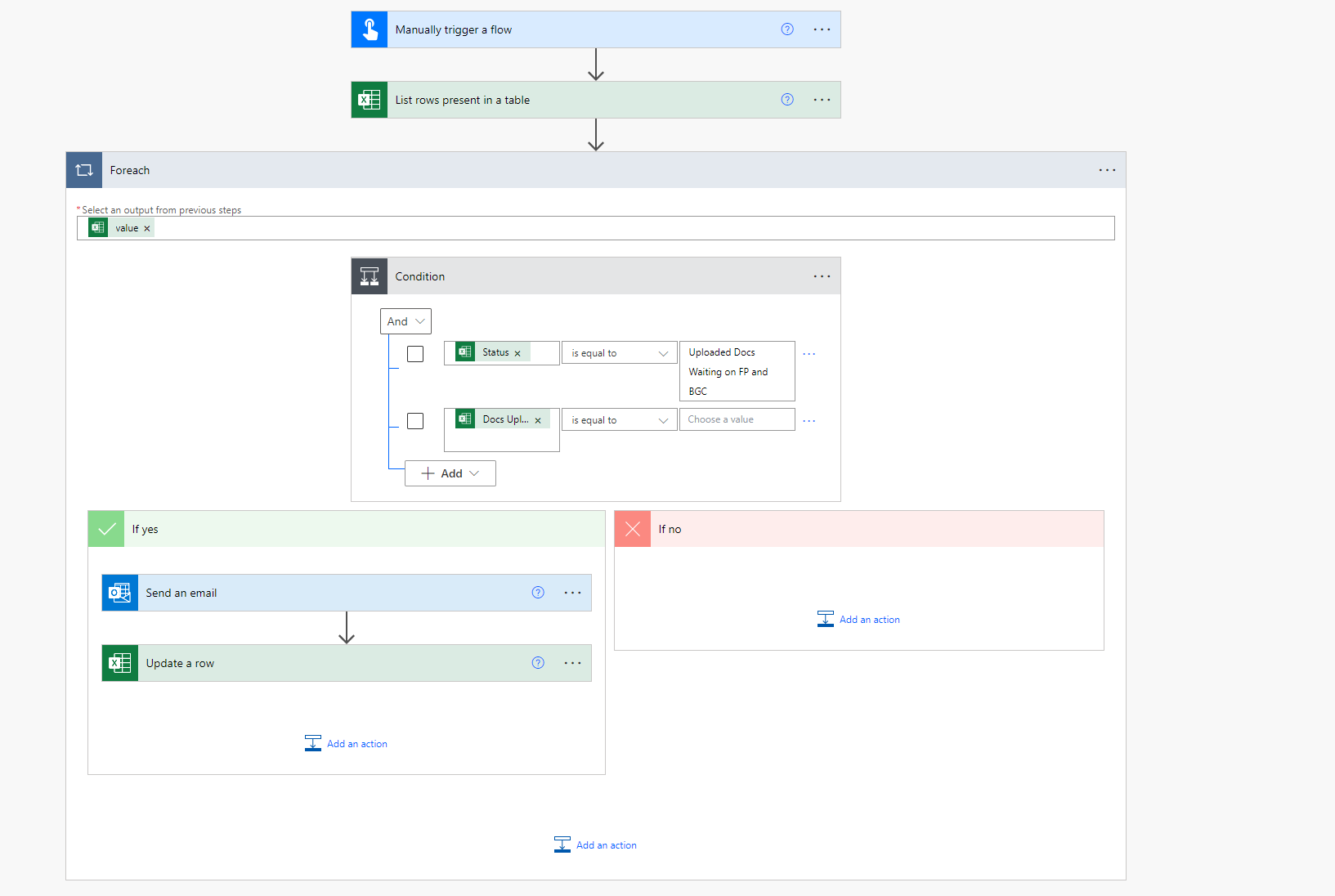
I have a bot that will send out an email when trigged and then put a date in a column once that task is complete.

The problem I am running into is that until the task is completed the date column is blank but update a row requires a key value for a key column.

Is there anything I can do where it puts in today's date if the cell in the date column is blank


My original idea didnt work well.
I assumed the condition would protect the columns so I sent the Key column to the status column  and the key value to the same as in the condition then had an expression for todays date in the Date column

What ended up happening is it updated any date that was already there to todays date and skipped any blanks.

Basically I want to put todays date in the cell only when the statues has that upload message and when the date cell is empty.

Helpful resources

Quick Links

Introducing the 2026 Season 1 community Super Users

Congratulations to our 2026 Super Users!

Kudos to our 2025 Community Spotlight Honorees

Congratulations to our 2025 community superstars!

Congratulations to the April Top 10 Community Leaders!

These are the community rock stars!

Leaderboard > Power Automate

#1
Vish WR Profile Picture

Vish WR 664

#2
Haque Profile Picture

Haque 460

#3
Valantis Profile Picture

Valantis 357

Last 30 days Overall leaderboard

Featured topics






