Hi,
for showing filters in excel data in sheet - you need to create a table so that user when opening the excel file can use the filters to filter the data.
Since there is no direct action in power automate desktop to create the table, so we need to rely on running vb script using Run VBScript action in power automate.
Note - Make sure to run this action after all excel actions have been done, i.e after close excel action.
See below
The first two variables stores excel file path and excel sheet respectively.
Now in Run VBScript action, use the script like below
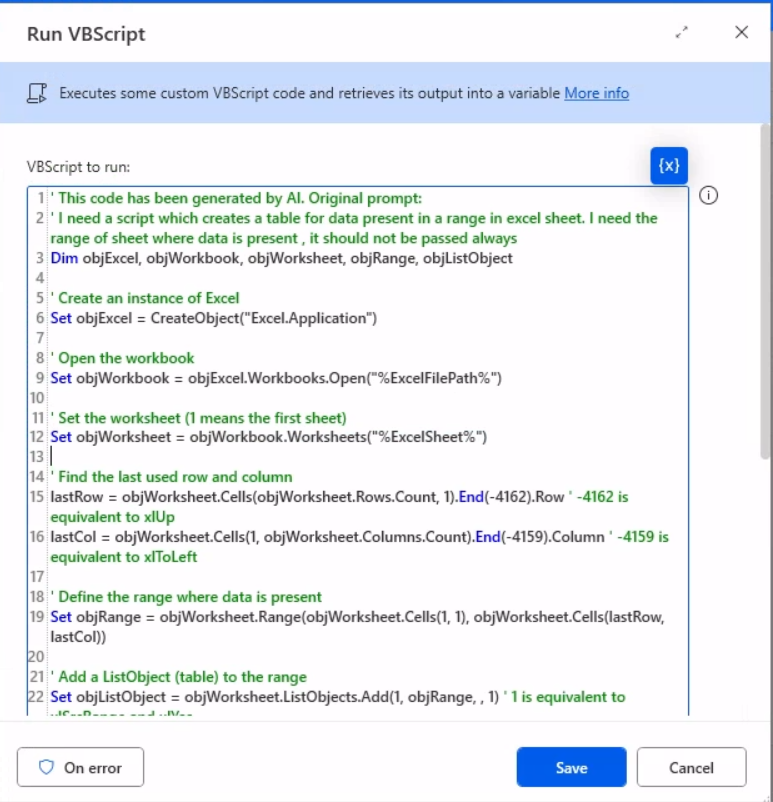
' This code has been generated by AI. Original prompt:
' I need a script which creates a table for data present in a range in excel sheet. I need the range of sheet where data is present , it should not be passed always
Dim objExcel, objWorkbook, objWorksheet, objRange, objListObject

' Create an instance of Excel
Set objExcel = CreateObject("Excel.Application")

' Open the workbook
Set objWorkbook = objExcel.Workbooks.Open("%ExcelFilePath%")

' Set the worksheet (1 means the first sheet)
Set objWorksheet = objWorkbook.Worksheets("%ExcelSheet%")

' Find the last used row and column
lastRow = objWorksheet.Cells(objWorksheet.Rows.Count, 1).End(-4162).Row ' -4162 is equivalent to xlUp
lastCol = objWorksheet.Cells(1, objWorksheet.Columns.Count).End(-4159).Column ' -4159 is equivalent to xlToLeft

' Define the range where data is present
Set objRange = objWorksheet.Range(objWorksheet.Cells(1, 1), objWorksheet.Cells(lastRow, lastCol))

' Add a ListObject (table) to the range
Set objListObject = objWorksheet.ListObjects.Add(1, objRange, , 1) ' 1 is equivalent to xlSrcRange and xlYes

' Save and close the workbook
objWorkbook.Save
objWorkbook.Close

' Quit Excel
objExcel.Quit

' Clean up
Set objListObject = Nothing
Set objRange = Nothing
Set objWorksheet = Nothing
Set objWorkbook = Nothing
Set objExcel = Nothing
This will create the filter in excel data in sheet like this -
Thanks & Regards,
Nived N
Stay connected:
LinkedIn | YouTube | Blogs
Was this answer helpful?
If yes, please mark it as the solution by selecting the checkbox in the discussion thread.
Your feedback motivates me to keep contributing. Thank you!





 Share
Share Report
 6
6 All responses (
 Answers (







