Hi guys, I think I may have an alternative option, though it requires a bit of workaround.
Global Sets exist in a hidden entity called "GlobalOptionSetDefinitions". To access it in PowerBI, you would have to first retrieve the organization's Dataverse API Path:
Go to any of your Dataverse Tables. Click on Tools > API Link to table data
Extract the first part of the URL when the tab opens (everything until v9...)
In PowerBI, open the Web connector
Type in the URL <your api root path>/GlobalOptionSetDefinitions
Now click on "Organizational account" and sign in using your Power Platform credentials
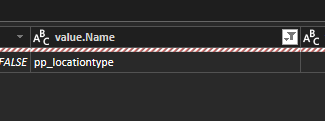
Now PowerBI will load the entire Global Option Set table. You can now filter the result to the option set you are looking for under the value.Name column
Go to value.options, expand it to new rows
Expand value.Options
Look for the new column value.Options.Label and get the "Localized Labels"
Select Expand to New Rows again
Expand it and extract the "Label"
Now select the two columns for value and label and remove other columns
In the original table, you can split the list by delimiter
Under Advanced options, Split into Rows
Now you can choose to merge the two tables in PowerQuery or link the two entities as relationships
This method allows you to recreate the optionset as an entity, which can then be linked to other entities without manual coding.


