web
You’re offline. This is a read only version of the page.
close
Skip to main content

Announcements

News and Announcements icon
Community site session details

Community site session details

Session Id :
Microsoft Power Up Program Community
Suggested Answer

Power Automate Flow glitching with infinite loop or responding to non-trigger words

(1) ShareShare
ReportReport
Posted on by 32
I'm experiencing an issue with my Power Automate Flow where it gets stuck in an infinite loop or responds to any word, (even if it's not part of the trigger words array) when the trigger word "one" is used.
Here's my current setup:
I have a trigger set up to listen for specific words in an incoming message (e.g., "one", "reject", "RTMate").
When the trigger word is detected, the flow is supposed to perform a series of actions.
However, when the word "one" is used, the flow goes into an infinite loop, repeating the actions indefinitely. Moreover, it also responds to any word, even if it's not part of the trigger words array.
What I've tried:
To resolve this issue, I've attempted the following:
I've tried setting a trigger condition for the trigger word step to ensure that the flow only runs when the exact word "one" is used.
I've added "one" in a separate condition to isolate the issue and see if it's specific to this word.
I've changed the trigger words from an array to a string, thinking that it might be a formatting issue.
Despite these efforts, the problem persists. I'm expecting the flow to only respond to the specific trigger words and not get stuck in an infinite loop. Has anyone else encountered this problem or have any suggestions on how to fix it?


Below is the flow


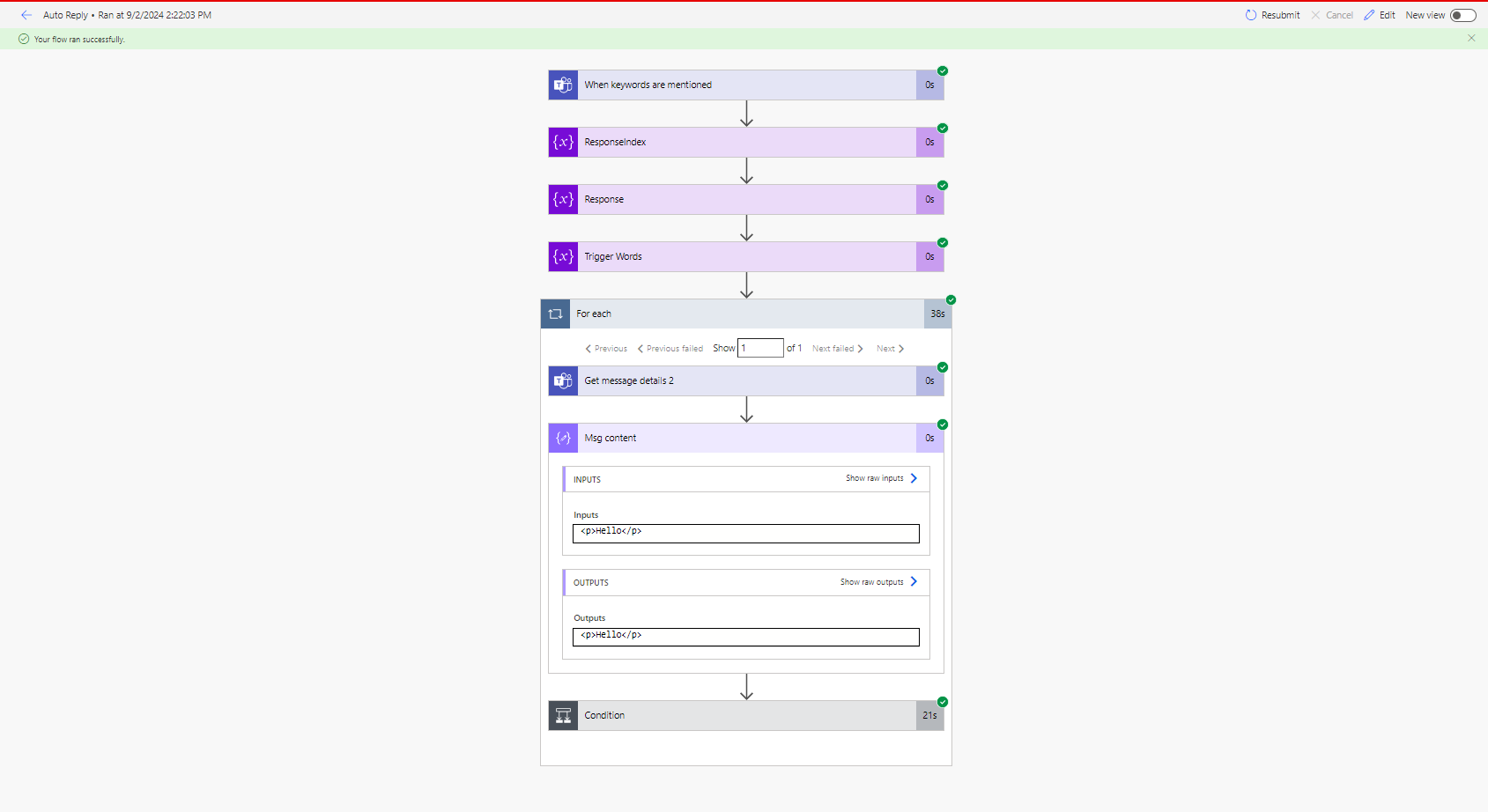
When the word "one" ins in the list the flow runs for any word in the chat like below sample
NB: the flow glitches with "one, on, 1" any of them make the flow glitch, but they are essential for the flow 


1- Successful Flow (trigger word is "Hello" which is not part of the trigger words list)

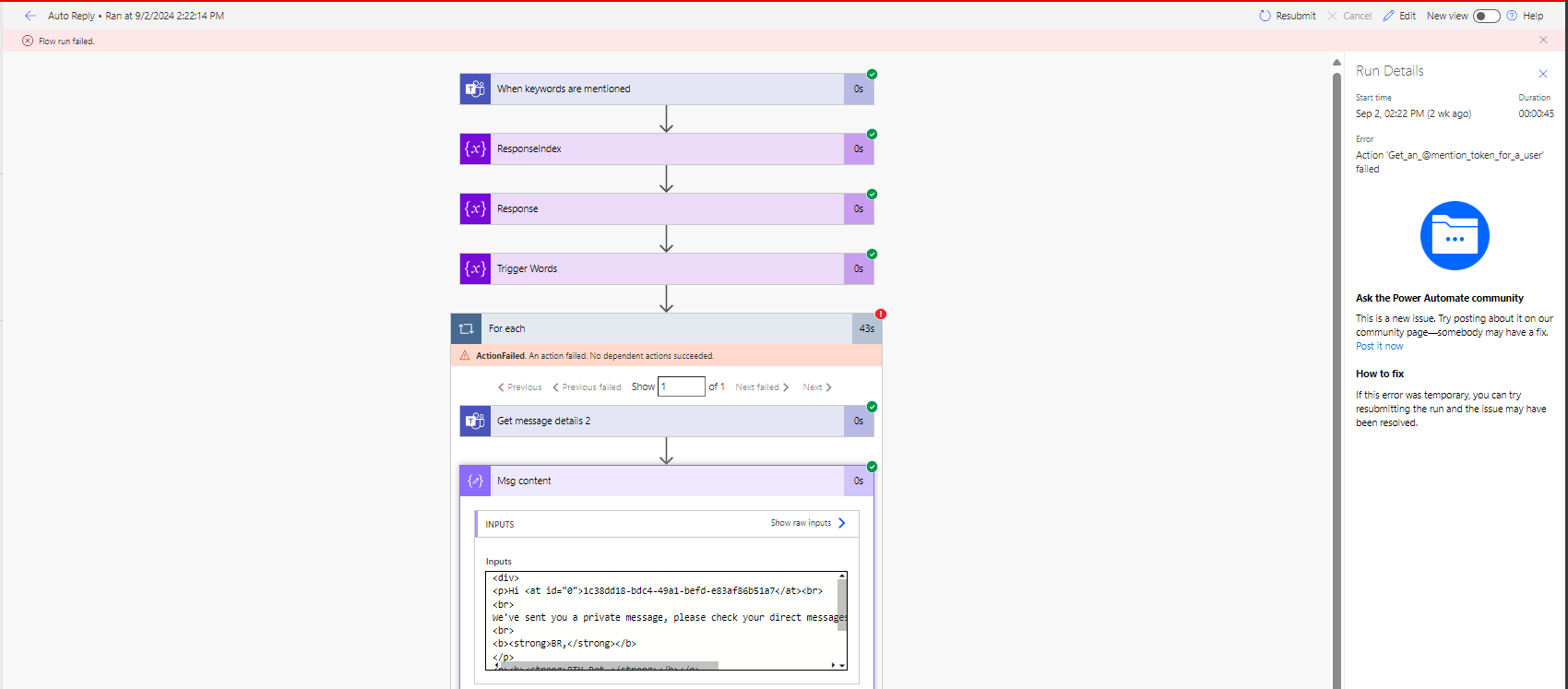
2- Failed Flow (flow was trying to trigger itself again and failed as it didn't manage to get the mention token of itself)
Categories:
I have the same question (0)
  • Suggested answer
    Michael E. Gernaey Profile Picture
    53,963 Moderator on at
    Hi
     
    Can you please share the Trigger Condition you created to only Fire for specific words?
     
    You also do not specify where the infinite loop is and none of these actions are opened, so its not possible to figure it out.
     
    Can you please share the insides of the actions (inputs etc) and then share a run that did this so we can see what the conditions were that caused it to be a loop
  • AS-21092131-0 Profile Picture
    32 on at
    Hi FLMike,

    below is the trigger words I'm using, usually what happen is when the trigger word "one" is added to the list the flow keeps running for any word, but when it is removed then the flow works perfectly fine, noting it happens with "one, on, 1" any of them make the flow glitches


    and here is one of the runs that flow glitches, if was failed as the flow didn't manage to get the mention token for it self


    this is the message, and it doesn't contain any of the trigger words

Under review

Thank you for your reply! To ensure a great experience for everyone, your content is awaiting approval by our Community Managers. Please check back later.

Helpful resources

Quick Links

Forum hierarchy changes are complete!

In our never-ending quest to improve we are simplifying the forum hierarchy…

Ajay Kumar Gannamaneni – Community Spotlight

We are honored to recognize Ajay Kumar Gannamaneni as our Community Spotlight for December…

Leaderboard > Microsoft Power Up Program Community

#1
timl Profile Picture

timl 51 Super User 2026 Season 1

#2
Vish WR Profile Picture

Vish WR 27

#3
MS.Ragavendar Profile Picture

MS.Ragavendar 18 Super User 2026 Season 1

Last 30 days Overall leaderboard

Featured topics

Introduce yourself!
