web
You’re offline. This is a read only version of the page.
close
Skip to main content

Announcements

News and Announcements icon
Community site session details

Community site session details

Session Id :
Power Platform Community / Forums / Power Automate / Using a variable to pa...
Power Automate
Unanswered

Using a variable to pass the value of a PDF file to the Encodian OCR action.

(0) ShareShare
ReportReport
Posted on by 21

I have a flow, where I am checking in a condition whether the file in question is a PDF or not.

If the file is a PDF, then the file content is set in variable declared earlier in the flow. If its not a PDF, then the file gets converted into a PDF through an encodian action and saved in the same variable.

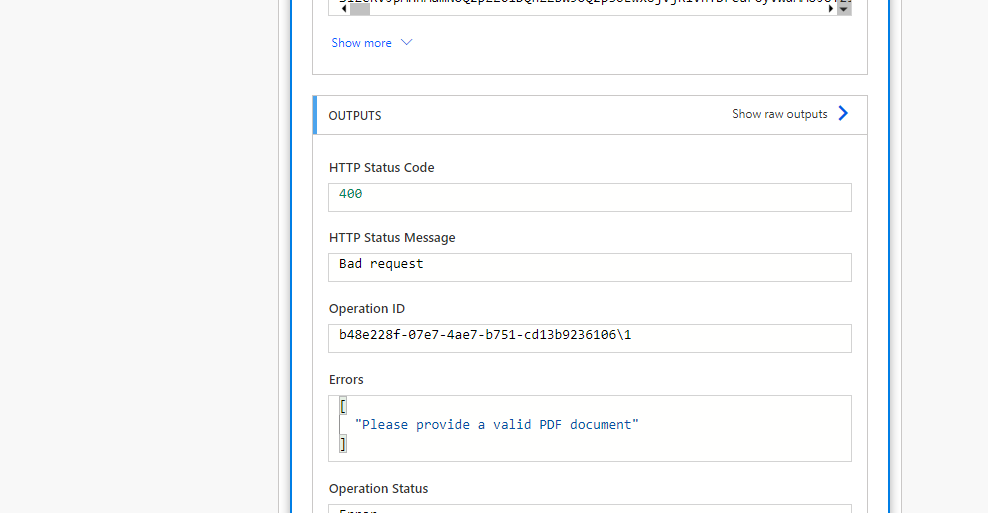
 After the condition, I am trying to Apply OCR on the file.. But I am always getting the error - "Please provide a valid PDF document"

 I have tried converting the variable to base 64 format but that still gives the error.

 Has anyone faced a similar issue in the past and is aware of a workaround?
 

Categories:
I have the same question (0)
  • Artur Stepniak Profile Picture
    1,539 Moderator on at
    Hello,
     
    you'd need to check the file format - I'm not sure where it's stored at first, but it could be already a base64 string. You can save it somewhere first, using OneDrive for example, and then get the file content, and use it in the Encodian action.
     
    Let me know how it goes.
     
    In case of any other questions, let me know. If the answer helped you, mark it, so that others can benefit from it.
     
    Best regards,
     
    Artur Stepniak
    Interested in GenAI? Visit my site!
  • ShantanuSri Profile Picture
    21 on at
    @Artur Stepniak Thanks for your response.
     
    In a condition, I am checking whether the file is a PDF or not.
     
    If the file is a PDF, the file gets stored in a variable. 
     
    If the file is not a PDF, the file gets converted into PDF and then stored into a variable.


    After the condition, I need to OCR the PDF file that is stored in the variable. This step is where my flow is failing and giving the 'valid PDF' error.
     
    I have tried to convert the file to base64, etc. but that still gives the error.
     
    Please let me know if any other details might help in answering the query.
     

Under review

Thank you for your reply! To ensure a great experience for everyone, your content is awaiting approval by our Community Managers. Please check back later.

Helpful resources

Quick Links

Season of Sharing Community Challenge Winners!

Congratulations to our community stars!

Kudos to our 2025 Community Spotlight Honorees

Expanding mentorship, skilling, and AI innovation

Congratulations to the July Top 10 Community Leaders!

These are the community rock stars!

Leaderboard > Power Automate

#1
David_MA Profile Picture

David_MA 282 Super User 2026 Season 2

#2
trice602 Profile Picture

trice602 159 Super User 2026 Season 2

#3
11manish Profile Picture

11manish 146 Super User 2026 Season 2

Last 30 days Overall leaderboard
