web
You’re offline. This is a read only version of the page.
close
Skip to main content

Announcements

News and Announcements icon
Community site session details

Community site session details

Session Id :
Power Platform Community / Forums / Power Pages / What Dataverse Table h...
Power Pages
Answered

What Dataverse Table holds the records for users with 'Site Visibility'

(0) ShareShare
ReportReport
Posted on by 9
Greetings all.
 
I have been trying to figure this one out and I know I have seen the table before, but I just can't seem to find it...
 
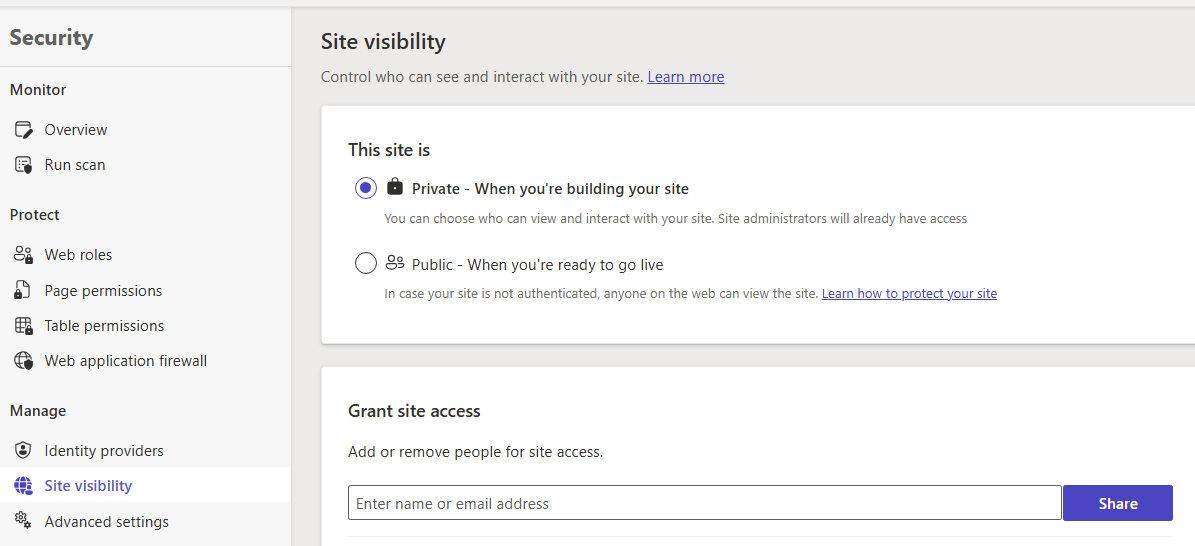
I am looking for the Dataverse table that holds the list of users when adding a user through the Power Pages Edit> Security > Site Visibility > Add email address to the Grant site access input and press share:
 
Thank you
RD
I have the same question (0)
  • Suggested answer
    Fubar Profile Picture
    8,487 Super User 2026 Season 1 on at
    I am not sure if it is actually held in dataverse, if it is it would probably be in the Site Component table. However, as those users are used for Conditional Access you may actually find that it is against Conditional Access for the  websites's Application in Azure.
  • Verified answer
    Suriyanarayanan V Profile Picture
    196 on at

    When you add a user through:

    Power Pages Studio → Edit → Security → Site Visibility → Add email → Share

    you are not adding them to a Dataverse “user list” table.
    Instead, Power Pages creates a record in the Website Access table.

    ✅ The Dataverse table you’re looking for is:

    adx_websiteaccess

    (also known as Website Access)

    This table stores the list of email addresses that have been granted access to the site through the Site Visibility feature.

    How it works behind the scenes

    When you add an email address:

    1. Power Pages creates a record in adx_websiteaccess

    2. The email is stored in the field adx_emailaddress

    3. The record is linked to your website via adx_websiteid

    This is why you won’t find these users in:

    • systemuser

    • contact

    • webrole

    • adx_webrole

    They are not Dataverse users — they are website access entries.

    Where to view them

    You can see these records in:

    Portal Management App → Website → Website Access

    or directly in Dataverse:

    Table: Website Access (adx_websiteaccess)

    Fields of interest:

    • adx_emailaddress – the email you entered

    • adx_websiteid – the site the access applies to

    • adx_name – auto‑generated name

    Summary

    • “Site Visibility” does not create Dataverse users

    • It creates entries in adx_websiteaccess

    • This table stores the list of emails allowed to view the site

    • You can manage these records through Portal Management or Dataverse

Under review

Thank you for your reply! To ensure a great experience for everyone, your content is awaiting approval by our Community Managers. Please check back later.

Helpful resources

Quick Links

Introducing the 2026 Season 1 community Super Users

Congratulations to our 2026 Super Users!

Kudos to our 2025 Community Spotlight Honorees

Congratulations to our 2025 community superstars!

Leaderboard > Power Pages

#1
Lucas001 Profile Picture

Lucas001 17 Super User 2026 Season 1

#2
Haque Profile Picture

Haque 12

#2
CN-06091549-0 Profile Picture

CN-06091549-0 12

Last 30 days Overall leaderboard



