web
You’re offline. This is a read only version of the page.
close
Skip to main content

Notifications

Announcements

Community site session details

Community site session details

Session Id :
Power Platform Community / Forums / Power Pages / Dynamically switch hea...
Power Pages
Unanswered

Dynamically switch header and footer base on web page in power pages using liquid template

(0) ShareShare
ReportReport
Posted on by 22
Hi Everyone, 
 
I have a Web Page named VAT that I am trying to add 2 web templates (this webpage holds a multistep form in the body):
  1. Header
  2. Footer

While researching this issue online, various sources indicate that there should be a Header template field and a Footer template field which I should use to add the related web templates. I have only seen those fields in the Website section not the Web Page in the Portal Management navigation panel on the left. Nonetheless, I searched the Web Page and found the “Page Template” field which I then created a new Page template titled, “TEST_VATHeaderFooter” of type: web template.
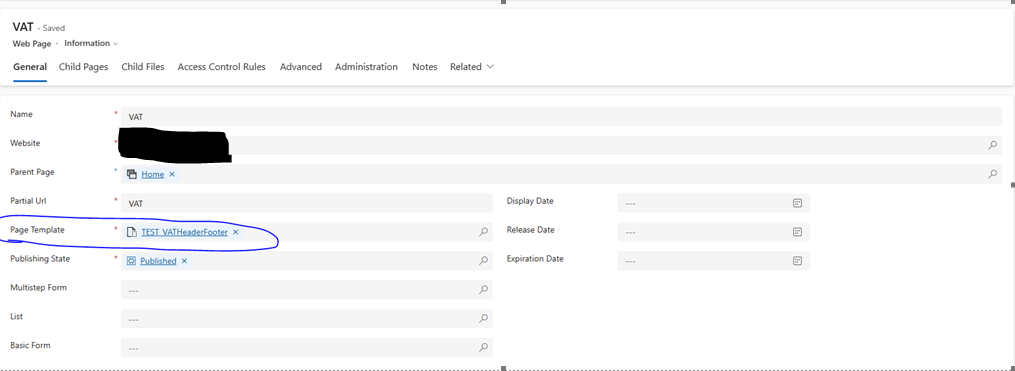
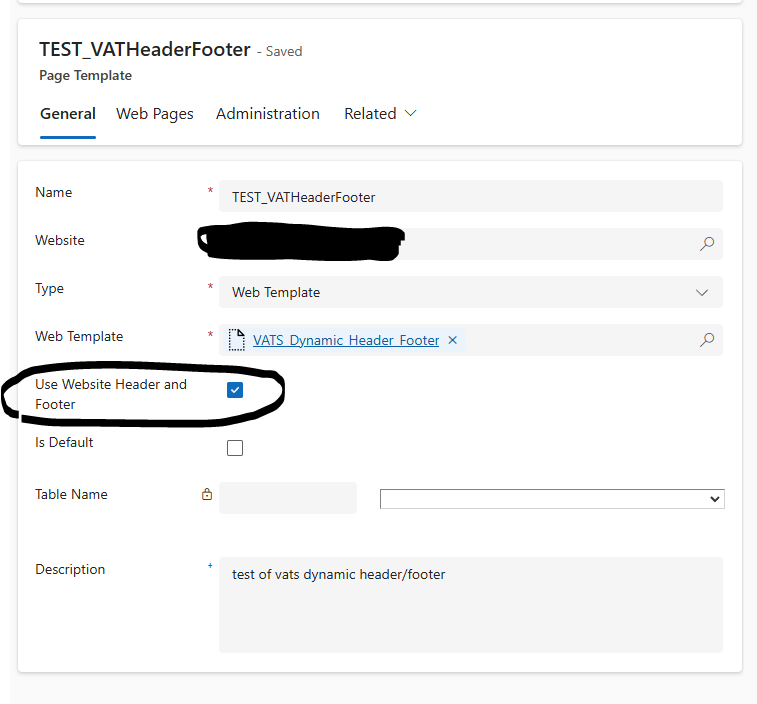
I then created an additional web template titled, “VATS_Dynamic_Header_Footer” which I added to the new Page template which holds the liquid template that retrieves the data from the (2) new web templates for the Header and the Footer, listed earlier. The header and footer do appear, but they don’t replace the old header with the "Use Website Header and Footer"  checkbox selected and the multistep form is still not visible as the new header has been placed in the body replacing form. 
 

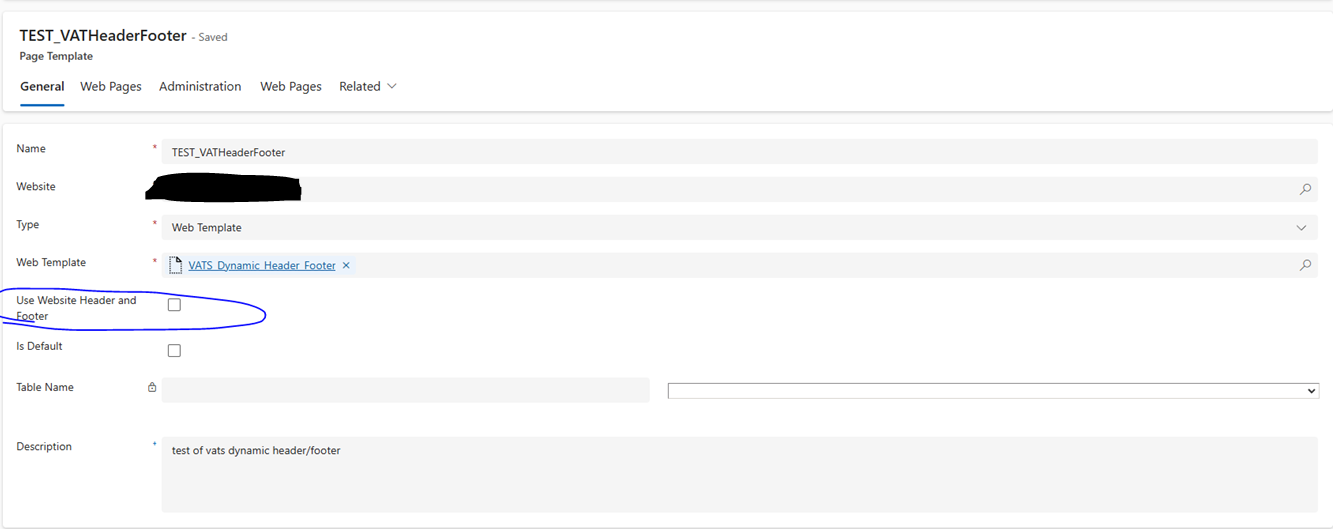
Removing the “Use Website Header and Footer” checkbox removes the old header but removes the web page styling and the footer and still hides the multistep form from the body of the web page:
Any advice would be greatly appreciated. Thank you for your time. 
Categories:
I have the same question (0)
  • Suggested answer
    oliver.rodrigues Profile Picture
    9,368 Most Valuable Professional on at
    Hi, can you explain here what is the business requirement that you are trying to achieve?
     
    a few points:
    • changing the header/footer dynamically may worsen User Experience
    • is is a specific value or something that you want to change from the Header/Footer? also, based on what? something from the multistep form?
    • ultimately, you can introduce logic in the Header or Footer Web Template and displaying a different content dynamically there
  • InquisitiveAI1 Profile Picture
    22 on at

    Thank you for responding back to me:
    ​​​​​​​​​​​​​​
    • Understood.
    • The values that need to be changed are a logo for the header and changing the design for the footer for this specific web page that holds a multistep form.
    •  I added the logic into the header template field and the footer template field which is located inside of the WEBSITE ( within portal management navigation panel > Websites subsection). When I did this, the page that contains the multistep form it opens correctly and shows the new header/footer but if I use the landing page which has a link that redirects to the VAT web page the header/footer doesn't change dynamically. Is this the area that you recommend? If not what am I missing? 
  • Suggested answer
    oliver.rodrigues Profile Picture
    9,368 Most Valuable Professional on at
    If you already implemented your conditional logic in the Footer/Header Web Template, just make sure that the VAT Page Template is enabled to Use Website Header/Footer
  • Suggested answer
    Fubar Profile Picture
    8,338 Super User 2025 Season 2 on at
    Just adding to what Oliver has responded.  Also, the Header and Footer have a site setting for output caching and it is possible this is also having an affect (it is usually enabled to improve performance by using a cached version of the output rather than re-executing it).
  • InquisitiveAI1 Profile Picture
    22 on at

    Based on your suggestion, I reviewed the documentation here: Enable header and footer output caching. I compared the code outlined in the article and made some minor changes—some elements were missing from the code, while others were already up to date.

    Additionally, I verified the site settings described in the URL you provided. However, I am still encountering duplicate headers on other pages when attempting to associate them with this dynamic header/footer setup.

    Is it even plausible to dynamically change a group of webpages header and footer through page layout without having to make changes to the header and footer template fields found in the website section of portal management? (I also tried enabling and disabling the "Use Website Header and Footer" hasn't resolved the issue unfortunately.) 


  • Suggested answer
    Fubar Profile Picture
    8,338 Super User 2025 Season 2 on at
    You can't dynamically switch on the Web Site record. So you need to dynamically adjust the output from the Header/Footer Web Templates.
     
    What is the liquid code you have added to the Header/Footer Web Templates to display different info?
  • InquisitiveAI1 Profile Picture
    22 on at
    I'm getting a "Request is blocked" msg when trying to send over my code. Tried to reduce them into chunks smaller than 1000 char but still giving me the issue will try a small batch. 
  • InquisitiveAI1 Profile Picture
    22 on at
    This is code allows when I preview the VAT page directly it opens and shows the  dynamic header. But if I try to click on the create a new vat request link inside of the VAT-Home webpage it doesn't dynamically show the new header and footer. 

     {% if request.path contains '/VAT/' %}
                {% include 'Pks_VAT01_Header' %}
          {% else %}
            <a href="https://fakewebsite.com/Home/main.aspx"><img src="/pkslogo02.png" alt="Welcome to VAT" name=""></a>
          {% endif %}
     
     
  • InquisitiveAI1 Profile Picture
    22 on at
    @Fubar
    Here's the entire template code which includes my liquid template for your review. Code snippet. The comments in the HTML section of the editor titled, " VATS Multistep Form: new liquid template to dynamically change the header" and "VAT HOME PAGE TESTER CODE : new liquid template to dynamically change the header STARTS" contain the liquid that I added. Let me know if you have any issues accessing that info. Thanks. 
  • Verified answer
    Fubar Profile Picture
    8,338 Super User 2025 Season 2 on at
    before this line
     {% if request.path contains '/VAT/' %}
     
    Output it to the page so you can verify what it is (for example in places it could be '/VAT' or if header output caching is enabled you may see the old url and not what is in the browsers url bar)
    <p><br><br>{{ request.path }}<br><br></p>

Under review

Thank you for your reply! To ensure a great experience for everyone, your content is awaiting approval by our Community Managers. Please check back later.

Helpful resources

Quick Links

Forum hierarchy changes are complete!

In our never-ending quest to improve we are simplifying the forum hierarchy…

Ajay Kumar Gannamaneni – Community Spotlight

We are honored to recognize Ajay Kumar Gannamaneni as our Community Spotlight for December…

Leaderboard > Power Pages

#1
Jerry-IN Profile Picture

Jerry-IN 71

#2
Fubar Profile Picture

Fubar 62 Super User 2025 Season 2

#3
sannavajjala87 Profile Picture

sannavajjala87 31

Last 30 days Overall leaderboard



