web
You’re offline. This is a read only version of the page.
close
Skip to main content
Community site session details

Community site session details

Session Id :
Power Pages - General Discussions
Unanswered

Security vulnerabilities

(1) ShareShare
ReportReport
Posted on by 7
Hi,
 
I've a portal page site and I've run a Security Deep Scan on the site itself.
I see these result:
 
 
I am amazed at these errors because I should have fixed them all, for example for "X-Content-Type-Options Header Missing" I have:
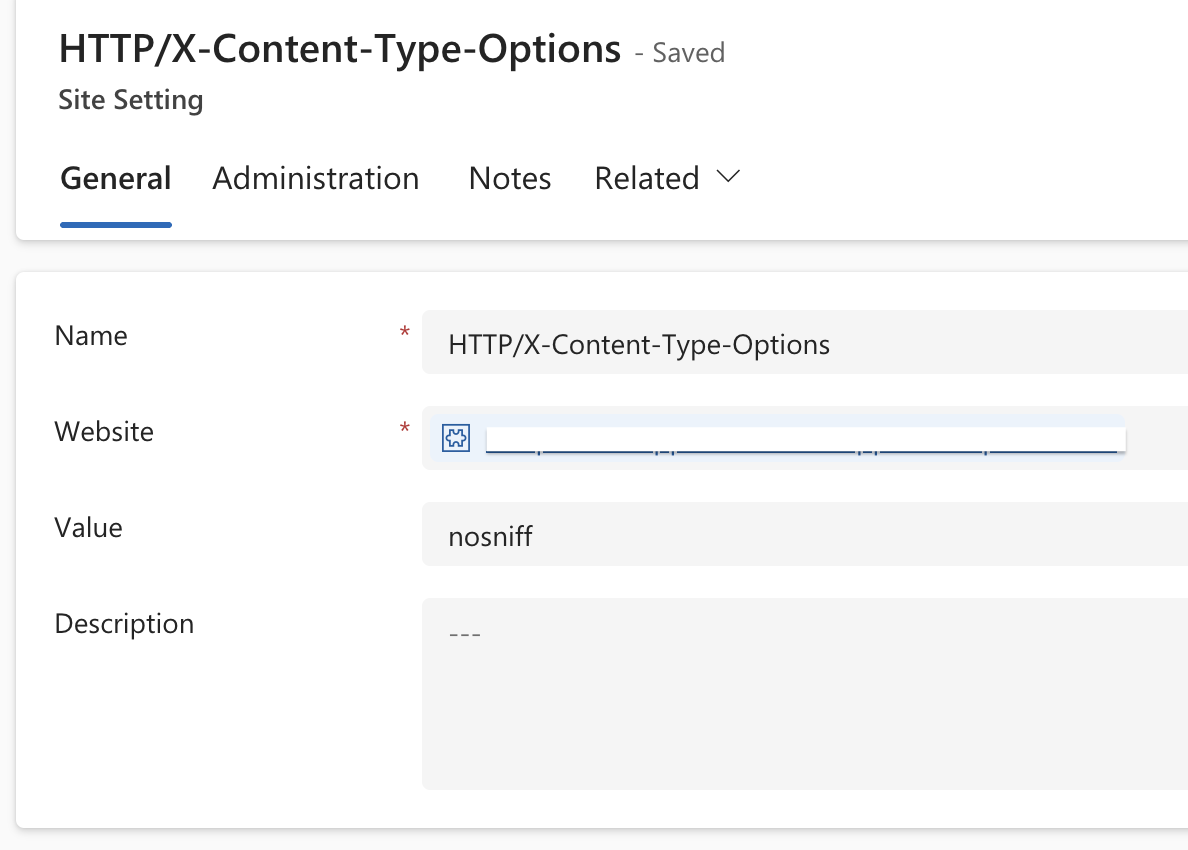

 
Same thing for "Content Security Policy (CSP) Header not set" where I've:


 Did I miss steps? Am I missing something?
 
Best Regards
Vincenzo
 
Categories:
I have the same question (1)
  • RK2021 Profile Picture
    91 on at
    Security vulnerabilities
    Hi Vincenzo - I have experienced the exact same, along with file inclusion vulnerability related to MS own files. My view is that the scan is not yet reliable enough to trust the full set of results. Unless others are able to explain why this is occurring.
     
     
  • Kowles Profile Picture
    9 on at
    Security vulnerabilities
    I have the same issue with the X-Content-Type-Options Header Missing when it is set to nosniff. I tried the ui and creating the site setting in the management app.
     
    I have no issue with the Content Security Policy (CSP) Header not set. The syntax has to be exact. Your screen capture looks like it has random white spaces. I would suggest  saving what you have to notepad and clearing the whole value then use the UI from the designer studio > advanced settings > CSP to set your specific urls etc. Try one setting first and see if the risk clears then continue with the other settings you need.
     
    One really annoying thing I noticed is that the CSP style sources (style-src) in the UI seems to require 'unsafe-inline' by default to not mess up the look of the site as the core bundle js scripts need it to run, However, you can't add it in the UI (even though it says in the description you can). You have to manually type it in the site setting. If you do this, and return to the UI you wont be able to save any changes or addtional config without removing 'unsafe-inline'. On top of that, when 'unsafe-inline' is in place this created a moderate risk entry that is caused by powerpages core scripts.
     
    I agree with RK2021. This is not yet a fully reliable tool. It is also in preview, so will not be fully supported officially by MS until is become generally available. It definitly needs MS to work on some bugs and some improvements. I have seen no changes to this functionaility for at least a year so I'll take it as a good starting point and guide to get the site up and running with most vulnerabilites covered.
  • Vikash001 Profile Picture
    42 on at
    Security vulnerabilities
    @Kowles - Thank you very much for calling out the UI bug. I honestly thought I was losing it, because the Ul explicitly says 'unsafe-inline' is supported, but it simply won’t accept it in the style Style source:
     

    I’ve spent the last hour trying different combinations of sources and formatting, so it’s really helpful to know this is a known limitation of the preview tooling rather than something I was doing wrong.

    Have you found any cleaner workaround than manually adding 'unsafe-inline' directly into the site setting?

    At the moment that feels like the only practical way to stop the layout/scripts from breaking, but it’s pretty painful that doing so then blocks any future edits through the UI.

    Would love to hear if you’ve found any better approaches.

Under review

Thank you for your reply! To ensure a great experience for everyone, your content is awaiting approval by our Community Managers. Please check back later.

Helpful resources

Quick Links

Coming soon: forum hierarchy changes

In our never-ending quest to improve we are simplifying the forum hierarchy…

Ajay Kumar Gannamaneni – Community Spotlight

We are honored to recognize Ajay Kumar Gannamaneni as our Community Spotlight for December…

Leaderboard > Power Pages

#1
Jerry-IN Profile Picture

Jerry-IN 58

#2
Fubar Profile Picture

Fubar 46 Super User 2025 Season 2

#3
sannavajjala87 Profile Picture

sannavajjala87 31

Last 30 days Overall leaderboard



