The Rich Text Editor in Power Pages has just started to automatically wrap and List contents with paragraph controls causing web pages to display incorrectly.
It does not matter whether we type the HTML in manually or use the Rich Text Editor tool. The minute the page is saved the layout is changed adding in the paragraph controls inside the indenting.
For example, an unordered list is automatically created or saved as follows: -
<ul style="list-style-position: inside;">
<li>
<p style="margin: 0;">
Chairperson appointed by State President
</p>
</li>
</ul>
Producing the following web page which reads badly, looks disjointed and appears unprofessional. Similar error occurring with Ordered Lists.
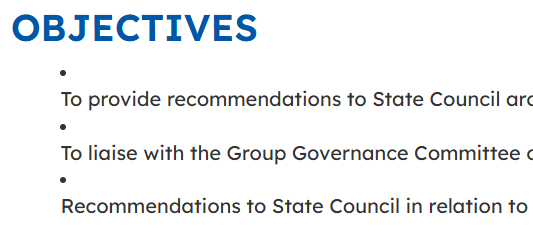
Anybody else experiencing this in the last month? Is there a fix or a work around we could use?
Thanks







