web
You’re offline. This is a read only version of the page.
close
Skip to main content

Announcements

News and Announcements icon
Community site session details

Community site session details

Session Id :
Power Platform Community / Forums / Power Pages / ExternalAuthentication...
Power Pages
Suggested Answer

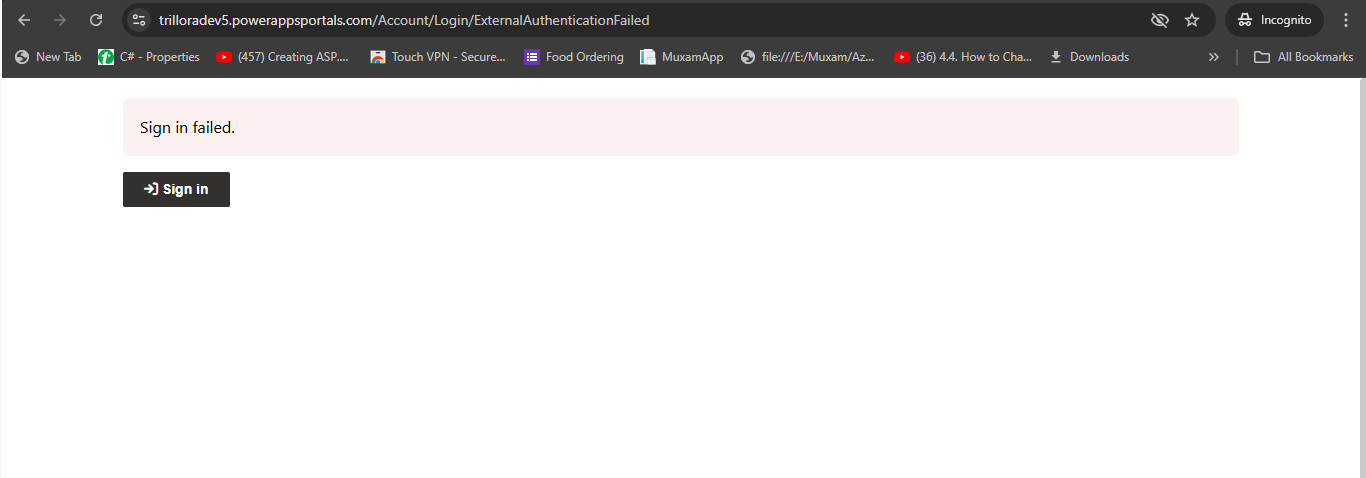
ExternalAuthenticationFailed after completing of password reset flow

(0) ShareShare
ReportReport
Posted on by 8

Hi,
I am encountering an error after the reset flow completes execution. The error does not occur when I navigate from the signup to the forgot password page—it works fine at that stage. However, when I send an email containing the password reset link and click on that link to reset my password, I receive an "External Authentication Failed" error after the final step. I have configured everything and set the redirect URL to: https://trilloradev5.powerappsportals.com/signin-aad-b2c_1. What could be the issue?
I integrated the Azure B2C to power pages for external login of users.
Categories:
I have the same question (0)
  • Suggested answer
    oliver.rodrigues Profile Picture
    9,425 Most Valuable Professional on at
    Hello
    • do you have both Sign Up Sign In and Password Reset authority URL configured in the Valid Issuer Site Setting?
    • can you ensure that both User Flows are setup to use the TFP issuer url?
    • is the Redirect URL that you mentioned setup for the Reset Password flow? I don't remember setting up at that level
  • BM-07101856-0 Profile Picture
    8 on at
    Hi oliver.rodrigues ,

    I created sign in and reset password flow not signup and sign in.. I configure the issuer of my both reset and sign in in my identity provider in power pages . and also I configure the reply URL configure in my app registration 
    https://trilloradev5.powerappsportals.com/signin-aad-b2c_1. and also in my identity provider reply URL..  I am sending the URL of reset password to the user directly. Is this work for giving directly URL of reset Passowrd? 
    Here is the URL I am sending:
    https://trilloracustomerportaltest.b2clogin.com/1e0055c2-b170-49a7-b923-447f16ba5045/B2C_1_TrilloraDevReset/oauth2/v2.0/authorize?client_id=xxxxxxxxxxxxxx&redirect_uri=https%3A%2F%2Ftrilloradev5.powerappsportals.com%2Fsignin-aad-b2c_1&response_type=id_token&scope=openid&state=OpenIdConnect.AuthenticationProperties%3Dibh7n2V_N8J4wX2XECYEYlJGiVzREmUsR59Q_D0Aji9DH4zCMtel2lwKmE8KF28kRurwr2kiBuRkme01XnXyP7q_FF71i69wAAe5tT31r4RpOcpOw9azX1pLKJOx8Z8RRdJMeO0gN65iELi_u8-1V_PFmyVCAK2c7b8uUSIKF_BPe_XihqHGXfznF5QLanL_9c_sSzRmh6ERC_T04n1iF-tx5H8VwzZaofbG_iYArCc6bn1yqxuL-75l7Zma5NNNzyPqxNNlc_rdkKgwP0iSLCddTeXmpidlCfhST2fxE1UhRE0x_hmhTPYx-HCMPFQlYSzYNtz2-RS_1e9XMhGJRLPdF2N5-HsKLaHqc3KiTo0wFJlSBu3YyZBxOvBIAcqVzYgmP7BYR0el-OKgxwiMUnZ_PBEJlKJb-nLPXCB607XpKCUNrE4FXVWq13EnjI2J&response_mode=form_post&nonce=638748677457403549.YWZmOGY0MzMtNTk5Mi00ODhiLWFjY2EtZWRiZjY5NGUxOWU2ZWQyZTI1OTUtZjcxOC00OGFmLTljYWEtNzFjYzMwMTE0ZWJj&ui_locales=en-US&x-client-SKU=ID_NET472&x-client-ver=6.35.0.0

     
    Yes my issuer URL includes TFP .
     
  • Hammed Profile Picture
    104 on at
    Any solution to this as I am having the same issue. Did you manage to find solution?
  • Suggested answer
    Ajlan Profile Picture
    235 on at
    Hello,
    For the "External Authentication Failed" error after the password reset link, try using this redirect URL instead: https://yourportalname.powerappsportals.com/signin?returnUrl=/

    Also, in your sign-in/sign-up flow properties, enable "Force password reset" to prompt users to update their password after first login so you no longer have to send password reset link. Let me know if it works!

    Cheers! 🎉
  • Suggested answer
    Hammed Profile Picture
    104 on at
    oliver.rodrigues In your case you are using separate user flow policies i.e Sign in, Reset passwod. But what about the case where you use Sign&signUp and enabled Self-service password reset in the B2C_1_PSASignUpandSignIn policy?

Under review

Thank you for your reply! To ensure a great experience for everyone, your content is awaiting approval by our Community Managers. Please check back later.

Helpful resources

Quick Links

Introducing the 2026 Season 1 community Super Users

Congratulations to our 2026 Super Users!

Kudos to our 2025 Community Spotlight Honorees

Congratulations to our 2025 community superstars!

Leaderboard > Power Pages

#1
Lucas001 Profile Picture

Lucas001 21 Super User 2026 Season 1

#2
CN-06091549-0 Profile Picture

CN-06091549-0 18

#3
oliver.rodrigues Profile Picture

oliver.rodrigues 17 Most Valuable Professional

Last 30 days Overall leaderboard
