The initial release of Plan Designer delivered strong capabilities for generating detailed requirement documentation, but it lacked one critical component: visualising how those requirements come together as a complete business process. Without a visual workflow, teams had to interpret written requirements on their own, often leading to gaps in understanding, misalignment between business and technical teams, and difficulty identifying decision points or process branches early in the planning phase.
In our earlier blog, we explored how Plan Designer provides a structured, AI-assisted approach to turning business ideas into actionable solution plans by capturing user stories, defining functional requirements, and generating system-level proposals. While powerful, that release still required users to manually imagine the end-to-end workflow, leaving room for confusion during implementation.
What Was Missing in the Previous Plan Designer?
The previous Plan Designer focused primarily on:
- Capturing user stories and functional requirements in text form
- Generating technology proposals and implementation suggestions
- Creating structured documentation
What it couldn’t do:
- Automatically visualize workflows – There was no way to see how requirements connected as an end-to-end process
- Show process stages and decision points – Teams couldn’t easily identify where decisions were made or how the process branched
- Provide a shared visual language – Business stakeholders and developers had no common diagram to reference during discussions
- Validate process flow before development – Without a visual representation, it was difficult to spot gaps or inefficiencies in the planned workflow
This meant that even with excellent documentation, teams still needed to create separate process diagrams manually or risk building solutions based on different interpretations of the requirements.
Introducing Process Diagrams: Bridging the Visualization Gap
Microsoft has now introduced Process Diagrams as a new preview capability that directly addresses these limitations. This intelligent visualization layer automatically converts your written requirements into structured, end-to-end workflows, providing what was previously missing: a visual representation of how your business process actually flows.
Process Diagrams are automatically generated visual flows that represent the business process described in your user requirements. As you write or refine your requirements, Plan Designer interprets them and creates:
- Process Stages (high-level workflow phases)
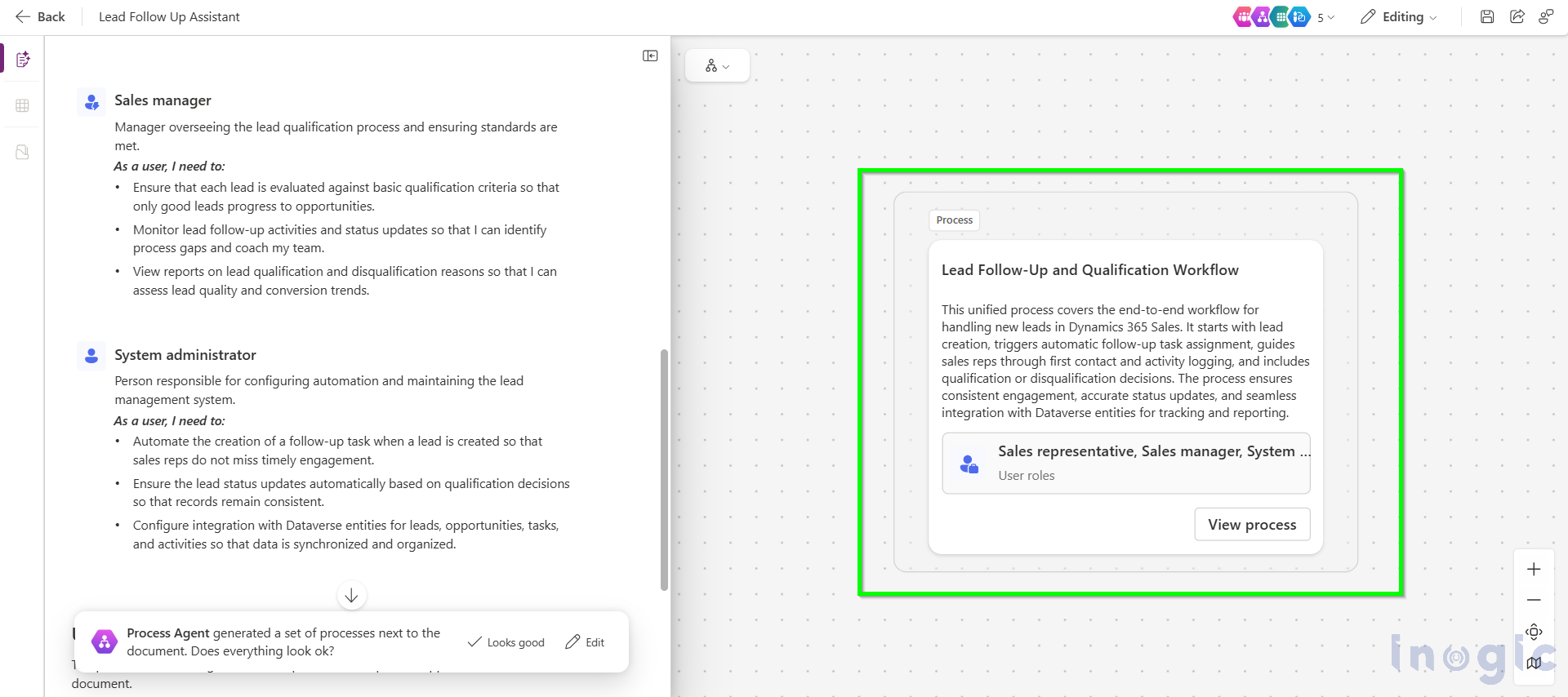
- Process Maps (detailed tasks, decisions, events)...Read More>>


