While creating a Power Automate flow, I discovered an exciting new feature called the “Savings” (Preview) feature in Power Automate. When I tried it, I found it very helpful for those looking to reduce costs by automating tasks with Power Automate flows instead of performing them manually. This feature helps you record exactly how much time and money each of your flows saves your organization. Instead of relying on manual estimates or spreadsheets, you simply specify the minutes and cost value for each flow run, and Power Automate automatically aggregates those figures.
Whether you automate lead assignments, case escalations, billing notifications, etc., Savings turns every run into a quantifiable win. Let’s explore how to enable and use this powerful new feature.
Real-World Use Case: Automated Lead Routing in Dynamics 365 CE
Imagine your team manually assigns incoming leads by region—about 5 minutes per lead at $1 per assignment. By enabling Savings on your existing lead-routing flow, you can:
- Record 5 minutes saved per run
- Record $1 saved per run
Over 1000 runs/month, that’s 5000 minutes (83+ hours) and $1000 saved—automatically tallied in your flow’s details.
Steps to Configure “Savings (Preview)”
1. Open Your Flow’s Details Pane
- In Power Automate, go to My flows, select your flow, and click Details.
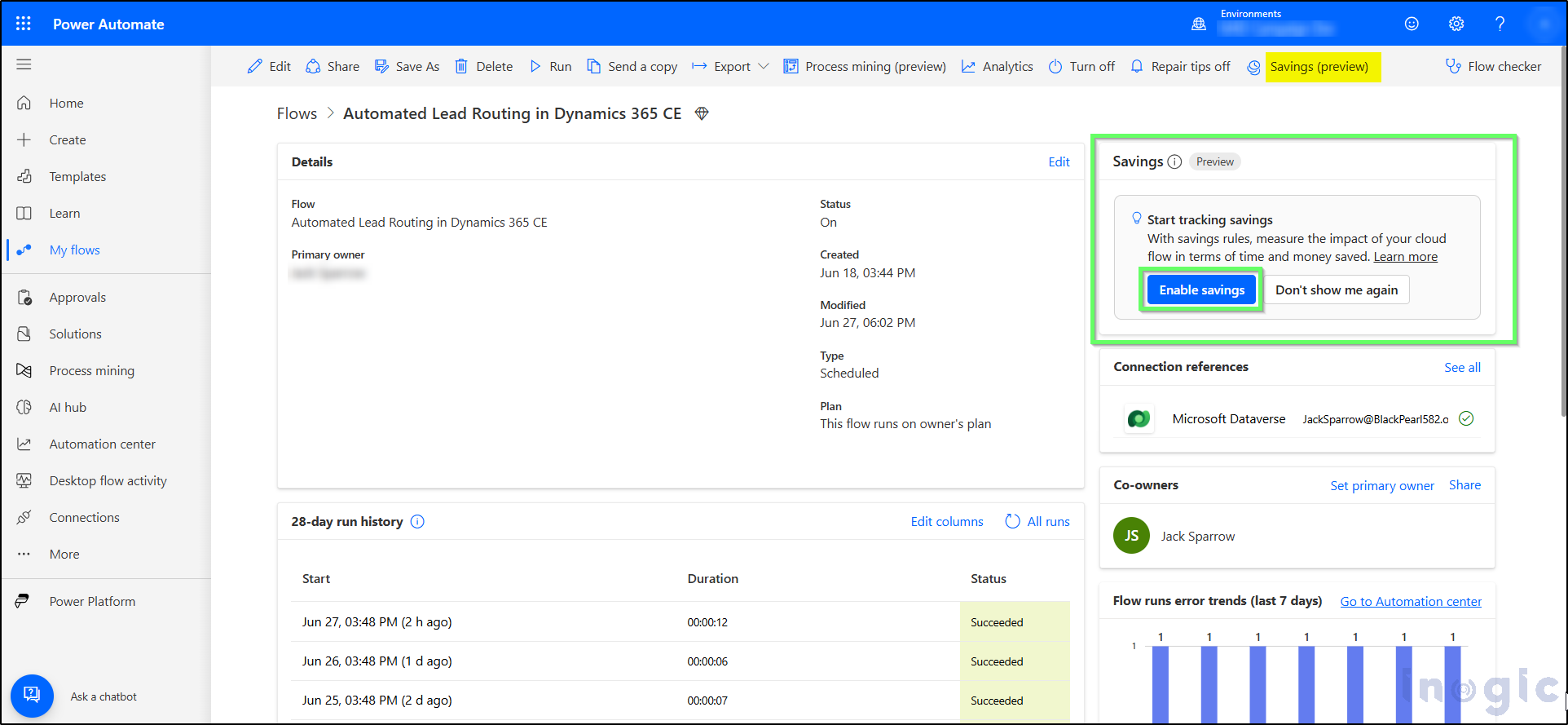
2. Locate “Savings (Preview)”
- Navigate downward to locate the ‘Savings (Preview)’
Read More>>


