web
You’re offline. This is a read only version of the page.
close
Skip to main content
Community site session details

Community site session details

Session Id :
Power Automate - Building Flows
Answered

Unable to get a parsed value to work with a Sharepoint FOLDER RENAME

(0) ShareShare
ReportReport
Posted on by 13
I have a flow that is triggered when a status changes within Clickup (external app), and when it is triggered the Flow parses the recieved json, and copies en existing folder on Sharepoint from one folder into another and then I'm wanting that new folder to be renamed using a data field recieved from clickup - in this case the filed is 'name' (which is the name of the project in clickup).

I'm pretty new to Power Automate so loving nutting this stuff out

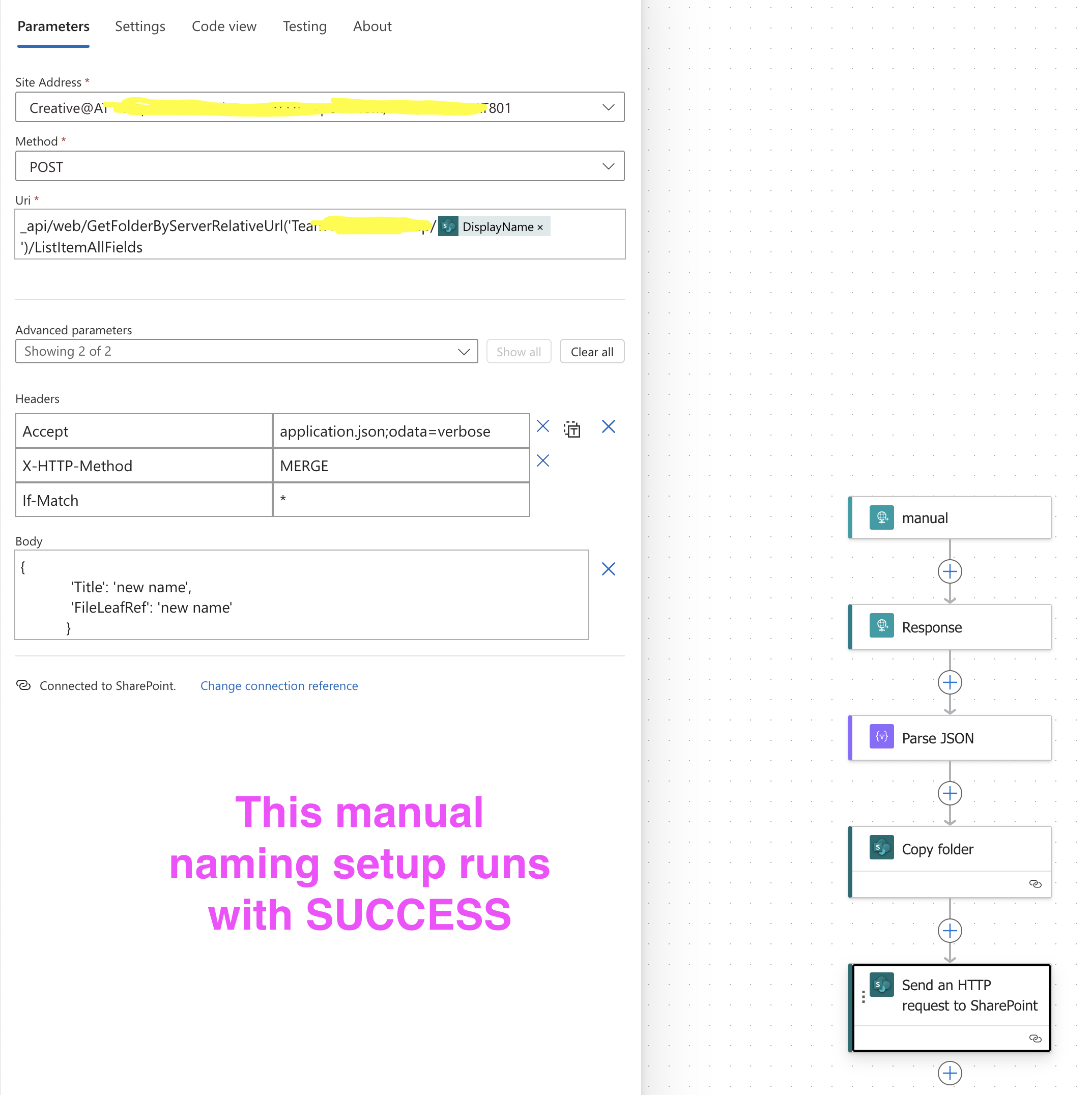
So far I have successfully created the entire flow and can get it to complete with manually entered text in the body value inside the Send an HTTP request to Sharepoint action -
eg 
{
'Title': 'new name',
'FileLeafRef': 'new name'
}

this works perfectly so I was pretty happy to get to that stage,
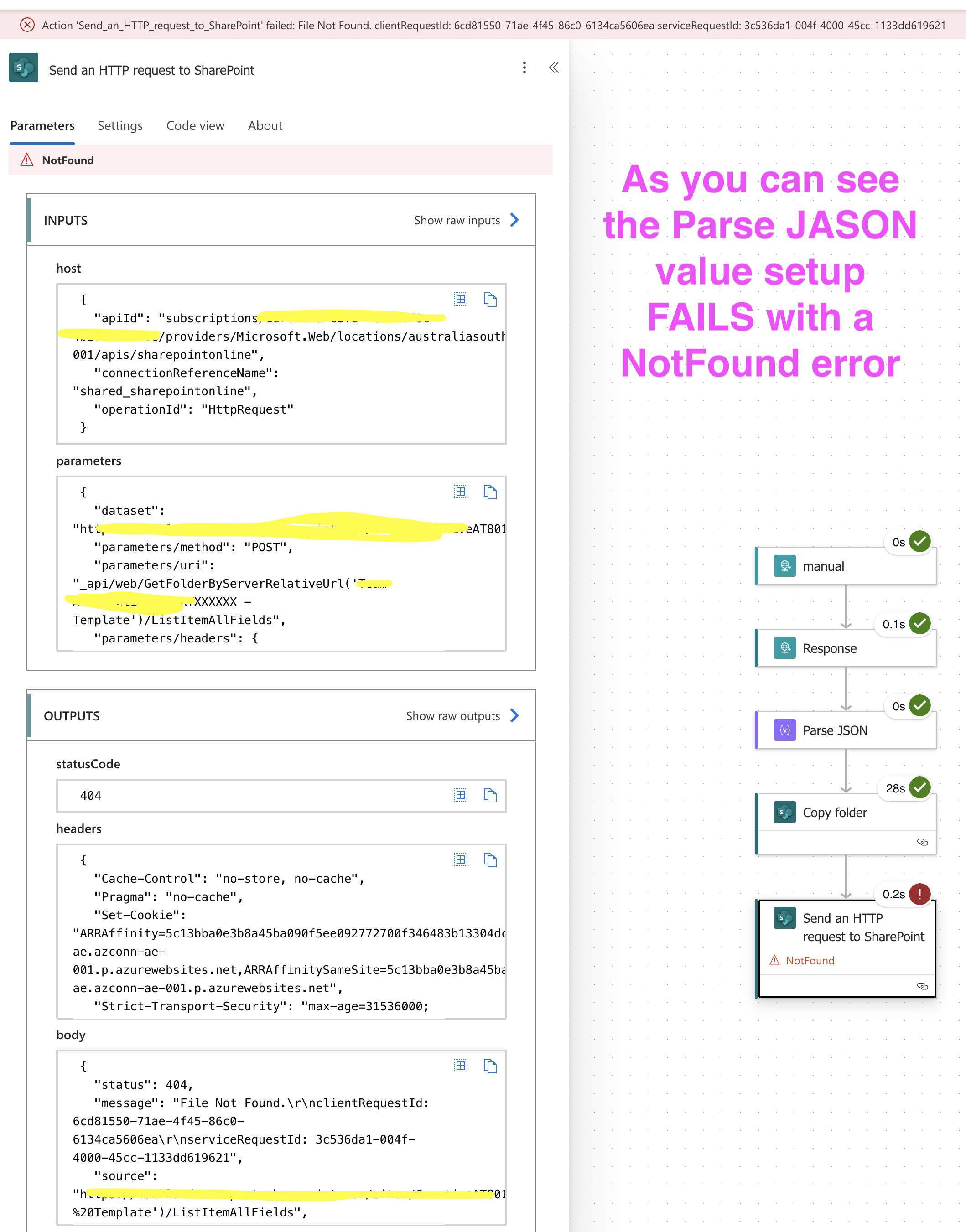
however since I want to use dynamic names that come from the clickup load that is where teh wheels are falling off.  As soon as I replace the manually entred 'new name' text with a dynamic value (in this case the 'Body Name' value from the Parse JSON it comes back with a NotFound error. 


See screenshots of what I have set up in both the manual setup and the problematic dynamic value set up
Have also included the error payload in the attachments.


Can anyone advise what I am missing or doing wrong please,
logically it should work but maybe I'm missing some small extra bit of code to make it function as expected?
Happy to be steered in the direction

UPDATE

I've tried the suggestion from Expiscornovus  but that hasn't resolved the issue - I'm not sure it is even relevant to the issue at hand but I tried all that was suggested with no success unfortunately. 

I've done a little more elimination testing and I can confirm that the ability to rename a folder isn't the issue, the flow setup already provides that ability as is, the problem is that the Dynamic Values from the Parsed webhook JSON payload do not deliver the values into the folder name as expected.

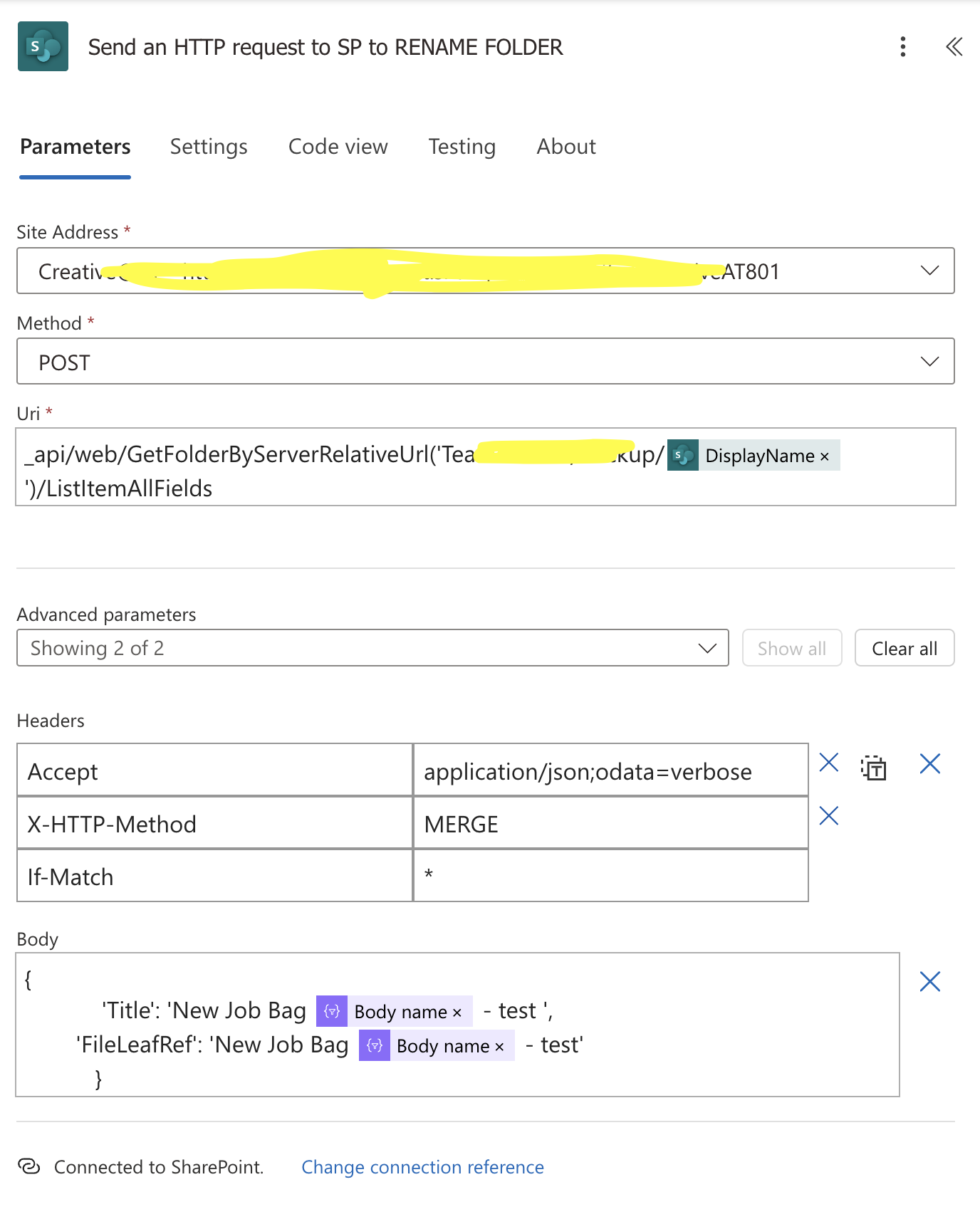
In my final test I entered a manual name using text (eg New Job Bag) then entered a dynamic value from the Parsed JSON (eg "Body Name") followed by some manual text (eg " - test") 

And when triggered the flow will create the Parsed JSON, copy the folder, and then rename the folder to "New Job Bag  - test". (see screenshot below)

Effectively it is applying the manual text but not applying the Dynamic Values (only a space in its stead) - it's as if the Value is completely ignored or not able to locate it.

The Parsed JSON definitely producing the Body Name value available (see screenshot below) which in this case is "rick test" so if the flow was calling this corretly the new folder name should have produced "New Job Bag rick test - test" but it did not
 
Can anyone provide any solution to why the dynamic values are being ignored?
Have a missed another important step to have the value presented in a way that the action will read and include?
See screens shots of this final test below

Any help much appreciated

Thanks 
Rick


Screenshot 2024-1...

Your file is currently under scan for potential threats. Please wait while we review it for any viruses or malicious content.

I have the same question (0)
  • Expiscornovus Profile Picture
    32,932 Most Valuable Professional on at
    Unable to get a parsed value to work with a Sharepoint FOLDER RENAME
     
    I see in your headers there is a small typo. It should be
    application/json;odata=verbose
     
    Additionally, when you use verbose headers the requests expects you to specify the _metadata property value as well:
     
    {
      "__metadata": {
        "type": "{odata.type from previous call}"
      },
      "Title": "New name",
      "FileLeafRef": "New name"
    }
     
    And as far as I know the GetFolderByServerRelativeUrl method expects a different URL for SharePoint Online: 
    /sites/<NameOfSite>/<NameOfLibrary/<NameOfFolder>
     
    I have shared an example for this in one of my blogs:
  • RP-14120253-0 Profile Picture
    13 on at
    Unable to get a parsed value to work with a Sharepoint FOLDER RENAME
    Hi Expiscornovus    

    Thanks for the quick reply.

    I just want to point out that with my original setup I could get the folder to rename on SP with a manually set 'Title':  and 'FileLeafRef': entry, so the flow was sort of doing the job but I just couldn't get it to use dynamic data in those rename fields.

    I went and made the adjustments you recommended and the adding of the metadata type seems to spit up errors - see screenshot.   Which intimates that the odata statement might not be correct.   

    Am I supposed to change that call to something that specifically matches my data environment? or do I need to add an action to call that odata prior so that it is available, or tells me what that call should look like?  or have I missed another step?

    I also looked at the longer relativeURL path that you thought might be an issue but i tried that and it just created a never ending running flow, so I went back to the original relative path (since that was working previously as I mentioned above)

    Can you advise how I can get the  
    odata.type call to function correctly?

    TIA


    ​
     
  • Verified answer
    RP-14120253-0 Profile Picture
    13 on at
    Unable to get a parsed value to work with a Sharepoint FOLDER RENAME
    Managed to solve this myself 

    My original folder copying and renaming action setup was correct, it turns out that the Parse JSON outputs being generated by Power Automate were incorrect so when the dynamic calls were made it returned an empty value.

    Basically Power Automate generated a default expression that included a [content] attribute eg {triggerBody()?[content]?['payload']?['name']} when it needed to just be {triggerBody()?['payload']?['name']}.   

    Not sure where it was getting [content] from because it wasn't anywhere in the schema, but when I removed the Parse JSON action and just wrote my own {triggerBody()?['payload']?['name']} expression it pulled the relevant value and renamed the folder as I was wanting.

    Learnt a few things along the journey but great to have found a resolution to the problem

    Got the inspiration from a video I was watching about JSON and the guy said ALWAYS double check the JSON as its not always perfect via the Parse JSON action.  Very good pointer indeed - plus I learned that it is more efficeint to use direct JSON expressions where possible since the Parse JSON action uses up more licence resources apparently

    Very happy chappy now :)
  • Expiscornovus Profile Picture
    32,932 Most Valuable Professional on at
    Unable to get a parsed value to work with a Sharepoint FOLDER RENAME
     
    First of all, great to hear you got it working and thanks for sharing your solution 🙂
     
    Btw, in the test run with the example I shared I used double quotes around both the title and FileLeafRef properties. I see in your test you used a combination of double quotes and single quotes in the Body payload.
     
    Make sure you stick to using one type of quote, otherwise it will probably get confused and that could explain the never ending flow run/time-out.

    Btw 2, every list has it's own unique ListItemEntityTypeFullName which you can use in that type property within the _metadata. I see you used the same as in my example, SP.Data.Project_x0020_FoldersItem.

    Unless your list has exactly the same name, it is very unlikely your specific type value would be exactly the same as mine 😉 That's why you are also getting an error message, a type named SP.Data.Project_x0020_FoldersItem​​​​​​​ could not be resolved.

    Make sure you retrieve the correct one.
  • RP-14120253-0 Profile Picture
    13 on at
    Unable to get a parsed value to work with a Sharepoint FOLDER RENAME
    thanks for your input Expiscornovus,

    it was very helpful in leading through the elimination process, and thanks for the " vs ' tip, I thought they might be interchangeable but good to know it could cause issues potentially so can keep it tidy goign forward - good house keeping is always a good thing

    will also check into the ListItemEntityTypeFullNam information you have provided.

    its an interesting journey of exploration with a bit of a learning curve so appreciate the helping hand

    Rick

Under review

Thank you for your reply! To ensure a great experience for everyone, your content is awaiting approval by our Community Managers. Please check back later.

Helpful resources

Quick Links

Responsible AI policies

As AI tools become more common, we’re introducing a Responsible AI Use…

Chiara Carbone – Community Spotlight

We are honored to recognize Chiara Carbone as our Community Spotlight for November…

Leaderboard > Power Automate

#1
Michael E. Gernaey Profile Picture

Michael E. Gernaey 535 Super User 2025 Season 2

#2
Tomac Profile Picture

Tomac 348 Moderator

#3
developerAJ Profile Picture

developerAJ 262

Last 30 days Overall leaderboard